Tips
Documentation standards for clear, consistent docs

9 Min Read
Documentation gets harder to trust when every page uses different terms, different title patterns, different screenshots, and a different idea of what “done” means. Documentation standards are the shared rules that stop that drift. They give teams a usable baseline for wording, structure, naming, links, visuals, and metadata so the help center feels more consistent for readers and easier to maintain for writers.
Share article:

What documentation standards actually mean
Documentation standards are the shared rules that tell your team what “good” looks like before an article ever goes live. They cover how pages should be written, structured, named, formatted, linked, and maintained at the page level so readers do not feel like every article came from a different team.
That makes documentation standards more specific than a broad documentation strategy and narrower than content governance. Strategy decides what content you should create. Governance decides who owns it, how it gets reviewed, and when it should be updated. Standards define how the finished page should read and behave once someone lands on it.
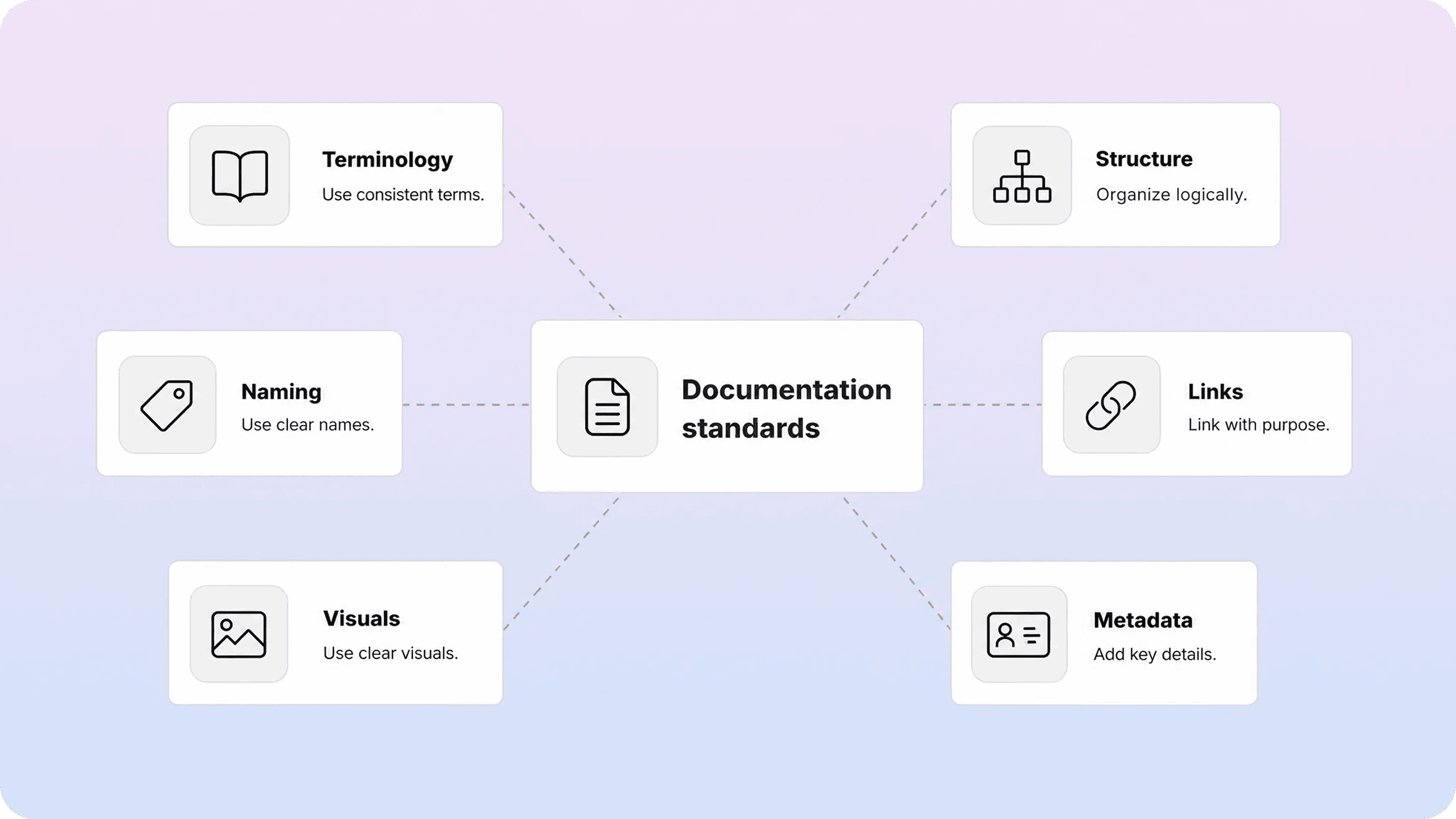
In practice, that usually means agreeing on a small set of things that writers and reviewers would otherwise debate over and over: preferred terminology, heading patterns, when to use screenshots, how to title pages, how to name files, how to handle internal links, and what metadata each article should include. A documentation style guide is just the documented version of those choices.
The goal is not to make every article sound robotic. It is to remove avoidable variation. When the standards are clear, readers can move through the help center without re-learning how each page works, and writers can spend more time explaining the product instead of renegotiating the same editorial decisions. That same consistency also makes broader product documentation easier to trust.
Why documentation consistency breaks without shared standards
Most documentation inconsistency starts as a small convenience. One writer uses the product nickname because it feels shorter. Another prefers sentence-style headings. Someone else writes troubleshooting pages like essays. Screenshots get added when they are easy to take, not when they are actually needed. Over time, those small differences stop feeling small.
The first problem is terminology drift. If one article says workspace, another says project, and a third says hub for the same object, readers have to translate the product while they are trying to solve a task. The same thing happens when teams alternate between official UI labels and internal shorthand.
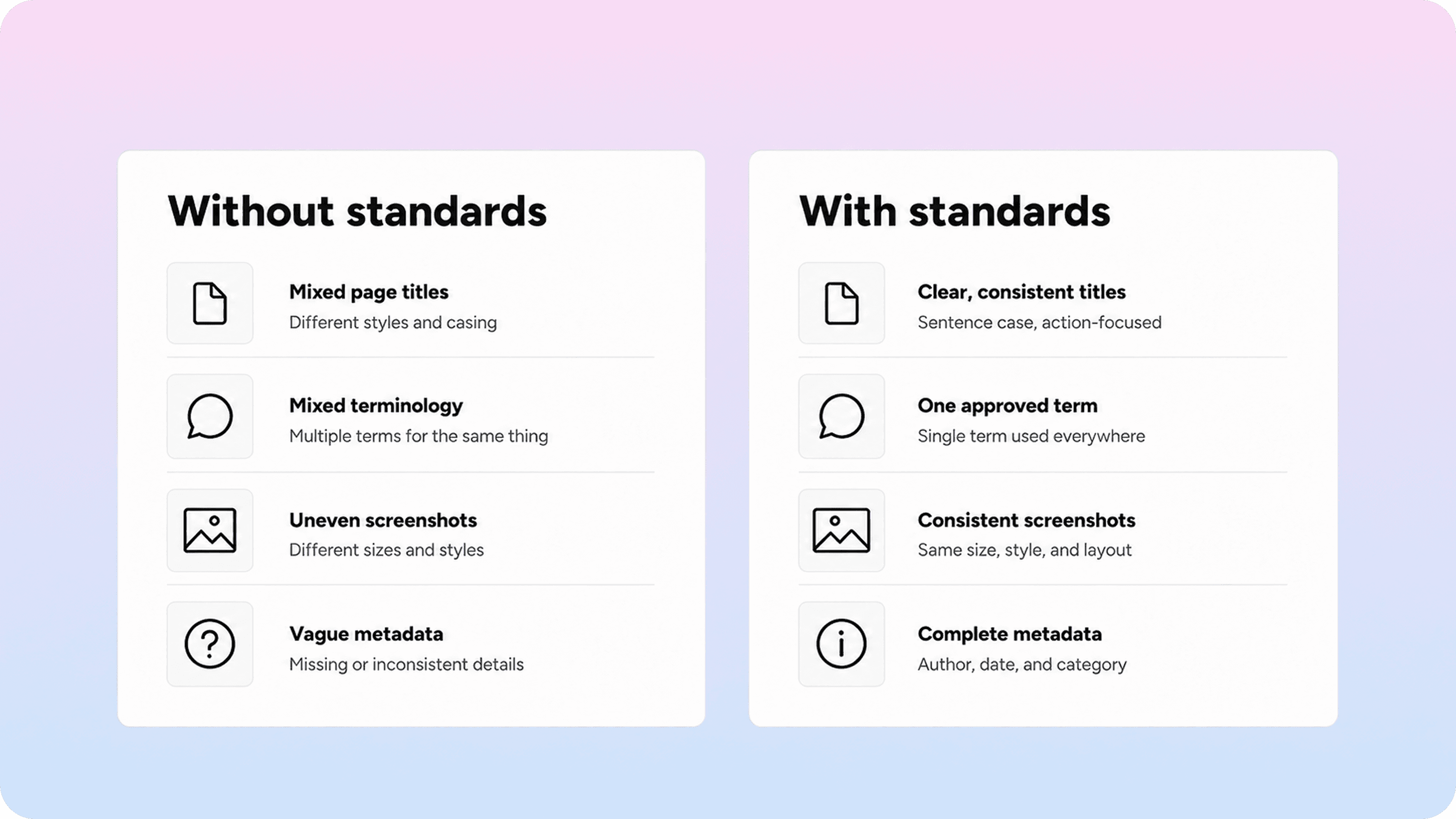
The second problem is structural drift. Readers stop trusting the shape of the page because each article behaves differently. Some titles describe a task. Others describe a feature area. Some pages front-load the answer. Others hide it after three paragraphs of setup. Even strong writing feels weaker when the structure keeps changing under the reader.
Naming drift creates another layer of friction. Weak document naming conventions lead to vague titles like “settings overview,” duplicate page names, and internal filenames that do not match the published topic. That hurts search, browsing, and editorial maintenance at the same time.
Then there is presentation drift: screenshots in one article, none in another; related links on some pages, dead ends on others; metadata written carefully in one section of the help center and ignored in the next. None of this looks dramatic in isolation, but together it makes the docs feel less trustworthy.
That is why documentation consistency usually improves through standards before it improves through volume. A larger help center without shared standards does not solve the problem. It just scales the inconsistency faster. Teams trying to make self-service easier to use usually run into the same issue described in help center best practices: clarity breaks when the content system underneath it is uneven.
The minimum documentation standards every team should define
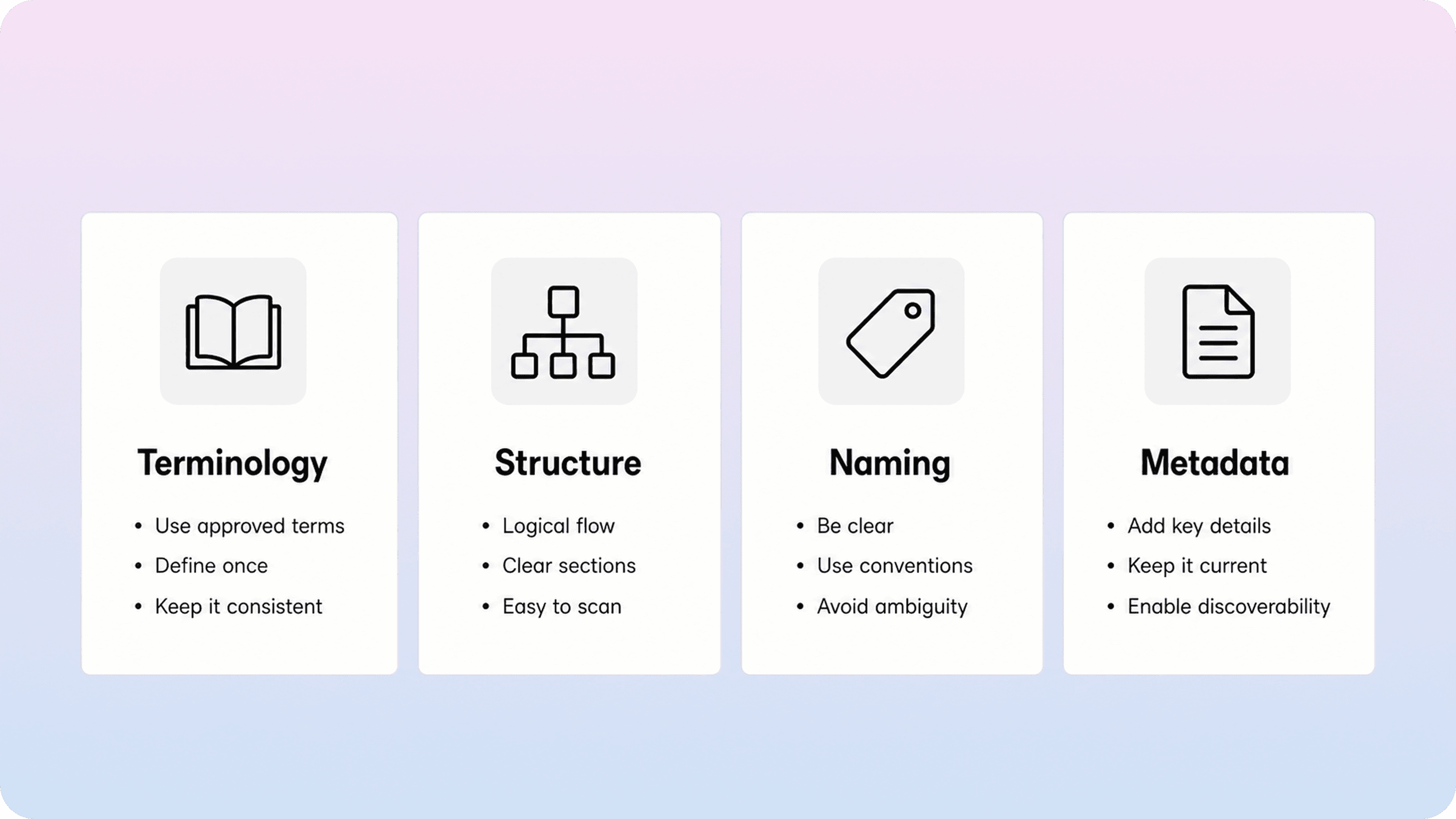
Most teams do not need a 40-page manual first. They need a compact baseline that settles the repeat arguments and gives new writers a reliable default.
A good minimum standards set looks like this:
Area | What to standardize | Minimum good-enough rule |
|---|---|---|
Voice and tone | how the docs should sound | write plainly, stay direct, and prefer calm instructional language over marketing phrasing |
Terminology | product terms, UI labels, and preferred wording | use one approved term per concept and match the live UI label whenever one exists |
Article structure | how-to, troubleshooting, overview, and policy page patterns | define the default section order for each major content type |
Headings | title and heading behavior | make headings descriptive, task-focused, and easy to scan; avoid clever or vague headings |
Document naming conventions | page titles, internal filenames, and slug logic | use one naming pattern, keep titles specific, and make filenames traceable to the published topic |
Links | internal and external linking behavior | link only when it helps the next step, use clear anchor text, and avoid dumping unrelated links |
Screenshots and visuals | when images should appear | use screenshots only when they remove doubt or show a state that is hard to explain in text |
Metadata | titles, descriptions, and search-facing fields | require a clear title, useful description, and predictable slug or categorization rule for every page |
That table is deliberately small. If the baseline is too large, people stop using it. The job of technical documentation standards is not to document every possible edge case on day one. It is to create enough consistency that most pages come out cleaner by default.
Document naming conventions deserve special attention because they influence more than storage hygiene. They shape search results, related-article modules, handoffs between teams, and the odds that someone accidentally creates a duplicate page. A useful naming rule is usually simple: one task or question per article, the clearest user-facing wording first, and no internal shorthand unless the reader already knows it.
The same principle applies to documentation guidelines overall. Standardize the places where inconsistency creates repeat friction. Leave room for judgment where strict rules would make the writing worse.
How to build a documentation style guide people will actually use
A documentation style guide only works if writers can apply it in the middle of real work. The first version should be short, opinionated, and full of practical defaults instead of abstract editorial theory.
Start by collecting the disagreements your team already repeats. Which terms keep changing? Which page titles are consistently vague? Where do reviewers keep asking for the same fixes? Those patterns tell you what belongs in the first version of the guide.
From there, build the guide in layers. Begin with the non-negotiables: terminology, title format, heading behavior, structure by content type, screenshot rules, link rules, and metadata requirements. Add examples next to every rule so nobody has to guess what “good” looks like. The Microsoft Writing Style Guide is a strong reminder that shared terminology and style expectations make technical writing easier to align.
Then connect the guide to the workflows people already use. Turn the rules into article templates, review checklists, and brief starter examples. If the guide lives as a long reference document that writers have to remember to open manually, it will drift out of use fast. Google’s developer documentation style guide is especially useful here because it recommends using project-specific guidance first and keeping clarity and consistency ahead of rigid rule-following.
A lightweight rollout usually works best in this order:
pick the highest-traffic or highest-risk content types first
define the minimum standards for those pages
update the templates and review checklist
fix the worst live inconsistencies in batches
expand the guide only after the first rules are actually being followed
The right target is not “perfect consistency.” The right target is fewer repeat corrections, faster reviews, and a help center that feels like one coherent system. If your team still needs a cleaner baseline article shape first, a simple knowledge base template helps remove a lot of avoidable variation.
How to keep standards visible after the guide is written
Documentation standards become real when they show up where people write and publish, not just where they read policy. That usually means embedding them in templates, content models, naming fields, editorial checklists, and publishing cues.
For Notion-based docs teams, that can be as simple as using standard page templates, locked property names, approved taxonomy fields, and short editorial prompts inside the content workspace. If writers see the expected title pattern, content type, and metadata fields while drafting, they are much more likely to follow the standard without extra review friction.
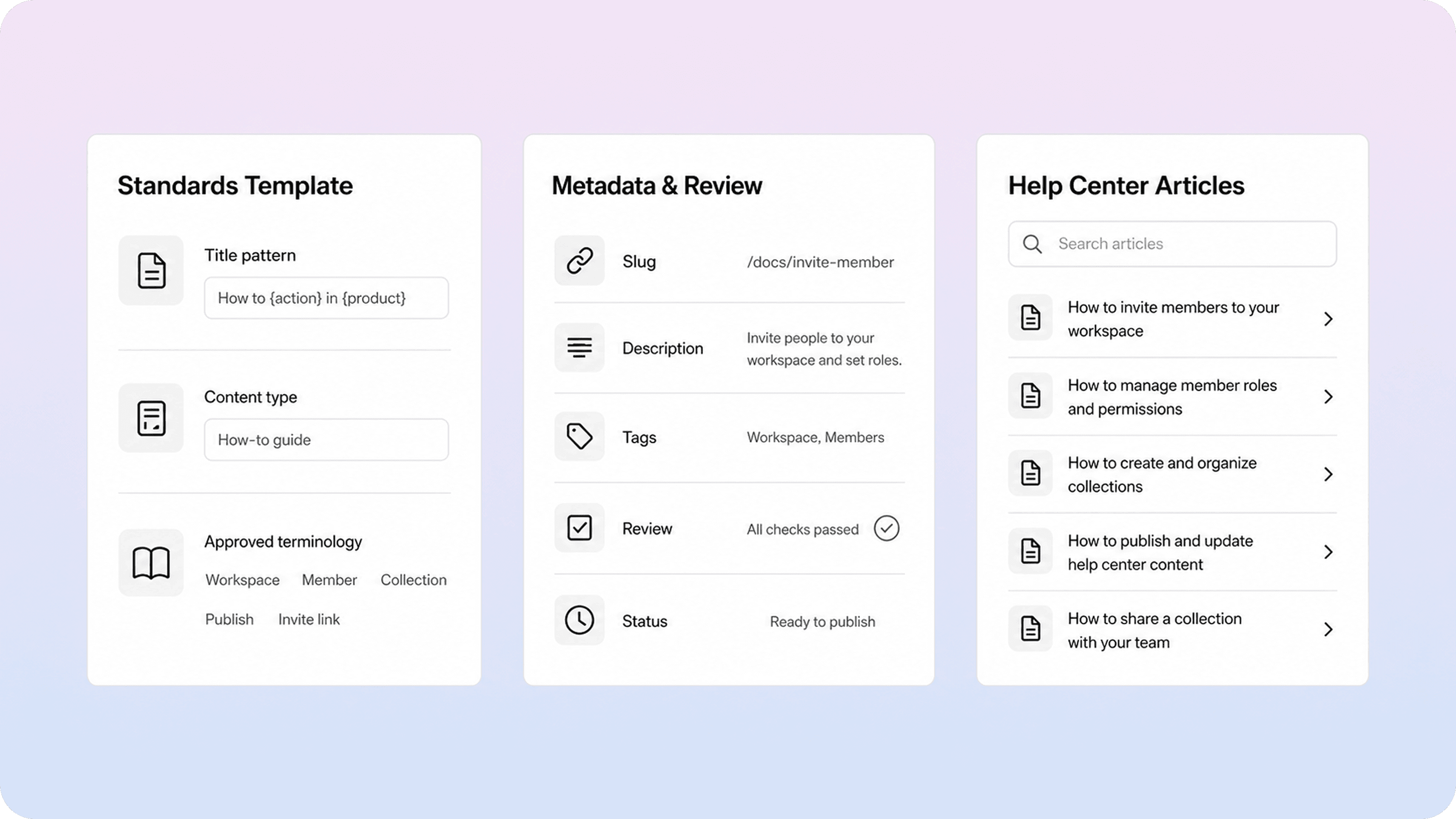
The published help center matters too. Once content is live, inconsistencies become easier to spot in search results, category pages, article lists, and related-content blocks. A polished publishing layer helps teams notice when titles are too broad, descriptions are uneven, or content types are mixed together in ways that confuse readers. The GOV.UK guide to writing for the web makes the same core point from a different angle: people need to recognize the right page quickly, understand it quickly, and know what to do next.
That is one reason standards pair well with tools that turn working docs into a structured help center. When your Notion content is published through a clearer customer-facing layer, weak titles, uneven structure, and missing metadata become visible much faster. The upside is practical: standards stop being an internal writing preference and start improving search, browsing, and trust. That connects directly to stronger help center SEO and to the broader question of what a knowledge base is when teams are trying to make self-service more usable.
If your team is already working on ownership and review cadence, standards should connect naturally to that wider system. But the starting point is still simple: make the right choices easier to repeat than the inconsistent ones.
When articles are written in Notion, a Notion help center also helps ensure that the published experience stays consistent, while writers continue working in the same familiar editor.
Conclusion
Documentation standards do not need to be heavy to be useful. A small, well-chosen set of rules for terminology, structure, naming, links, visuals, and metadata can make docs easier to write, easier to review, and much easier for customers to trust. Once those standards are built into templates and publishing workflows, consistency stops being a one-off cleanup project and becomes part of how the team works.
Frequently asked questions
What are documentation standards?
Documentation standards are the shared rules that define how your docs should be written, structured, named, and presented. They give writers and reviewers a common baseline so content stays clearer and more consistent across the help center.
What should a documentation style guide include?
How are documentation standards different from content governance?
How detailed should document naming conventions be?
Do small teams need formal documentation standards?
Share article:

2 free months of Pro
Turn Notion pages into help center answers.
Keep writing in Notion and publish a real, searchable Notion help center.

Articles
Keep reading