
Tips
How to turn support questions into documentation

10 Min Read
Support documentation works best when it starts with the questions customers already ask. Support tickets, chats, search terms, and repeated replies show where people get stuck, what language they use, and which answers should become clear help center content instead of one-off support responses.
Share article:


What support documentation should do
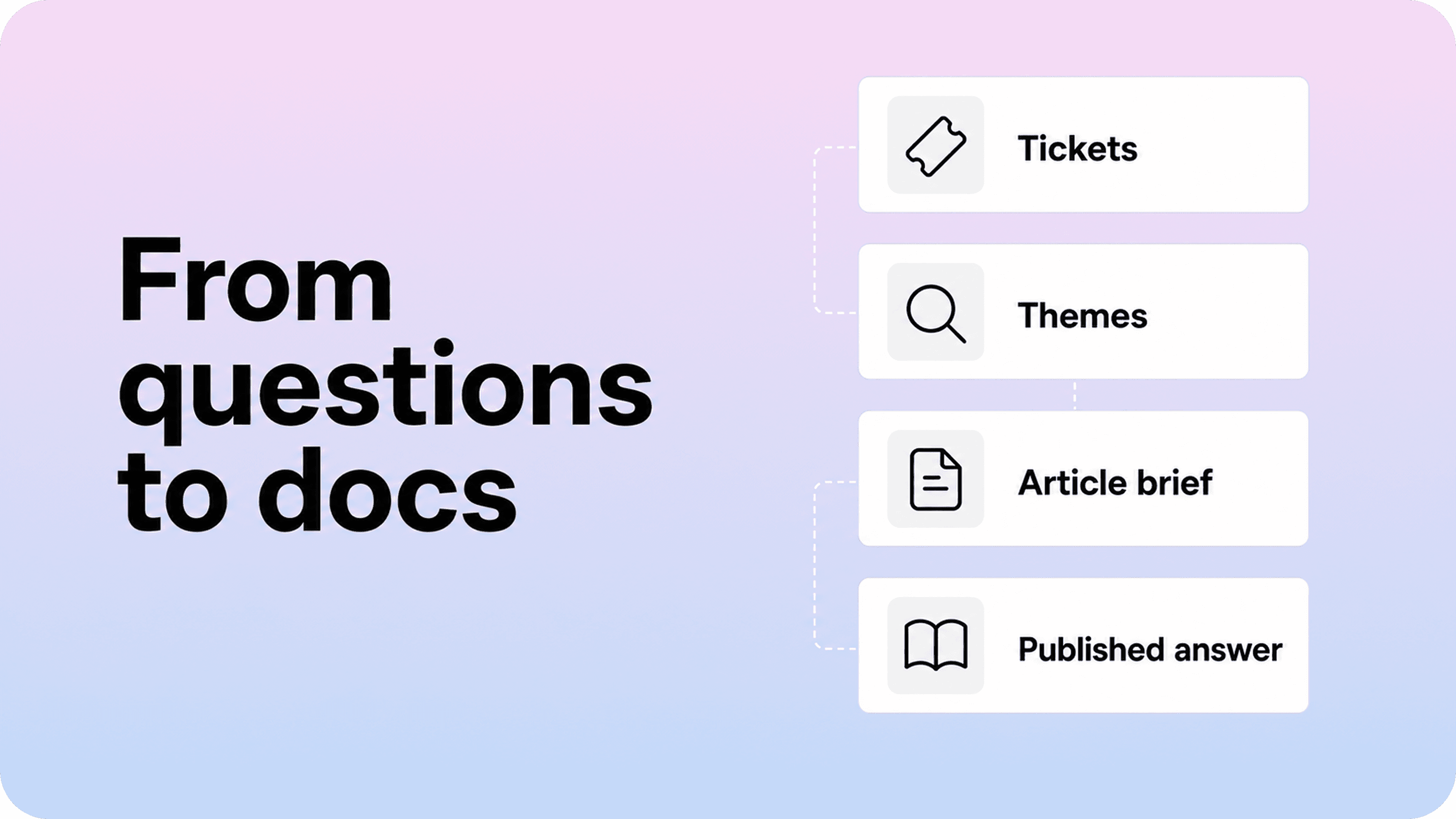
Support documentation is the part of your help center that answers real customer questions before someone has to contact your team. It includes setup guides, troubleshooting articles, billing explanations, account help, policy pages, and short how-to articles that support agents would otherwise repeat manually.
That makes support documentation different from a product announcement, a marketing page, or a broad knowledge base plan. It has a direct job: help the next customer solve the same issue faster.
The easiest way to make it useful is to treat every repeated support question as evidence. If customers keep asking how to download invoices, why an invite link expired, what a permission error means, or how to change a billing email, the support queue is telling you where the help center needs to carry more of the answer.
This does not mean publishing every support reply as an article. A ticket is messy, specific, and often tied to one account. Documentation needs to be reusable, safe, structured, and easy to find. The work is not copying support messages into Notion. The work is turning patterns from support into clear public answers.
That is why this article sits between Helpview’s guides on finding content gaps in a help center and building a full documentation workflow. Content gaps tell you where customers are stuck. A documentation workflow tells you how pages move through planning and review. This guide focuses on the middle step: how to turn support questions into documentation that customers can actually use.
Start with support questions that repeat
Do not begin with a blank content calendar. Start with the questions support already answers every week.
Useful sources include:
support tickets
live chat transcripts
contact form submissions
saved replies and macros
help center search terms
zero-result searches
article feedback
onboarding calls
customer success notes
release notes that created new support demand
For most teams, the first review does not need to be huge. A 30-day sample is enough if support volume is high. A 60- to 90-day sample is better for smaller teams where patterns take longer to appear.
The goal is to find repeatable customer needs. Look for questions that support agents answer with similar wording again and again:
“Where can I find my invoice?”
“Why can’t I invite another teammate?”
“What does this error mean?”
“Can I cancel before the renewal date?”
“Why is this feature missing from my account?”
“How do I export my data?”
Those questions are usually stronger article candidates than topics invented in a planning meeting because they come from real friction. They also give you the customer’s natural language, which is often more useful than your internal product labels.
If your team already has a help center, compare these questions against existing pages before writing anything new. A repeated question can mean the article is missing, but it can also mean the article is hard to find, too broad, outdated, or written in language customers do not recognize.
Group questions by customer intent, not exact wording
A raw ticket list gets noisy fast. One customer says “receipt.” Another says “invoice.” Another asks for “billing history.” Another asks whether invoices are emailed automatically. If you treat each phrase as a separate topic, the help center will fill with thin overlapping pages.
Group questions by intent instead. The real intent behind those billing questions might be “access billing documents.” The intent behind “add user,” “invite teammate,” and “member access” might be “manage workspace members.” The intent behind “2FA reset,” “can’t log in,” and “lost phone” might be “recover account access.”
A simple review table helps:
Customer wording | Intent cluster | Current content | Likely issue | Next action |
|---|---|---|---|---|
invoice, receipt, billing history | Access billing documents | Billing overview | Answer exists but is buried | Create focused invoice article or rename existing page |
invite user, add teammate, member access | Manage team members | Team settings guide | Permissions are missing | Update article with role requirements |
error 403, access denied | Fix access error | No article | Missing troubleshooting guidance | Create troubleshooting article |
cancel monthly, stop renewal | Cancel subscription | Pricing FAQ | Too shallow for support demand | Create cancellation guide or policy page |
This step prevents documentation from becoming a copy of the ticket queue. You are not documenting every phrase. You are documenting the repeatable customer job behind the phrase.
Intent grouping also helps with search. A good help center needs to match how customers search and how articles are structured. Helpview’s article on zero-result searches goes deeper on that signal, but the same principle applies here: customer language should shape titles, headings, intros, and synonyms before the article goes live.
Decide what each question should become
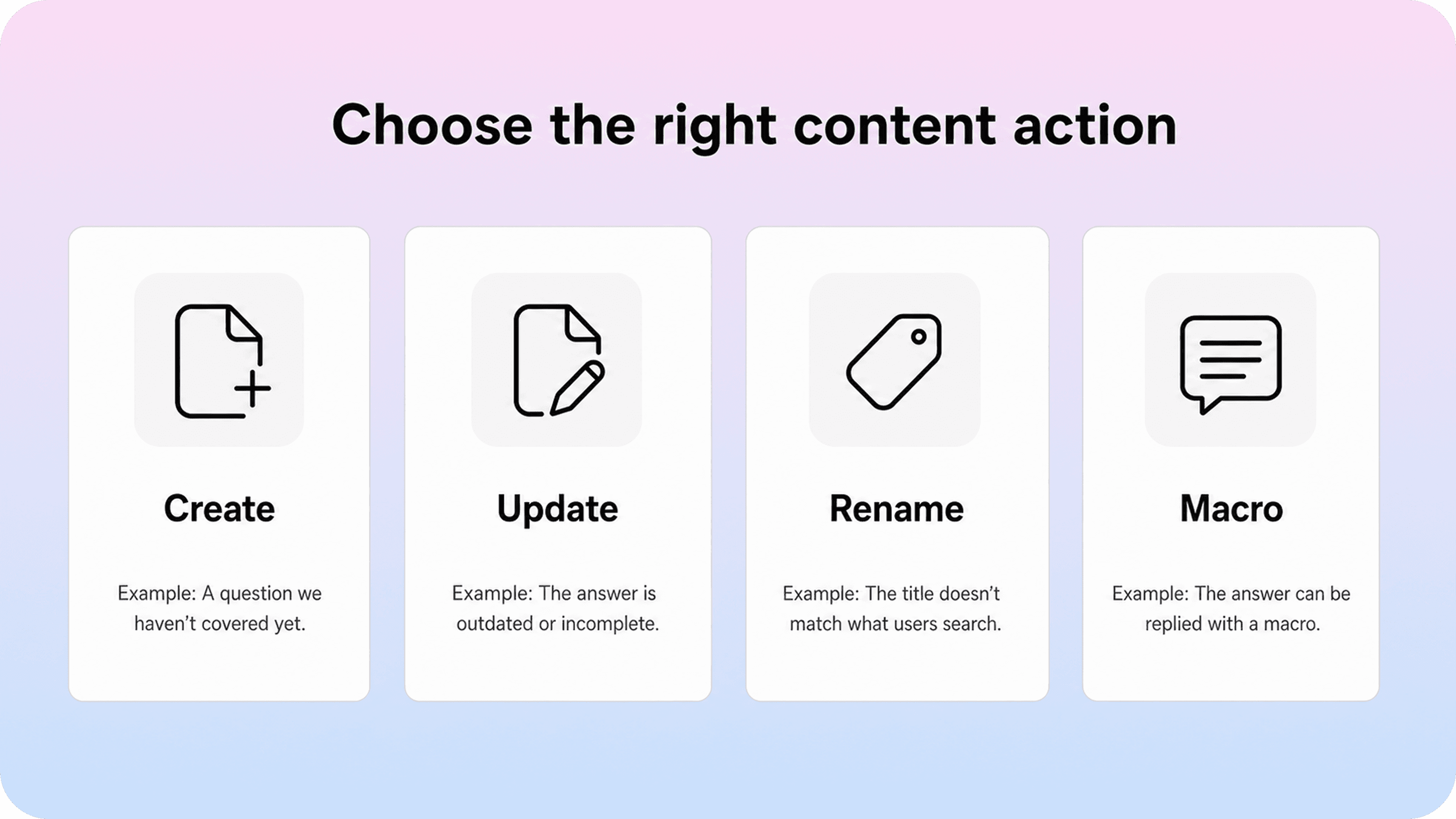
The biggest mistake in support-led documentation is assuming every repeated question needs a new page. New articles are useful when the customer intent is distinct and recurring, but they are not always the cleanest fix.
Choose the smallest content action that will help the next customer get an answer.
Support signal | Best content action | Example |
|---|---|---|
No page answers a repeated question | Create a new article | “Download an invoice” |
A page exists but misses a key detail | Update the article | Add required role, plan, or error state |
The answer exists under internal wording | Rename or retitle | Change “Receipts” to “Download invoices” |
Several pages partly answer the same question | Merge or restructure | Combine overlapping billing pages |
Customers find the article but still contact support | Improve the article opening or next steps | Add the main answer near the top |
The answer depends on account-specific judgment | Create or improve a support macro | Refund exception or custom contract case |
The question is common but sensitive | Use public guidance plus support escalation | Account recovery or security review |
This decision matters because too many help centers grow by adding pages when the real issue is clarity. If the answer already exists, a better title, stronger intro, related link, or search synonym may reduce repetitive customer questions faster than a new article.
Support teams should also be honest about what should not become public documentation. Some questions require private account data, legal review, custom contract terms, or human judgment. In those cases, the right move may be a better macro, an escalation path, or a private internal note, not a public help article.
The strongest support documentation systems usually borrow the spirit of Knowledge-Centered Service, where support work and knowledge improvement are connected. The point is not to add a heavy process. It is to make sure useful answers do not stay trapped in individual tickets.
Plan the article before writing it
Once a support question becomes a documentation candidate, slow down for a short planning step. This is where you turn “customers keep asking this” into an article that has a clear shape.
A compact article brief should answer:
What customer question are we answering?
What task, decision, or problem should the reader solve?
Who does the answer apply to?
Which plans, roles, regions, or product versions matter?
What is the source of truth?
Does an existing article need to be updated instead?
What should stay out of scope?
Who owns the article?
Who needs to review it?
What will trigger the next update?
This does not need to be a formal document. A Notion database item with those fields is enough. The value is in forcing the page to have one job before anyone starts drafting.
For example, “customers ask about invoices” is not a brief. It is a signal. A better brief is: “Create a help article for account admins who need to download invoices, view billing history, and understand whether invoices are emailed automatically. Source of truth: billing settings flow and finance policy. Out of scope: refunds and plan changes.”
That brief will produce a much cleaner article. It also gives reviewers something specific to check. Product can verify the flow. Finance can verify policy wording. Support can verify that the page answers the questions customers actually ask.
Turn a support reply into a clear article
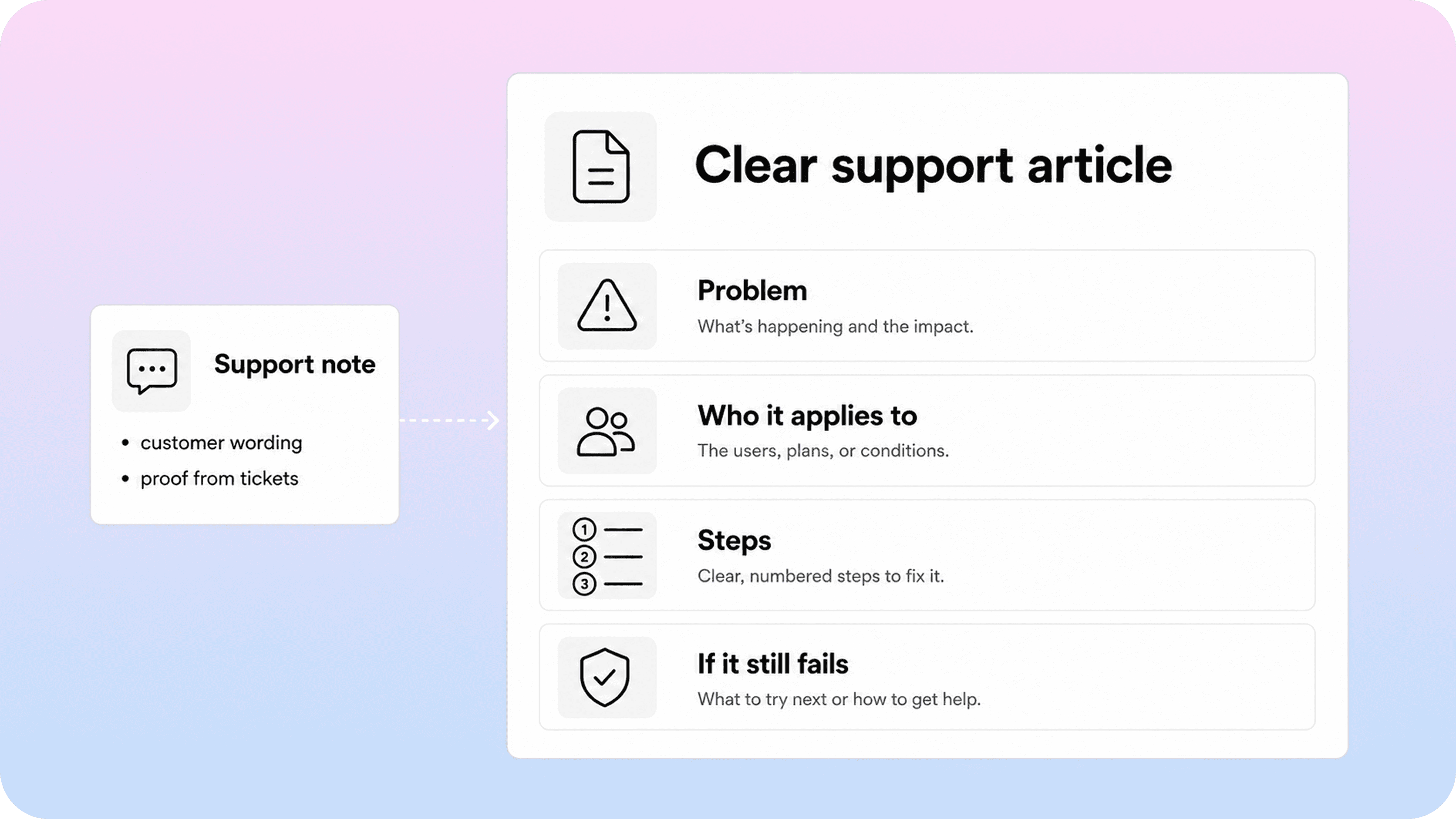
A support reply and a help center article do not have the same structure.
A reply usually responds to one customer, one account, and one moment. It may include private details, apologies, assumptions, and context from the ticket thread. A documentation article needs to work for many readers who arrive without that context.
A strong support article usually includes these parts:
A plain-language title. Use the words customers search for when possible.
A short answer near the top. Do not bury the main point under background.
Who it applies to. Mention required roles, plans, permissions, regions, or prerequisites.
Steps or explanation. Give the reader the actual path, decision, or fix.
Common exceptions. Cover the cases support sees repeatedly.
What to do if it still does not work. Tell the reader when to contact support and what details to include.
Related links. Connect the next likely question instead of leaving readers to search again.
Here is a simple transformation:
Support reply: “I checked your account and it looks like you are a member, not an admin. Only admins can invite teammates. Ask an admin to invite the new user from Settings → Members, or have them change your role first.”
Documentation version: “Only admins can invite teammates. If you do not see the invite option, check your role first or ask an admin to send the invitation. Go to Settings → Members → Invite teammate, enter the email address, and choose the right role before sending the invite.”
The documentation version removes private account context and turns the answer into reusable guidance. It also adds the missing prerequisite: the reader needs admin access.
This is where clear writing matters. Use direct titles, short paragraphs, visible steps, and customer language. Style guides like the Microsoft Writing Style Guide are useful because they reinforce plain, consistent wording, but the support queue gives you the most important input: what customers actually call the problem.
Use tickets as source material without copying them
Support tickets are valuable, but they are not clean publishing material. Treat them as source evidence, not draft text.
Before using ticket content, remove or generalize anything account-specific:
customer names
company names
email addresses
account IDs
invoice numbers
screenshots with private data
internal comments
contract details
one-off exceptions
Then extract the reusable pattern. What was the customer trying to do? What blocked them? What information did support need to explain? What did the customer misunderstand? Which part of the product created the question?
This keeps the article useful and safe. It also avoids a common documentation problem: overfitting the page to one strange case. A public help article should answer the repeatable version of the issue, not every detail from one ticket.
If a support question has several variants, document the stable core first. Then add a short troubleshooting or exceptions section only for cases that repeat. If every case is different, the topic may belong in internal support documentation rather than the public help center.
A good rule: if the next customer can solve the issue without your team seeing their account, it is a public documentation candidate. If support needs private context to make the decision, document the intake path, not the decision itself.
Publish the answer where customers can find it
The article is not finished when the draft is approved. It still needs to be findable.
Before publishing, check these basics:
Does the title match customer wording?
Does the opening paragraph mention common alternate terms naturally?
Is the article in the category customers would browse?
Does it link from the pages where the question usually starts?
Does the contact form suggest it before a ticket is opened?
Do support macros link to the article instead of rewriting the full answer?
Does the product link to it from the confusing screen, empty state, or error message?
This is where support documentation can reduce repetitive customer questions. If agents keep sending the same article manually, the answer may still be too far from the customer’s path. Link it from related articles, product surfaces, onboarding emails, and support forms where appropriate.
For Notion-first teams, this is one of the reasons to turn internal Notion pages into a structured help center rather than sharing raw docs. A customer-facing help center gives articles clearer navigation, search behavior, categories, and metadata while the team can still write and maintain content in Notion. If that is the setup you are building toward, Helpview’s guide on using Notion for documentation explains where Notion works well and where a publishing layer helps.
Publishing should also create a maintenance trail. Record the owner, publish date, source of truth, related support tags, and next review trigger. Otherwise the article may solve the current support spike and then drift out of date after the next product change.
A Notion help center is a practical option when your team wants to keep writing in Notion but publish those answers in a dedicated place that customers can browse and search.
Build the loop into your support workflow
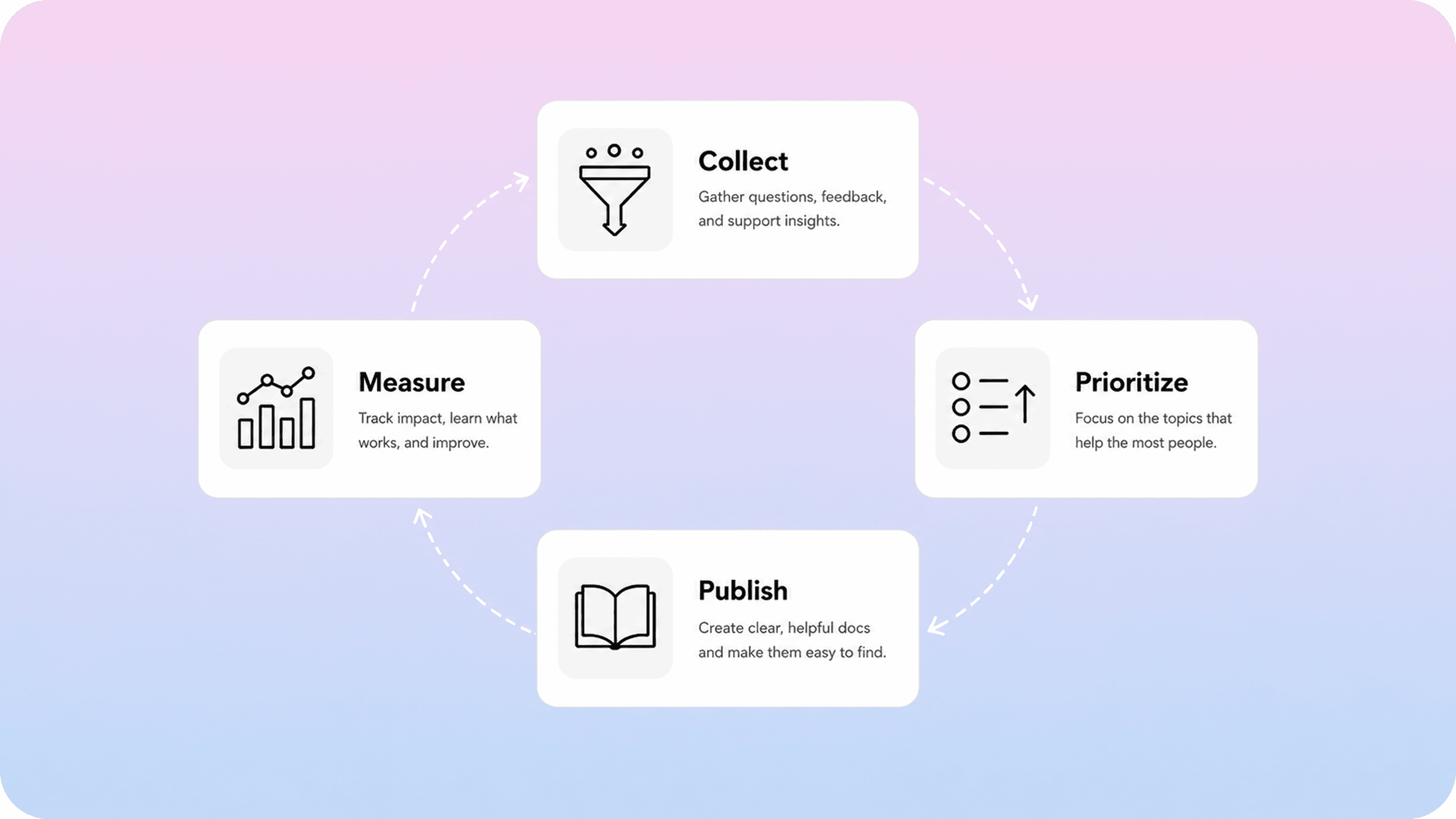
Turning one batch of tickets into articles is useful. Building a repeatable loop is better.
A lightweight support documentation loop can look like this:
Collect: Review repeated tickets, chats, searches, and article feedback.
Cluster: Group questions by customer intent.
Prioritize: Choose the highest-impact questions that documentation can solve.
Plan: Create briefs with owner, source of truth, and content action.
Draft: Turn the reusable answer into a clear article.
Review: Check accuracy, support fit, and editorial clarity.
Publish: Put the article where customers and agents can find it.
Measure: Watch whether related tickets, searches, and follow-up questions decline.
The cadence can stay simple:
weekly review for urgent repeat issues, failed searches, and negative feedback
monthly review for larger support themes and backlog planning
release review when product changes create new questions
quarterly review for stale or overlapping support documentation
The key is ownership. Someone needs to own the documentation backlog, even if many people contribute signals. Support can identify the patterns. Product can verify facts. Customer success can add context from onboarding or renewals. A docs owner or support lead can turn those inputs into a clean publishing queue.
Without that ownership, support questions keep generating informal answers but not durable documentation. Agents write the same replies. Customers ask the same questions. The help center falls behind the real support conversation.
Measure whether documentation reduced repetitive questions
The goal is not to publish more support documentation. The goal is to reduce avoidable confusion.
Track signals that show whether the article helped:
Signal | What to watch |
|---|---|
Ticket volume by theme | Did related questions decline after publication? |
Search terms | Are customers finding the article with their natural wording? |
Zero-result searches | Did failed searches for the topic drop? |
Article helpfulness | Are readers marking the answer as useful? |
Search-to-contact rate | Do readers still contact support after searching? |
Macro usage | Are agents linking the article instead of rewriting the answer? |
Follow-up questions | Do customers still need clarification after reading? |
Do not expect every number to drop immediately. Sometimes ticket volume rises because more customers are using a feature. Sometimes a new article reveals related questions that deserve their own updates. The useful question is whether customers now have a clearer path to an answer.
When a support article does not reduce repeat questions, diagnose the reason before writing more pages. The article may be missing a key exception. The title may not match search behavior. The answer may be too low on the page. The product may need clearer in-app guidance. Or the topic may not be solvable through documentation alone.
That measurement loop is what keeps documentation from becoming a static archive. Support documentation should keep learning from support demand.
Conclusion
The fastest way to improve support documentation is to listen to the questions customers already ask. Tickets, chats, searches, and repeated support replies show where people are confused, what language they use, and which answers should become reusable help center content.
The work is not copying tickets into articles. It is finding repeatable intent, choosing the right content action, planning the article, removing account-specific detail, publishing the answer in the right place, and measuring whether the next customer still needs to ask.
When that loop becomes part of normal support work, documentation stops being a side project. It becomes the system that helps support teams answer once, improve the answer, and make it easier for customers to help themselves next time.
Frequently asked questions
What is support documentation?
Support documentation is customer-facing help content that answers common support questions, troubleshooting issues, setup tasks, billing questions, account problems, and policy explanations. Its job is to help customers solve repeat issues without needing a one-to-one support reply.
How do you turn support questions into documentation?
Should every support ticket become a help article?
How can support documentation reduce repetitive customer questions?
What is the best way to plan help center content from support tickets?
Share article:

2 free months of Pro
Turn Notion pages into help center answers.
Keep writing in Notion and publish a real, searchable Notion help center.

Articles
Keep reading