Tips
Support ticket categories: how to sort requests

11 Min Read
Support ticket categories help your team turn a messy queue into clear routing, better priorities, stronger reporting, and more useful help center content.
Share article:


What support ticket categories are
Support ticket categories are labels that group incoming requests by topic, product area, customer task, or issue theme. They tell the support team where a ticket belongs before anyone writes a full response.
A category might be simple, like Billing, Account access, Technical issue, or Feature request. Larger teams may add subcategories, such as Billing → invoices, Account access → login code, or Integrations → sync failed. The goal is not to create a perfect internal map. The goal is to make the next action obvious.
Categories become useful when they help the team answer practical questions:
Who should handle this ticket?
How urgent is it?
Which product area does it affect?
Is this a known issue, a how-to question, or a documentation gap?
Which repeated questions should become help articles?
That last point is easy to miss. Ticket categories are not only an operations tool. They are also a content signal. If a high share of tickets sit under Billing → invoices, customers probably need clearer invoice guidance in the help center. If Access → permission error keeps growing, the support queue may be telling you that your permissions docs are incomplete or hard to find.
Helpview’s guide on turning support questions into documentation covers the broader support-to-docs loop. Ticket categories are one of the simplest ways to make that loop easier to see.
Ticket types, categories, and priority levels are different
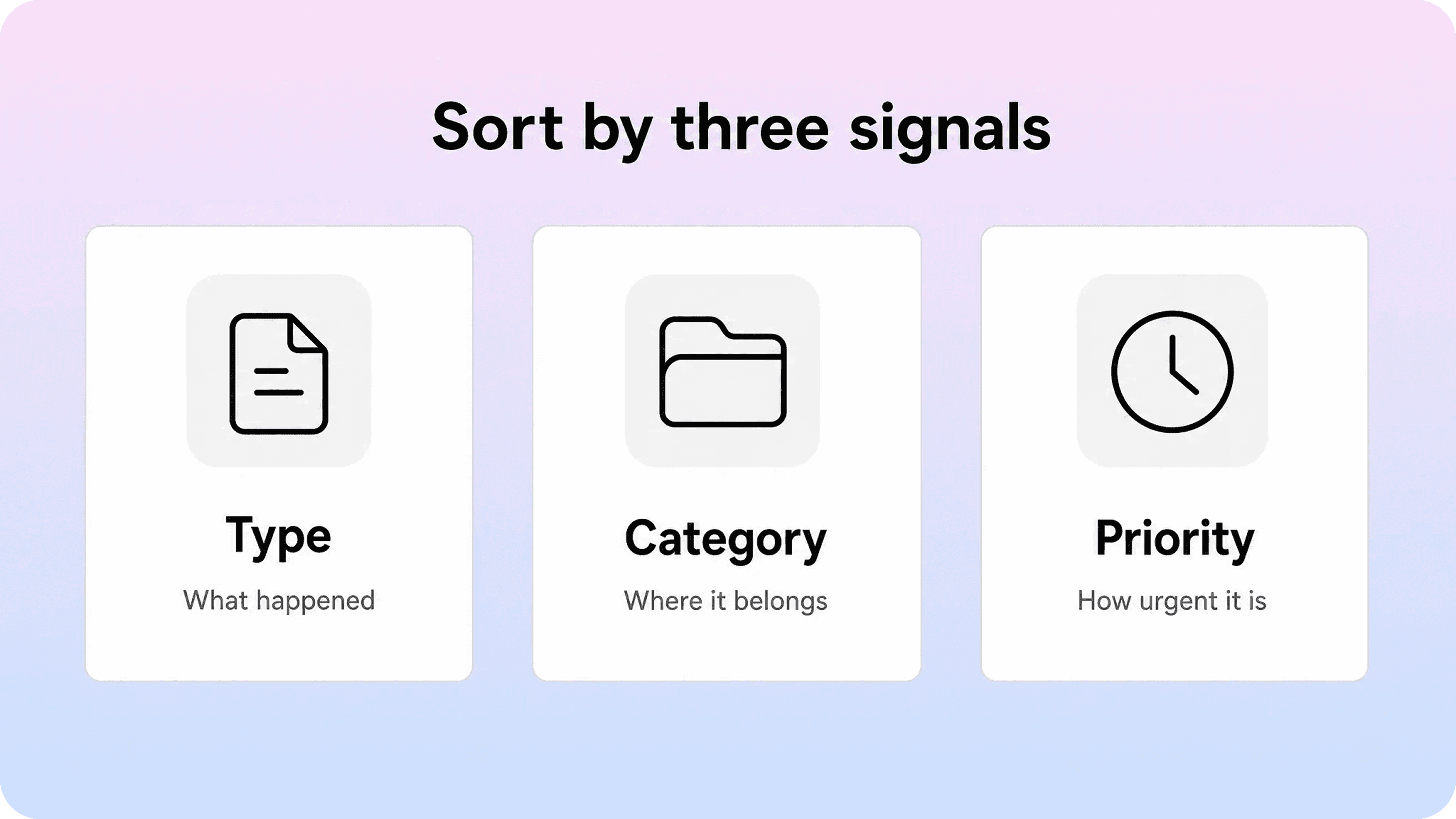
Support teams often mix ticket types, categories, and priority levels into one field. That works for a tiny queue, but it creates confusion as soon as volume grows.
A ticket type describes the kind of work. A category describes the subject. A priority level describes how quickly the team should respond. Those fields can influence each other, but they should not replace each other.
Field | What it answers | Examples | Common mistake |
|---|---|---|---|
Ticket type | What kind of support work is this? | Question, incident, problem, task, feature request | Using type as a catch-all category |
Ticket category | What is the request about? | Billing, login, integrations, security, cancellation | Creating too many overlapping labels |
Priority level | How urgent or risky is it? | Urgent, high, normal, low | Treating every technical issue as high priority |
Status | Where is the ticket in the workflow? | New, open, pending, solved | Using status to describe the issue itself |
Tags | What extra context helps later? | VIP, beta, refund, mobile, API | Replacing categories with random tags |
This separation matters because the same category can contain different priorities. A billing question about where to download an invoice may be normal priority. A billing issue that blocks a customer from renewing before a deadline may be high priority. A login question from one user may be normal priority. A login outage across many customers may be urgent.
It also matters for reporting. If categories and priorities are blended together, the team cannot tell whether billing is creating the most volume, whether integrations are creating the most urgent work, or whether account access issues are mostly simple how-to questions. Clean classification makes the queue easier to route and the reports easier to trust.
For IT and service desk teams, this distinction often sits inside a broader service management model. Atlassian’s Jira Service Management documentation explains how ticket categories help organize request work, while Zendesk’s support training covers how agents move tickets through solving and follow-up workflows in a structured queue.
Common support ticket categories to start with
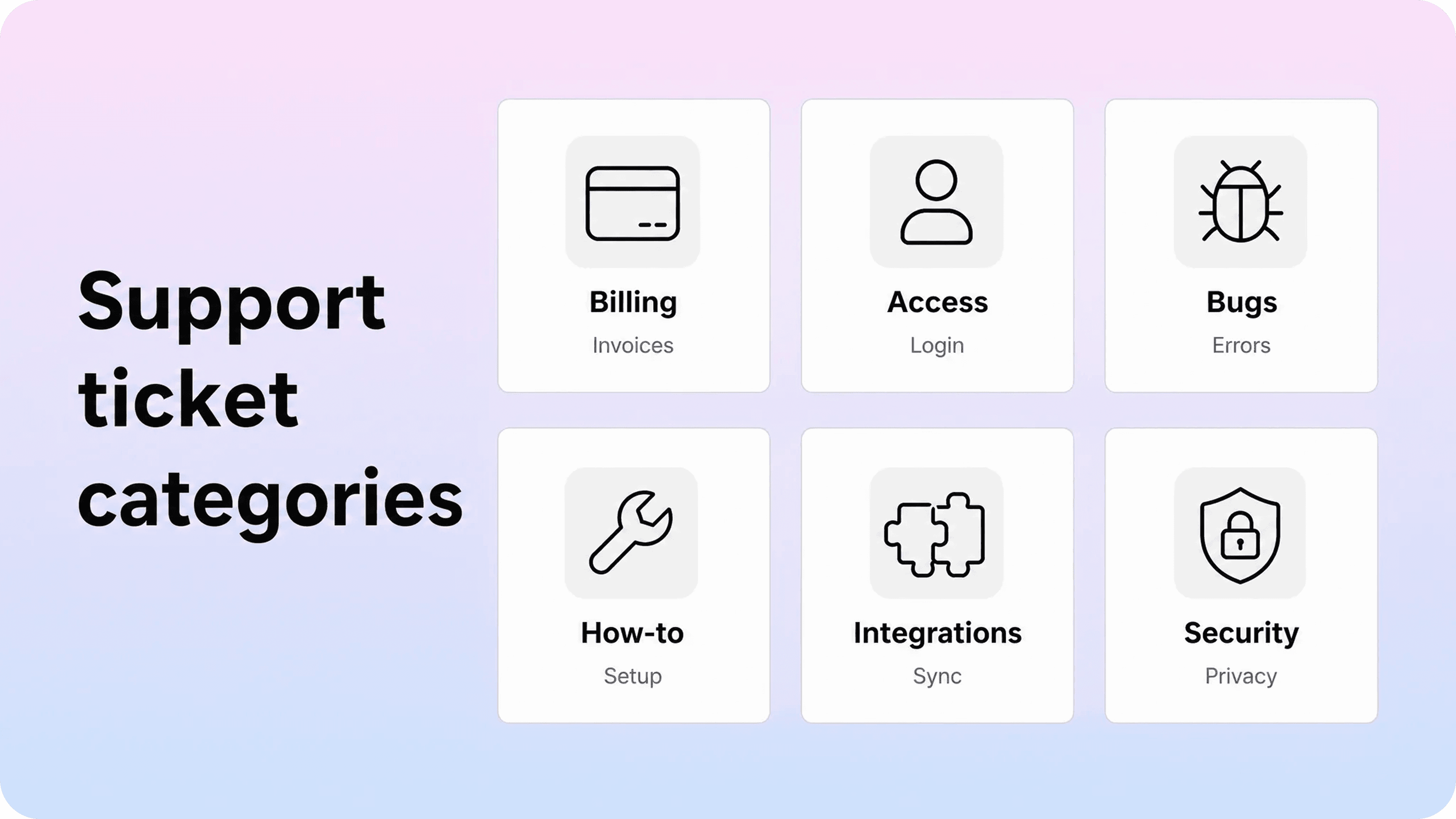
The best help desk ticket categories usually come from real support demand, not from an internal brainstorming session. Still, most teams can start with a small set of broad categories and refine them after a few weeks of usage.
A practical starting set looks like this:
Billing and subscriptions
Use this category for invoices, receipts, plan changes, renewals, payment failures, tax details, refunds, cancellation timing, and billing contacts. It is often worth separating billing question from billing blocker through priority, not by creating too many categories.
Account access and permissions
Use this for login issues, password resets, two-factor authentication, invite problems, role permissions, locked accounts, workspace ownership, and missing access to settings. These tickets often reveal missing documentation about who can do what.
Technical issues and bugs
Use this for errors, broken flows, unexpected behavior, crashes, sync failures, performance problems, and confirmed bugs. If the queue is large, split by product area or platform only where it helps routing or investigation.
Product how-to questions
Use this for customers who are not reporting something broken. They are trying to complete a task, understand a setting, or learn the right workflow. These tickets are excellent candidates for clearer how-to articles and product guidance.
Setup and integrations
Use this for onboarding, first-time configuration, API keys, third-party connections, imports, exports, webhooks, and sync setup. Integration tickets often need clear prerequisites because the issue may depend on permissions in another tool.
Security, privacy, and data
Use this for data access, export requests, security reviews, privacy questions, deletion requests, compliance questions, and sensitive account concerns. These categories should have careful routing because the wrong answer can create trust or legal risk.
Feature requests and product feedback
Use this for product ideas, missing capabilities, UX feedback, and requests for roadmap information. Keep this category separate from bugs. A feature request describes something the product does not do yet; a bug describes something that should work but does not.
Cancellation, policies, and account changes
Use this for cancellation questions, contract terms, ownership transfer, policy clarification, and account closure. Some teams keep this under billing, but a separate category can help if these tickets require different review or escalation.
You do not need all of these on day one. If your support queue is small, combine related areas and use subcategories only when they change ownership, reporting, or customer experience. A category that never changes what happens next is probably just clutter.
How to classify tickets without overcomplicating the queue
A support ticket classification system should make agents faster, not slower. If every ticket requires five required fields, three nested dropdowns, and a guess about the root cause before anyone replies, the system will be ignored or filled in badly.
Start with the few fields that truly matter:
Type: what kind of support work is this?
Category: what topic or product area does it belong to?
Priority: how urgent is it based on impact and risk?
Status: where is it in the support workflow?
Owner or team: who is responsible for the next step?
Then add optional fields only where they improve action. A SaaS team might add plan, platform, integration, or product area. An ecommerce team might add order issue, shipping, or returns. An internal IT team might add hardware, software, access request, or service request.
The safest rule is this: every required classification field should earn its place. It should help route the ticket, set priority, report on demand, trigger an automation, or improve documentation. If a field does none of those things, keep it optional or remove it.
It also helps to classify in stages. At intake, capture the broad category and priority. After the first response or investigation, agents can adjust the category, add the root cause, or attach a more specific tag. Early classification should be fast. Final classification should be accurate enough for reporting.
Avoid these common patterns:
categories that overlap, such as Account, User, Login, and Access with no clear difference
categories named after internal teams instead of customer problems
subcategories that only one agent understands
required fields that agents fill with Other because the list is too long
priority labels based on emotion instead of impact
tags used as a substitute for a real category system
The goal is consistency. A simple category list used correctly is more valuable than a detailed taxonomy that agents interpret differently every day.
How categories should connect to priorities and SLAs
Support ticket priority levels should describe urgency, impact, and risk. They should not be a hidden way to say which category matters most.
A clear priority model usually includes four levels:
Urgent: a major outage, security concern, payment blocker, or issue affecting many users.
High: a serious issue affecting an important workflow, customer deadline, or limited group of users.
Normal: a standard support request that needs a timely answer but is not blocking critical work.
Low: a low-risk question, general feedback, cosmetic issue, or request with no immediate deadline.
Categories can influence priority, but they should not automatically decide it. Security may often be high priority, but a general security questionnaire is not the same as a possible account compromise. Technical issue may sound urgent, but a small display bug is not the same as a failed checkout or production outage.
A better model uses both category and impact:
category tells the team where the ticket belongs
impact tells the team how much the issue affects the customer
urgency tells the team how quickly action is needed
SLA rules define the response and resolution expectations
This is the difference between a useful queue and a noisy one. If every angry ticket becomes urgent, the team loses focus. If every bug becomes high priority, the queue hides the issues that truly need immediate attention. If every enterprise customer is always high priority, the team may miss a widespread issue affecting smaller accounts.
Write short priority definitions and keep them visible. Agents should not have to guess what high means. Customers do not need to see every internal detail, but the support team needs a shared standard so tickets move through the queue fairly and predictably.
Use categories to improve your help center
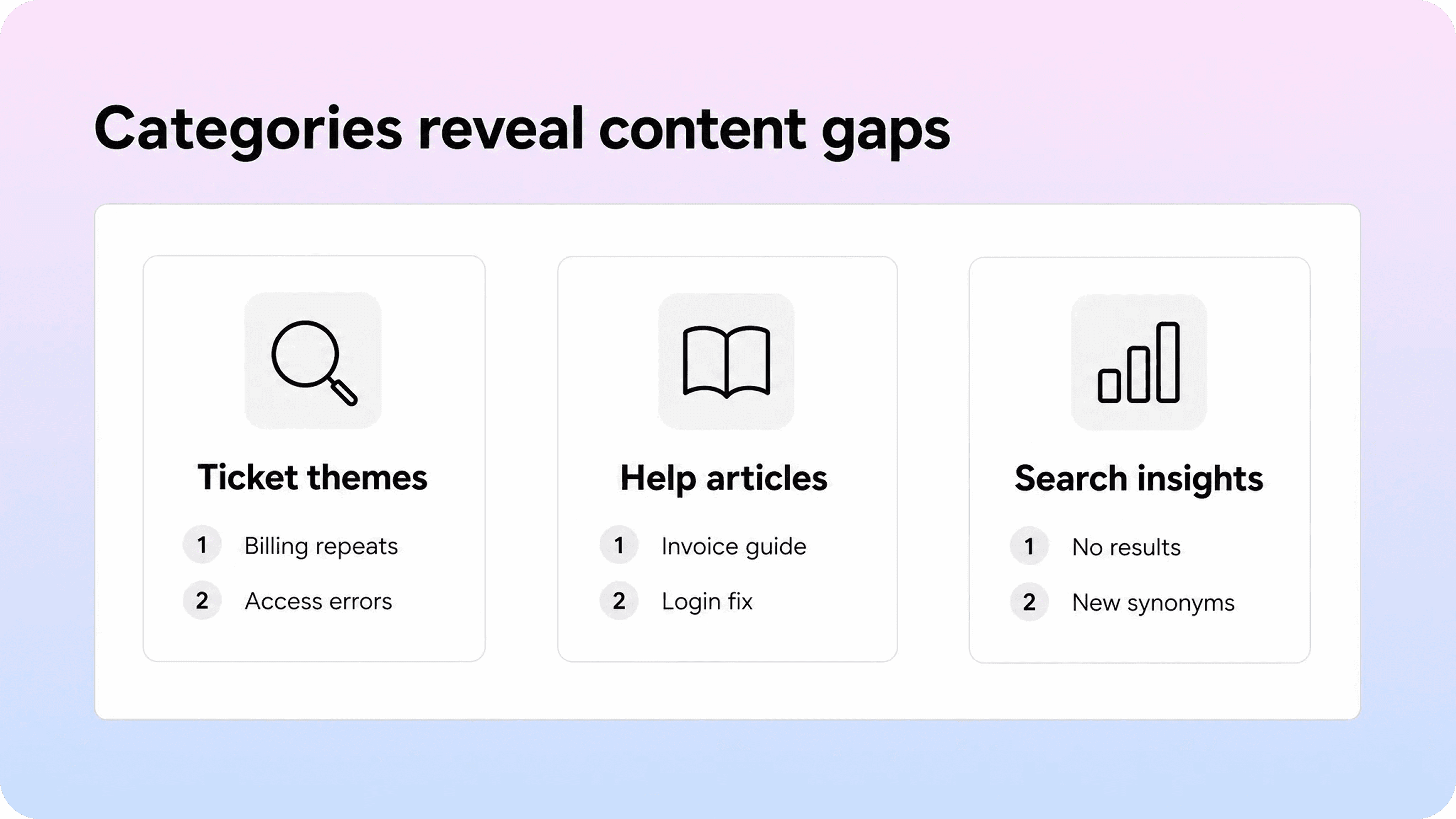
Support ticket categories become much more valuable when they feed your documentation backlog. Otherwise, they only help the team sort work after customers already needed support.
Look at category trends every month and ask:
Which categories create the most repeat tickets?
Which categories are growing after a product release?
Which categories have high first-response or resolution time?
Which categories get solved with the same explanation again and again?
Which categories contain questions that customers could answer safely through self-service?
Those patterns tell you what your help center should improve next. A spike in Access and permissions might mean your role documentation is unclear. Repeated Billing and subscriptions tickets may mean your invoice article is missing, too broad, or using the wrong title. A growing Setup and integrations category may mean customers need better prerequisites before they begin.
For teams that write in Notion, a Notion help center turns the strongest ticket patterns into customer-facing pages without creating a separate writing workflow. Support can use ticket categories to spot repeated demand, while the docs owner publishes those pages with the search, categories, metadata, and structure customers need.
Use categories next to search data, not instead of it. Ticket categories show what reached support. Help center search terms show what customers tried before they opened a ticket. If the same phrase appears in both places, it is usually a strong content opportunity. Helpview’s articles on content gaps and zero-result searches go deeper on how to use those signals without turning every search term into a new page.
A practical monthly review can be simple:
Export ticket volume by category.
Highlight the categories with repeat questions or rising volume.
Compare them against existing help articles.
Decide whether each pattern needs a new article, an update, a better title, a related link, or a support macro.
Add the chosen content work to the documentation backlog.
This keeps the help center connected to real customer demand instead of drifting into an archive of pages the team thinks should exist.
A simple support ticket classification workflow
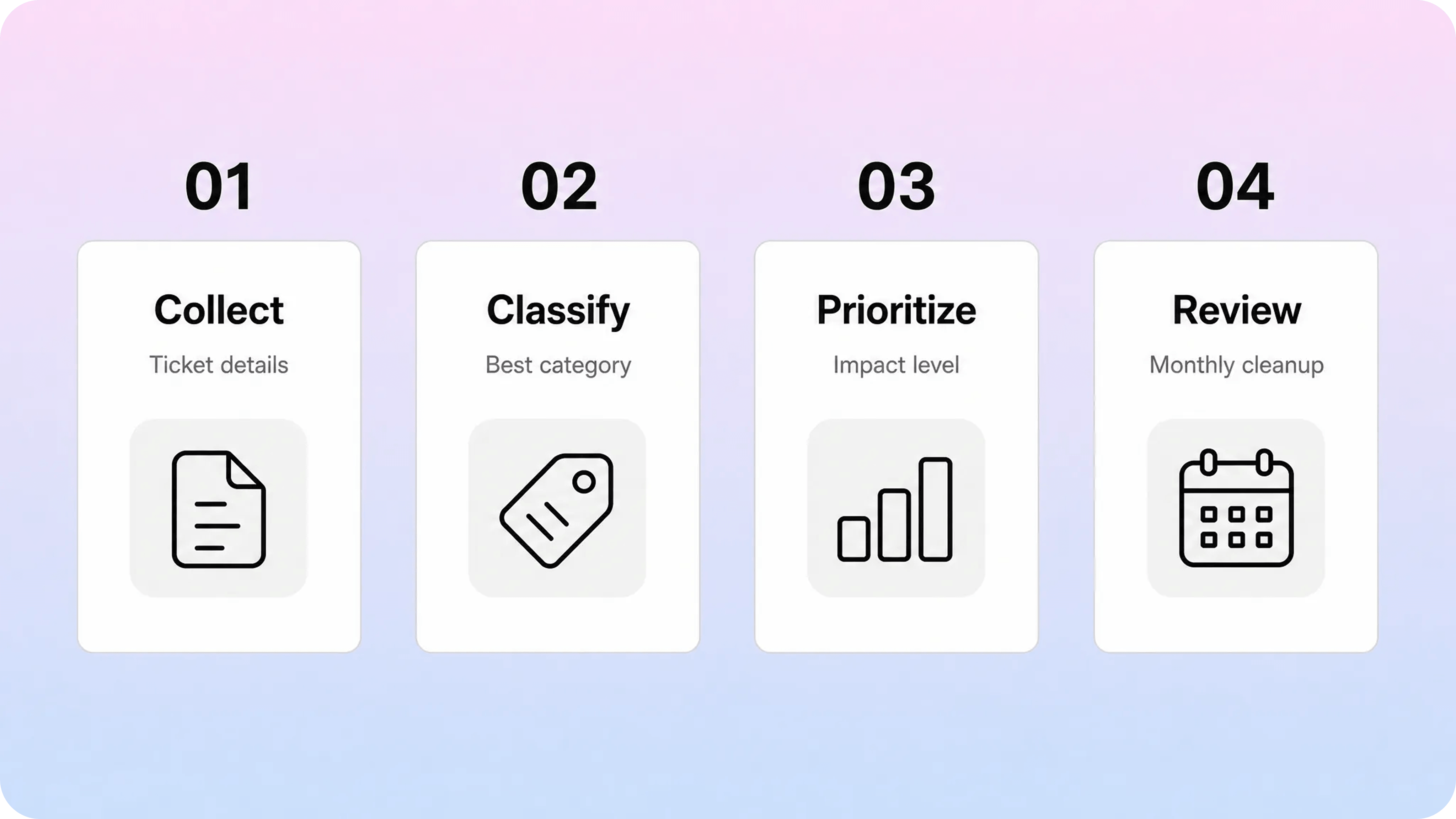
A good workflow keeps classification light at the beginning and more accurate after the team understands the issue. You can use this process whether you are running a customer support queue, an internal help desk, or a service desk.
1. Collect the right intake details
The support form should ask for enough information to route the request, but not so much that customers abandon it. Start with the request topic, contact details, product area if relevant, short description, and any files or screenshots needed to understand the issue.
Use customer-friendly labels. I need help with billing is clearer than Finance request type. I cannot sign in is clearer than Authentication failure. Internal precision can happen later.
2. Assign the broad category first
Choose the category that best describes the customer’s main problem. Do not classify based on the first keyword you see. A ticket that mentions an invoice could be a billing question, a cancellation issue, or a permissions problem if the real issue is that the user cannot access billing settings.
If the request could fit multiple categories, use the one that determines the next owner or action. Then add tags for secondary context.
3. Set priority from impact and urgency
Decide priority after you understand who is affected, what is blocked, and how time-sensitive the issue is. A single-user inconvenience and a multi-customer outage should not share the same priority just because they sit under the same category.
When in doubt, let agents raise or lower priority after the first investigation. The first classification should help the ticket move. It should not pretend to know everything.
4. Route or automate only where the signal is reliable
Categories can trigger assignments, SLA policies, canned responses, internal notes, or suggested articles. Use automation carefully. If Security always routes to a specialist team, that may be useful. If Technical issue tries to route to five different teams based on a vague subcategory, it may create more rework than it saves.
Automation works best when the category is clear, the owner is obvious, and the next step is repeatable.
5. Review solved tickets for better classification
After tickets are solved, review a sample and compare the first category with the final category. If agents keep changing the same labels, the taxonomy may be unclear. If many tickets end as Other, you may be missing a real category. If a category has very low volume for months, it may not deserve a top-level slot.
This review is also where documentation opportunities show up. Repeated solved tickets with similar explanations can become help articles, article updates, or canned responses that link to the right source of truth. Helpview’s article on canned response examples is a useful next step if your saved replies are becoming documentation signals.
How to audit and maintain help desk ticket categories
Support ticket categories should evolve, but not every week. Change them too often and reporting becomes unreliable. Leave them untouched for too long and agents start forcing new issues into old labels.
A monthly or quarterly review is usually enough for most teams. Review category volume, resolution time, reassignment rate, customer satisfaction, reopen rate, and the number of tickets marked Other. Then look at the actual ticket examples behind the numbers.
Use these rules when making changes:
Merge categories when agents cannot explain the difference or customers use them interchangeably.
Split categories when one bucket has too much volume and different owners, priorities, or article needs.
Rename categories when the label reflects internal language instead of customer wording.
Archive categories when they no longer receive meaningful volume.
Add subcategories only when they change routing, reporting, SLA logic, or documentation decisions.
Keep a short change log. If you merge Invoices into Billing, note when and why. If you split Technical issue into Bug, Performance, and Integration sync, define what belongs in each one. Reporting becomes much easier when everyone can see how the taxonomy changed over time.
Also connect the audit to your help center structure. If your top ticket categories are billing, access, integrations, and troubleshooting, customers probably need those answers to be easy to browse and search. That does not mean your help center categories must mirror the ticket queue exactly, but the two systems should recognize the same customer tasks.
For article-level consistency, pair the category audit with a repeatable writing structure. A practical knowledge base article template helps teams turn a recurring ticket theme into a page that has a clear title, context, steps, expected result, and related links.
Conclusion
Support ticket categories work best when they stay practical: broad enough for agents to use quickly, specific enough to route and report on real demand, and connected enough to improve the help center before the next customer opens a ticket. Start with a small category set, separate categories from types and priorities, review solved tickets regularly, and use the patterns you find to strengthen documentation, search, and self-service.
Frequently asked questions
What are support ticket categories?
Support ticket categories are labels that group support requests by topic, product area, customer task, or issue theme. Common examples include billing, account access, technical issues, product how-to questions, integrations, security, and cancellations. They help teams route tickets, report on support demand, and find repeated questions that may need better documentation.
What are common support ticket types?
How many help desk ticket categories should a team use?
What is the difference between ticket category and priority?
How do ticket categories help reduce support tickets?
Share article:

2 free months of Pro
Turn Notion pages into help center answers.
Keep writing in Notion and publish a real, searchable Notion help center.

Articles
Keep reading