Tips
5 best Notion help center tools for support

10 Min Read
A practical comparison of five Notion help center tools for customer support teams that want better sync, search, organization, customization, analytics, domains, and pricing clarity.
Share article:


Helpview is the best overall fit for many SaaS and support teams that want a dedicated Notion help center with strong value, simple setup, search, structure, analytics, an embeddable widget, and Notion as the writing layer.
HelpKit, Notiondesk, and Notaku are also strong Notion-first options when you want a published help center or documentation site without moving articles into a separate editor.
Super is a broader Notion website builder, which can work for lightweight docs but usually needs more setup discipline for customer support use cases.
Choose based on the job customers need done: finding answers, browsing categories, trusting the brand, seeing current content, and giving your team useful signals about what to improve.
If your support docs already live in Notion, the right help center tool should turn those pages into something customers can actually search, browse, trust, and use. This guide compares five Notion help center tools across sync, search, customization, structure, analytics, domains, and pricing so you can choose the right customer support setup.
What to look for in a Notion help center tool
A Notion help center tool is not just a way to put a Notion page on a custom domain. For customer support, the tool has to turn internal writing into a public experience that helps people solve problems without opening a ticket.
The first question is sync. If Notion is the source of truth, updates should not require copying content into another CMS. Some tools publish from a public Notion page. Others connect to a workspace or template and keep the public help center updated through manual or automated syncing. The right model depends on how often your support docs change and how much review control the team needs.
Search is the second major filter. A support resource is only useful if customers can find the right answer. Basic page search may be enough for a small FAQ, but a serious customer support knowledge base needs stronger indexing, fast results, sensible article titles, and ideally search insights that show missing answers.
Then look at structure. A help center needs categories, article pages, related content, clear navigation, and a path back to support when self-service does not solve the issue. This is where plain Notion pages and generic Notion website builders can start to feel thin. Helpview's article on Notion docs for customer documentation explains this split well: Notion is often a strong writing layer, but the customer-facing layer needs more structure.
Pricing matters too, but the cheapest tool is not always the best value. A $5 or $10 website builder can be fine for a small resource hub. A support team with repeat questions, search gaps, multiple categories, article feedback, custom domains, and analytics should usually evaluate whether a dedicated Notion knowledge base tool saves more time than it costs.
Criteria | What to check | Why it matters for support |
|---|---|---|
Notion sync | Manual sync, automatic sync, publishing controls, supported blocks | Keeps support answers current without duplicate editing |
Search | Basic search, full-text search, advanced search, AI/search insights | Helps customers find answers before they contact support |
Customization | Themes, branding, CSS/code, layout controls, badges | Makes the help center feel like part of the product |
Organization | Categories, docs layouts, article pages, related articles, versions | Turns a page collection into a real support resource |
Analytics | Page views, search terms, article feedback, zero-result searches | Shows what customers need and what content is missing |
Custom domains | Branded subdomain, SSL, subdirectory support | Builds trust and keeps docs under your product domain |
Pricing | Free plan, article limits, site limits, seats, add-ons | Prevents surprise costs as the help center grows |
Quick comparison: 5 Notion help center tools
The best tool depends on whether you are building a true support help center or a general Notion-powered website that happens to include support content.
Helpview is the best overall pick for many Notion-first support teams. It combines a support-focused help center, strong core features, affordable Pro pricing, and less setup complexity than broader website builders or heavier documentation platforms.
HelpKit is a mature Notion-to-knowledge-base product for teams that want a standalone help center or documentation site and may also want an AI chatbot layer trained on their help content.
Notiondesk is a support-focused Notion help center tool with automatic sync, customization, multilingual content, analytics, feedback, integrations, and AI support features.
Notaku is a flexible Notion publishing tool that can create help desk, documentation, changelog, roadmap, and blog sites. It is especially useful when a team wants several Notion-powered public site types under one tool.
Super is best understood as a polished Notion website builder. It can work for documentation or resource hubs, especially when design control and general website features matter, but it is not as support-specific as Helpview, HelpKit, or Notaku.
Notion Sites is worth mentioning as the baseline. It can publish Notion pages quickly and supports paid custom domains through Notion's own custom domain add-on, but Helpview's guide to Notion Sites for documentation covers the main limitation: publishing pages is not the same as building a full help center with strong search, navigation, article relationships, and support analytics.
1. Helpview
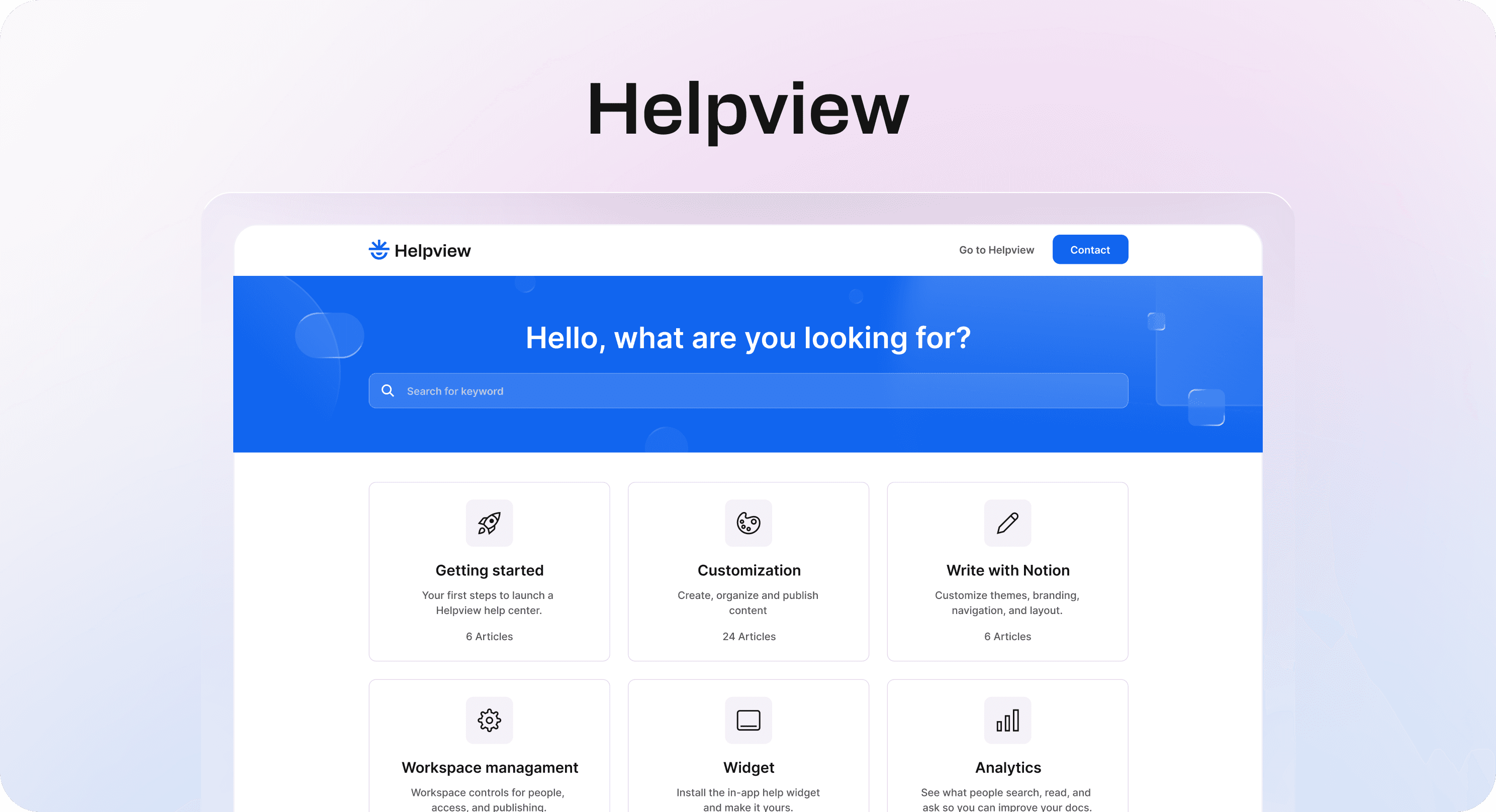
Helpview is the best overall Notion help center tool for teams that already write support content in Notion and want a customer-facing support resource without migrating to a separate knowledge base editor.
The product is built around a clear model: keep writing in Notion, then publish those pages as a structured help center and embeddable widget. Helpview's homepage positions it as a way to "turn Notion into your help center," with searchable support docs, customer-facing structure, and search insights that help teams improve the content over time.
For customer support teams, that focus matters. A help center has to do more than host articles. It should help customers browse categories, search the knowledge base, move between related answers, rate content, and contact the team when the article is not enough. Helpview's pricing page lists features such as basic or advanced search, SEO optimization, content rating and feedback, custom domains, analytics, contact routing, suggested articles, and automated syncing depending on plan.
Notion sync is central here. On the free plan, Helpview pricing lists manual syncing and up to 20 articles. The Pro plan is listed at $29 per month per site and includes unlimited articles, 3 team seats, 3 languages, advanced search, custom domain, embeddable widget, analytics, contact form and email routing, password protection, suggested articles, badge removal, and automated syncing.
Helpview is strongest when the support team wants a dedicated help-center layer rather than a general website. It is a good fit for SaaS teams, customer support teams, and product-led companies that already manage setup guides, billing answers, troubleshooting articles, and onboarding docs in Notion.
The value case is also clear. Compared with more complex Notion publishing tools, Helpview gives most support teams the core things they actually need: Notion as the editor, a polished public help center, advanced search on Pro, content feedback, analytics, custom domain, automated syncing, and an embeddable widget. That makes it easier to recommend as the best overall choice when the team wants a practical support setup without overbuilding.
The tradeoff is availability and scope. Helpview is still positioned around joining the waitlist and early Pro access, so teams that need a fully self-serve, already-established vendor today should compare it with HelpKit or Notaku. But if the goal is specifically a polished Notion help center for customer support, Helpview sits closest to the problem.
Best for: SaaS and support teams that want the best overall mix of Notion workflow, support-focused structure, affordable pricing, search, feedback, analytics, widget, and custom domain features.
Watch out for: launch availability, plan limits, and whether the current feature set covers any advanced multilingual, enterprise, or private-docs needs.
2. HelpKit
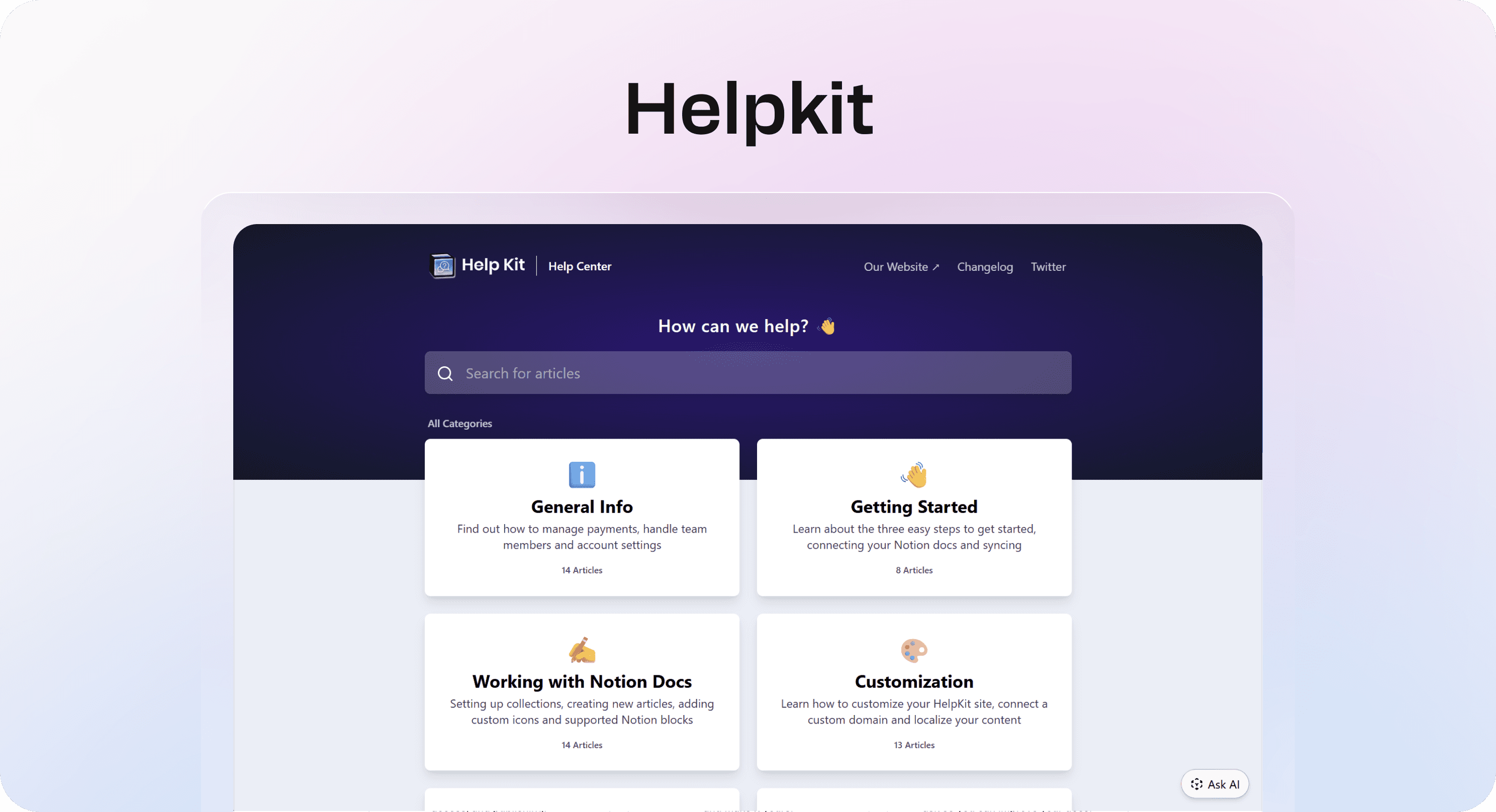
HelpKit is one of the most established Notion-to-knowledge-base tools. It lets teams write help articles in Notion and publish them as a professional help center, documentation site, internal knowledge base, or embeddable support widget.
Its biggest strength is maturity. HelpKit's site describes standalone help centers, documentation layouts, custom domains, branding, SEO, full-text search, article analytics, access control, and an embeddable widget. The setup model is familiar for Notion-first teams: duplicate a Notion template, make the page public, connect it in HelpKit, customize the experience, and publish.
HelpKit is especially strong when a team wants a support-ready knowledge base but does not need the help center to be deeply shaped around Helpview's newer search-insight and content-gap positioning. It also has an AI add-on. HelpKit's pricing page lists HelpKit AI at +$49 per month as an add-on that works on the knowledge base site and embeddable widget.
For Notion sync, HelpKit is practical because Notion remains the writing environment. Support, product, and success teams can update articles in Notion instead of learning another editor. That is useful for small teams where support documentation is shared across several functions.
The main thing to evaluate is pricing and package fit. HelpKit's public pages emphasize a free 7-day trial and paid subscriptions, with the AI chatbot priced separately. Before buying, check the current pricing page directly, because support tools in this category often change plan names, limits, and included features.
Best for: teams that want a mature Notion-based knowledge base or documentation site with a polished public layer, widget options, custom domain, analytics, and optional AI support.
Watch out for: plan limits, AI add-on cost, and whether the public help center experience matches your desired information architecture.
3. Notiondesk
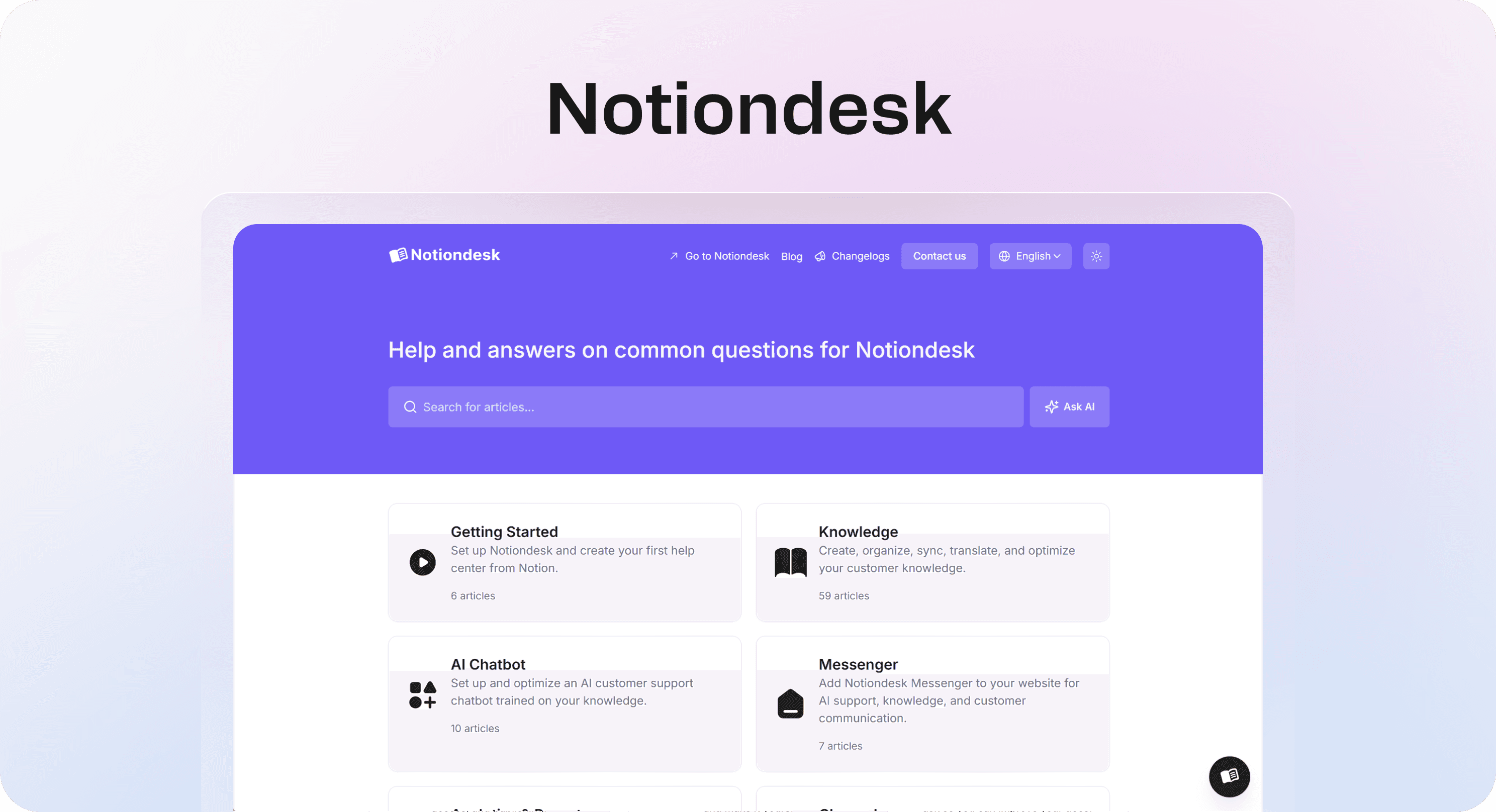
Notiondesk is a dedicated Notion help center tool, which makes it a better fit for this shortlist than a lightweight general website builder. It connects to a Notion workspace, lets teams select the pages or databases they want to publish, and automatically syncs updates into a branded help center.
The feature set is clearly support-oriented. Notiondesk's own help center describes custom domains, branding, SEO optimization, AI chatbot support, AI-readable documentation, analytics, search behavior, article feedback, integrations such as Google Analytics, Intercom, Plausible, and Crisp, plus multilingual and automatic translation workflows.
That makes Notiondesk a stronger support candidate than lightweight general website builders for teams that need more than a simple public Notion page. It is designed around customer help centers, product documentation, internal knowledge bases, analytics, feedback, and AI support.
The tradeoff is complexity and pricing clarity. Notiondesk appears more feature-rich, but teams should confirm the current plan limits, language limits, AI billing, and subscription pricing before buying. Some AI and translation features may be usage-based or available only on higher plans.
Best for: teams that want a dedicated Notion help center with automatic sync, customization, analytics, feedback, multilingual content, integrations, and AI support options.
Watch out for: plan complexity, AI or translation usage costs, and whether the extra feature depth is worth it for a small support team.
4. Notaku
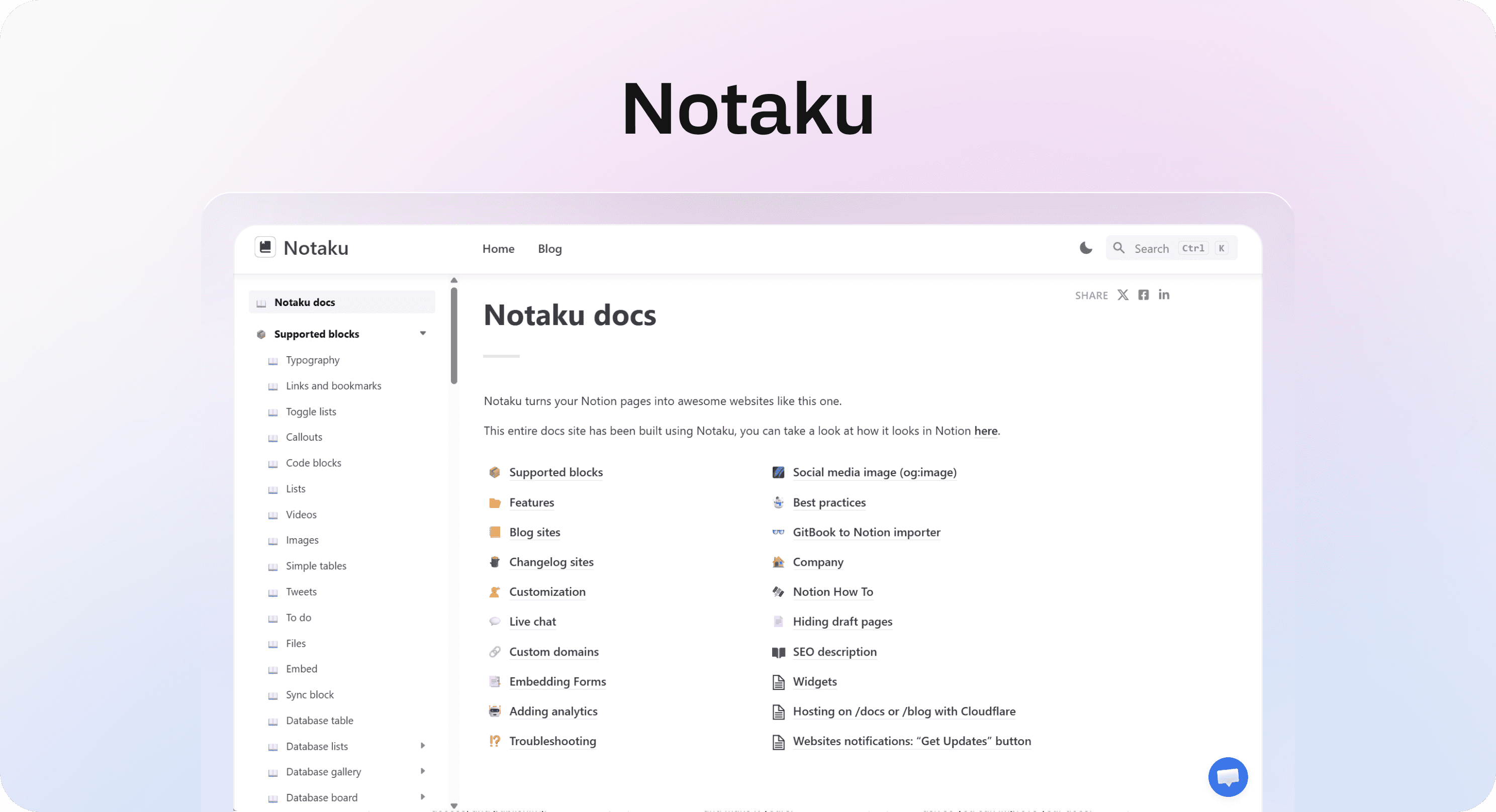
Notaku is a broader Notion publishing platform that can create docs, help desk, blog, changelog, and roadmap sites from Notion. For support teams, the relevant product is its help desk or documentation site flow.
Notaku's help desk page describes a Notion database-based setup: write in Notion, connect the Notion page in Notaku, and publish a help desk on your own domain. The feature set is broader than a simple Notion-to-site wrapper. It includes custom domains, customization, fast search, SEO, feedback collection, multi-language support, an embeddable widget, AI/semantic search, multiple versions, and subdomain or subdirectory hosting on higher plans.
Pricing is more tiered around pages and features. The public page lists a free option with 20 pages on a notaku.site subdomain, Basic at $17 per month with 50 pages, custom domain, basic customization, and basic search, Business at $37 per month with 150 pages, advanced customization, custom JavaScript and CSS, user feedback, password protection, full-text search, and embeddable widget, and Business Plus at $97 per month with 2,000 pages, unlimited seats, versions, auto sync, and subdirectory hosting.
That makes Notaku a strong option when the same team wants to run several public surfaces from Notion, not only a support help center. A startup might use it for docs, a changelog, and a roadmap, while still keeping Notion as the CMS.
For customer support, the question is whether that flexibility is a benefit or a distraction. If you need a full help center with article feedback, widget, full-text search, and auto sync, the stronger Notaku features live on higher plans. If you only need a simple docs site, the lower tiers may be enough.
Best for: teams that want a flexible Notion publishing platform for help desk, documentation, changelog, roadmap, and blog sites.
Watch out for: page limits, which features require Business or Business Plus, and whether the help desk experience feels as focused as a dedicated support knowledge base.
5. Super

Super is one of the best-known Notion website builders. It turns Notion pages into fast, customizable websites with themes, custom domains, custom code, fonts, password protection, SEO settings, and stronger publishing controls on paid plans.
For customer support, Super is a good choice when the help content is part of a broader Notion-powered website. For example, a team might use Super for a marketing site, resource hub, docs section, and lightweight support pages. It is especially useful if design control, custom code, and website polish matter more than help-center-specific support workflows.
Super's pricing page lists a free site, Personal at $16 per site per month, and Pro at $28 per site per month. Personal includes custom domain, custom code, password-protected pages, custom fonts, RSS and Atom feeds, and removal of the Super badge. Pro adds manual publishing controls, advanced search, file uploads, redirects and hidden pages, multi-language site support, and priority support. Super Analytics is priced separately, starting at $10 per month for up to 10,000 monthly page views.
The main support limitation is that Super is not primarily a help center tool. It can publish Notion content beautifully, and Pro search can help, but support teams still need to design the categories, article relationships, feedback loops, and content maintenance process themselves.
That is not a dealbreaker. For a small product with a modest docs set, Super can be enough. But if the main job is reducing support tickets through self-service, compare it carefully against Helpview, HelpKit, and Notaku.
Best for: teams that want a polished Notion website and are comfortable designing their own lightweight docs or support structure.
Watch out for: analytics add-on cost, Pro requirements for advanced search, and the extra work needed to make a website behave like a support help center.
How to choose the right tool
Start with the support job, not the tool category.
If customers need a real self-service destination with search, categories, feedback, analytics, a branded domain, and an embedded support widget, choose a support-focused tool. Helpview is the best overall fit when you want a Notion-native help center that balances support features, value, and simplicity. HelpKit is a strong mature alternative. Notiondesk is a stronger support-focused option than lightweight website builders when you need automatic sync, analytics, multilingual content, integrations, and AI support. Notaku is a good fit when you want help desk plus other Notion-powered site types.
If you mostly need a general website or public resource hub, a broader Notion website builder may be enough. Super is stronger for polished websites and design control, but it needs more help-center planning than the support-specific tools.
Then compare the details:
Choose Helpview if Notion is your docs source and you want the best overall balance of dedicated help center features, affordable pricing, search, analytics, feedback, widget, and lower setup complexity.
Choose HelpKit if you want a mature Notion knowledge base with polished publishing and optional AI support.
Choose Notiondesk if you want a dedicated Notion help center with automatic sync, analytics, multilingual content, integrations, and AI support options.
Choose Notaku if you want multiple Notion-powered site types, such as docs, help desk, changelog, blog, and roadmap.
Choose Super if design control and a broader Notion website matter more than dedicated support workflows.
For most support teams, the biggest mistake is picking based on the first publish experience alone. Any of these tools can help you get Notion content online. The harder question is what happens six months later: can customers find answers, can the team see what is missing, and can support keep articles current without duplicating work?
That is where Helpview's broader guidance on knowledge base analytics becomes important. A customer support resource should not only exist. It should show where customers search, where articles fail, and which topics need better coverage.
Conclusion
The best Notion help center tool depends on how serious your customer support resource needs to be. Helpview is the best overall fit for many teams that want to keep writing in Notion while publishing a structured, searchable, customer-facing help center without taking on too much complexity. HelpKit, Notiondesk, and Notaku are strong alternatives for Notion-based knowledge bases and documentation sites. Super is better when the job is a broader Notion website with a lighter support section. Choose the tool that matches the support workflow you can maintain, not only the one that gets the first page online fastest.
Frequently asked questions
What is the best Notion help center tool?
The best Notion help center tool depends on the support workflow. Helpview is the best overall fit for many teams that want a dedicated Notion-based customer help center with strong value and less complexity, HelpKit is a mature Notion knowledge base option, Notiondesk is a support-focused help center option with deeper automation and AI features, Notaku is flexible for help desk and documentation sites, and Super can work for lighter Notion website-based support resources.
Can Notion be used as a customer knowledge base?
What is the difference between a Notion help center tool and a Notion website builder?
Do these tools replace Notion?
Which Notion help center tool is best for a small team?
Share article:

2 free months of Pro
Turn Notion pages into help center answers.
Keep writing in Notion and publish a real, searchable Notion help center.

Articles
Keep reading