Tips
Notion Sites for documentation: benefits and limits

9 Min Read
Notion Sites can publish simple public docs quickly. See where it works well and where search, navigation, and growing documentation needs require more.
Share article:


What Notion Sites is actually good at
Notion Sites is best understood as a fast publishing layer for Notion pages. Notion positions Sites as a way to publish anything quickly, from portfolios and event pages to job boards, blogs, landing pages, and help-center-style pages. The appeal is obvious: the editor is already familiar, the content lives where the team works, and publishing does not require a separate website builder or developer handoff.
For documentation, that speed matters. A support or product team can take an existing Notion page, clean up the structure, turn on public access, and share it with users. Notion’s own help docs explain that teams can publish a Notion Site, turn on search indexing, and use additional customization depending on plan and setup. Notion also supports templates, mobile-ready layouts, SEO-related settings, themes, favicons, navigation options, custom domains, and analytics integrations. For a small team trying to ship something useful this week, that is a real advantage.
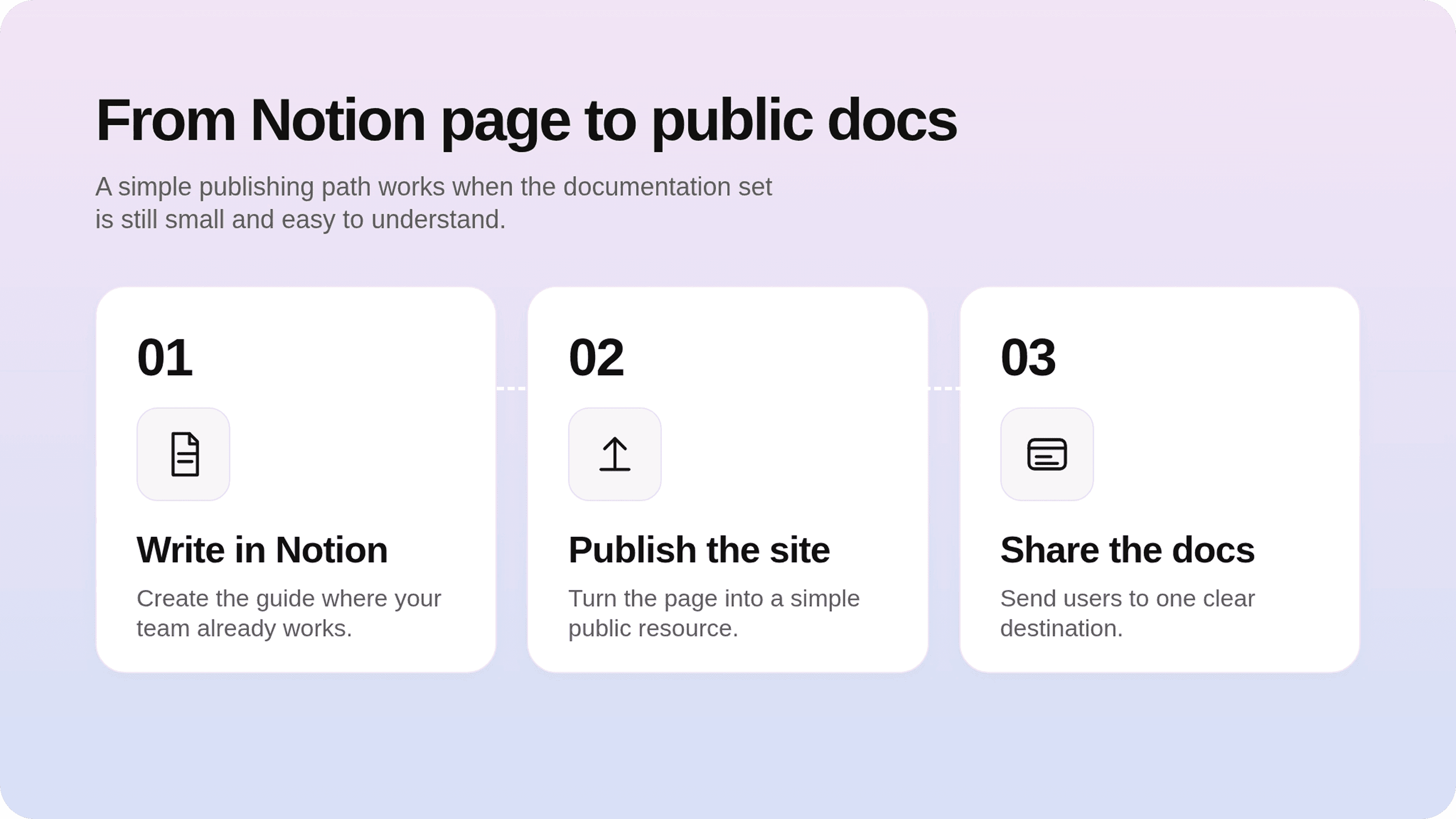
The important distinction is that Notion Sites helps you publish a Notion page as a website. It does not automatically turn a set of docs into a complete customer support experience. A public Notion site can look clean and be easy to update, but documentation quality also depends on how people find answers, move between related articles, trust the content, and recover when the first page does not solve their problem.
That is why Notion Sites is strongest when the job is simple: publish a clear resource, explain a process, share a lightweight guide, or validate whether users need public docs at all. It is weaker when the job is to run a growing customer knowledge base with hundreds of articles, multiple audiences, SEO expectations, and support-ticket pressure.
When Notion Sites is enough for documentation
Notion Sites can be enough when documentation is small, stable, and easy to browse without much help. Think of an early SaaS product with ten setup guides, a small agency sharing onboarding instructions with clients, or a course creator publishing a simple resource hub. In those cases, the main problem is not advanced infrastructure. The problem is getting accurate information online quickly.
It also works when the audience is already familiar with the context. Internal teams, beta users, partners, and high-touch customers may not need a polished help-center homepage. They may only need a reliable link to a few pages with setup steps, policies, FAQs, or implementation notes. If users know what they are looking for and the content set is small, a simple Notion site can feel perfectly adequate.
Templates can help here. A good Notion website template gives the site a stronger starting shape: a homepage, sections, callouts, linked databases, and a more consistent layout. For article quality, a separate knowledge base template can also help writers keep guides consistent. The mistake is assuming a template solves the whole documentation system. It improves the page; it does not replace search strategy, information architecture, content ownership, or support feedback loops.
Notion Sites is usually enough when most of these are true:
The documentation set is small enough to browse manually.
Users arrive from a direct link rather than searching the site from scratch.
The content changes often, but the structure does not need much governance.
You do not need deep article relationships, advanced categorization, or support deflection reporting.
A simple public website is more important than a complete help-center experience.
In that stage, Notion Sites can be a pragmatic first step. It lets the team publish, learn what users ask next, and improve the content without buying a heavier tool too early. If the site needs a more branded setup, Notion also documents options to edit and customize Notion Sites and connect an existing custom domain on supported paid setups.
Where Notion Sites starts to break for customer docs
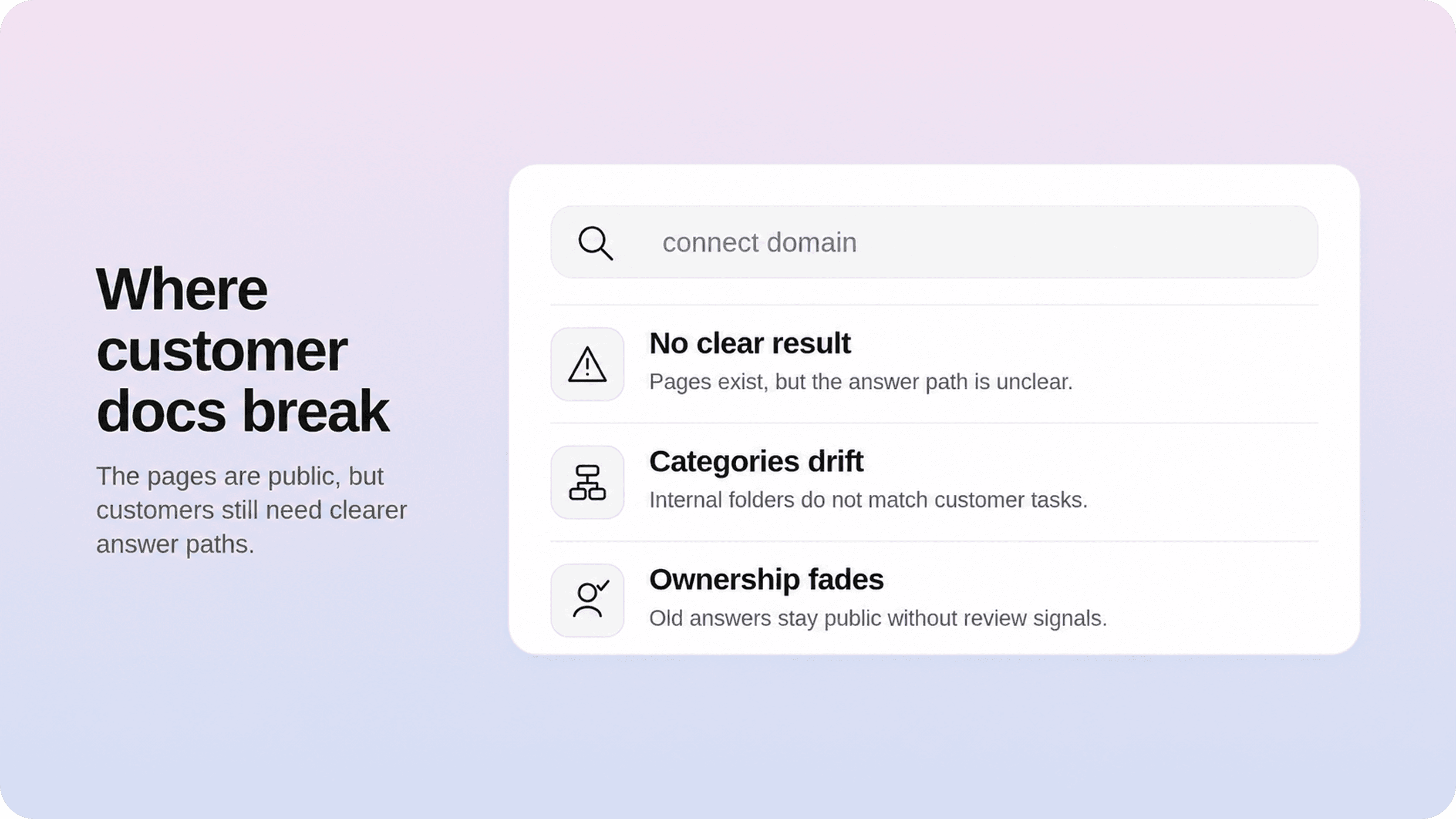
The break point usually appears when the documentation stops being a small set of pages and becomes part of the support experience. Customers do not think in terms of your Notion workspace. They think in terms of problems: “How do I connect this?”, “Why did this fail?”, “What happens if I change this setting?”, “Where is the answer I saw last week?”
That is where a simple Notion website can start to struggle. Browsing through pages may be fine at first, but as the article count grows, users need clearer categories, better search behavior, related articles, article-level metadata, and stronger next steps. If they cannot find the answer quickly, they will open a ticket, ask in chat, or give up.
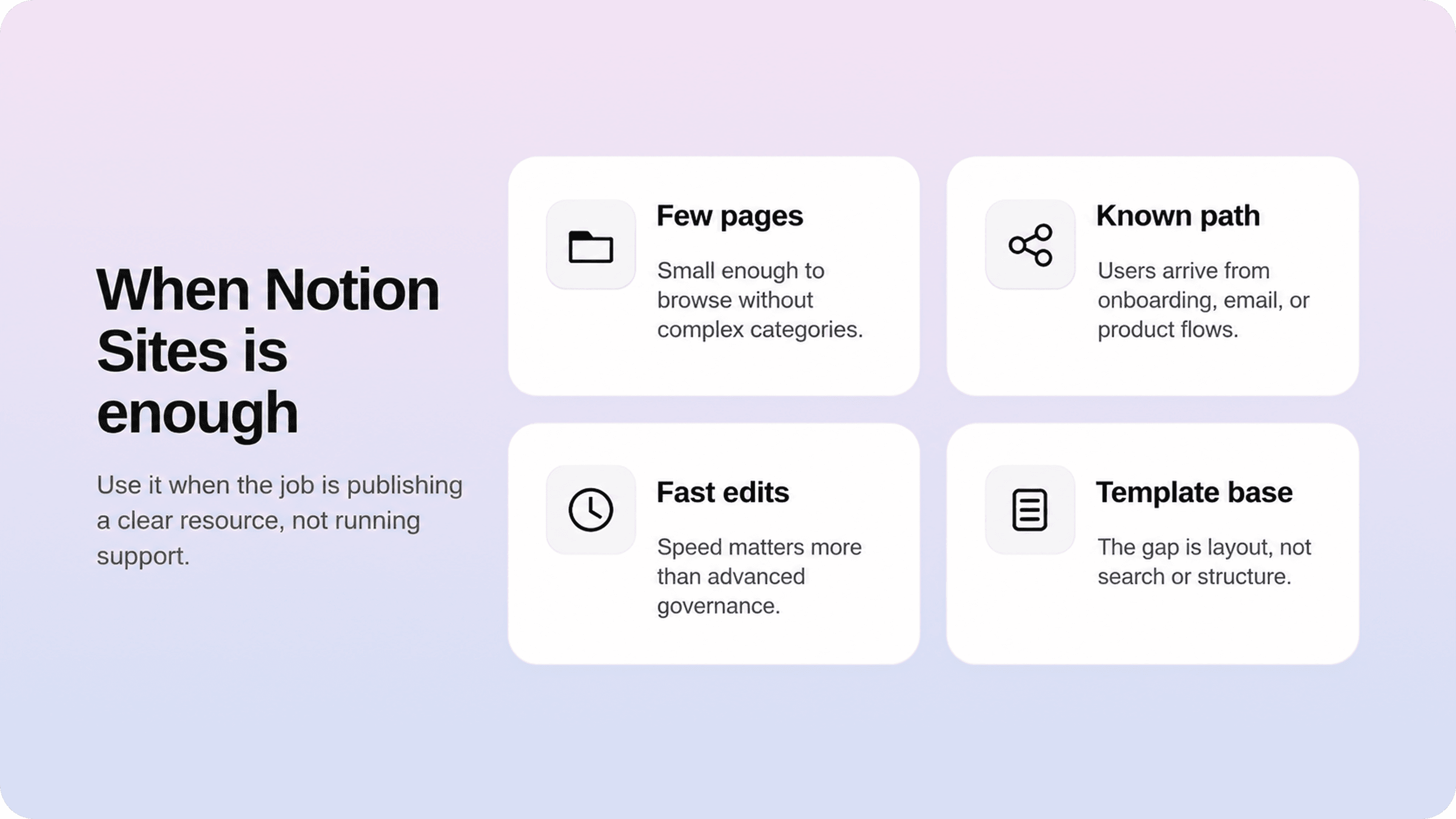
This is also where the difference between “published docs” and “customer documentation” becomes obvious. A public page is available. A help center is designed around findability, trust, and resolution. Helpview’s article on Notion docs for customer documentation covers this broader pattern: Notion is often excellent as the writing layer, but the customer-facing layer needs more structure than raw pages usually provide.
The common breakpoints are practical:
Search needs to return the right article, not just pages that contain matching words.
Categories need to reflect user tasks, not internal team folders.
Articles need related links, next steps, and clear recovery paths.
SEO needs consistent titles, descriptions, indexation control, and clean topic mapping.
Support teams need to see which searches fail and which articles reduce repeat tickets.
Content owners need a way to keep articles reviewed, accurate, and consistent.
The site needs to feel like part of the product, not a shared document with a nicer wrapper.
None of this means Notion Sites is bad. It means the requirements changed. A simple site builder is enough when the job is publishing. A help center becomes necessary when the job is reducing confusion at scale.
Notion Sites vs. a dedicated help center
The cleanest way to decide is to separate the authoring layer from the delivery layer. Notion can be where the team writes, reviews, and updates documentation. The public experience can still be handled by a dedicated help-center layer that turns those pages into something easier for customers to search, browse, and trust.
Need | Notion Sites | Dedicated help center layer |
|---|---|---|
Fast publishing | Strong | Strong after setup |
Familiar editing | Strong | Strong if it keeps Notion as the source |
Simple public docs | Strong | Strong |
Structured help-center browsing | Basic | Strong |
Customer-facing search | Limited for support use cases | Built around answer discovery |
Related articles and next steps | Manual | More intentional and scalable |
SEO for support content | Useful basics | Stronger help-center SEO workflows |
Support feedback loops | Limited | Better fit for deflection and improvement |
Brand polish | Useful basics | More complete customer-facing experience |
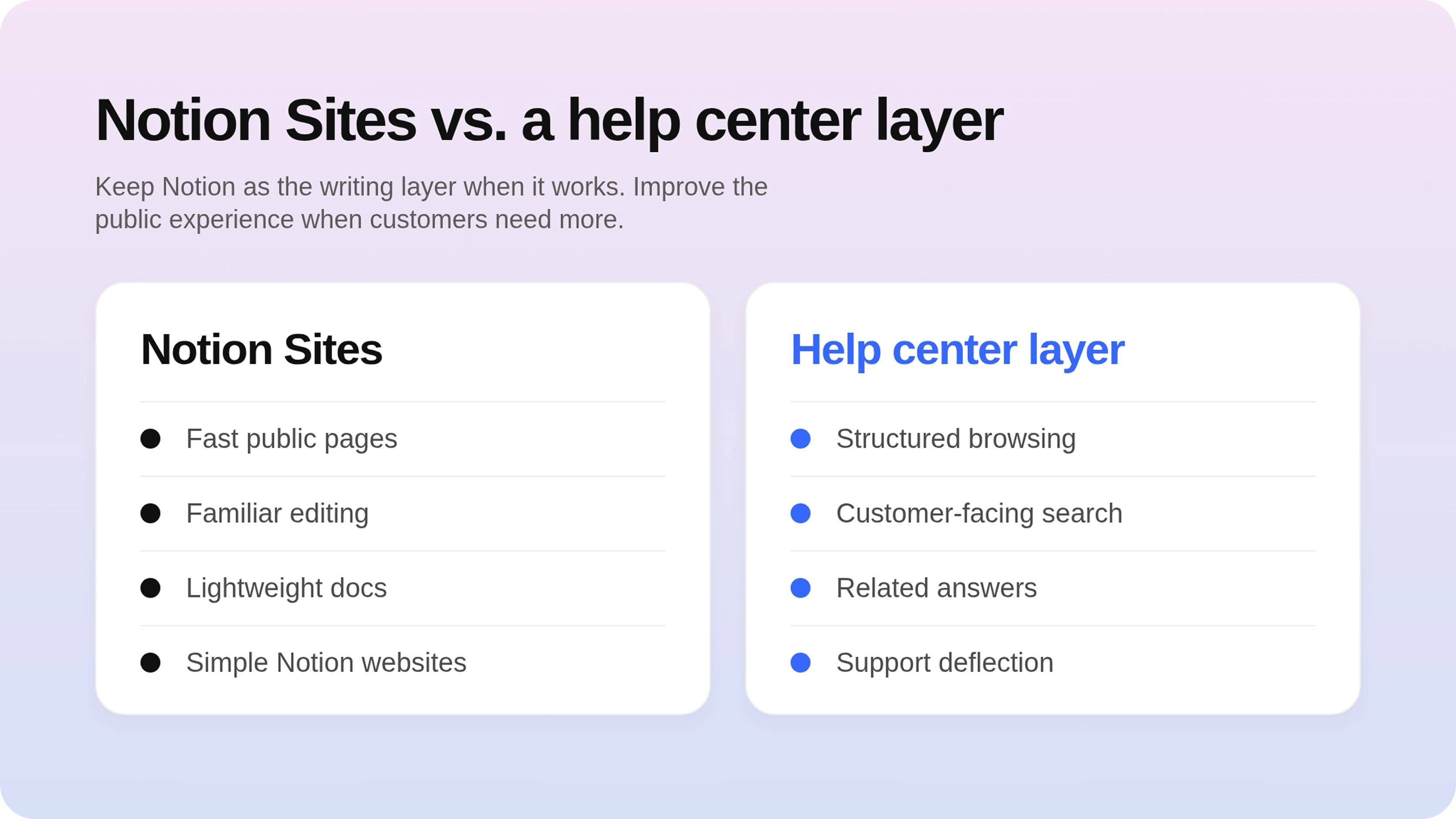
A dedicated help center is not only about looks. The best help center examples tend to work because they make answers easy to find and easy to follow. They guide users from search to category to article to next step without forcing them to understand how the company organizes its internal docs.
That is the role Helpview is built for: teams can keep writing in Notion, then publish those docs as a more structured, searchable, customer-facing help center. Instead of asking the team to abandon Notion, the delivery layer improves what customers see: search, browsing, article structure, embedded support paths, SEO, and a polished experience that feels closer to a real product resource.
For teams comparing sites like Notion, the better question is not “which site builder can publish a page?” It is “what job does this documentation site need to do?” If the answer is “share a few public pages,” Notion Sites may be enough. If the answer is “help customers solve problems without opening tickets,” then a help-center layer becomes much more important.
A Notion help center gives teams that same split: Notion remains the place to write and maintain docs, while customers get a more structured support experience.
How to decide before you publish
Before choosing Notion Sites, a Notion site builder, or a dedicated help center, test the decision against real user behavior. Pick five common support questions and try to answer them using the site structure you plan to publish. If the path from question to answer feels obvious, the setup may be enough. If you need to explain where to click, what to search, or which page matters, the structure needs more work.
A good review should include content, navigation, search, SEO, and ownership. Content asks whether each article gives a complete answer. Navigation asks whether users can browse by task. Search asks whether common terms return the right result. SEO asks whether public pages can be discovered and understood. Ownership asks who keeps the docs accurate after launch.
Use this simple decision rule:
Choose Notion Sites if you need to publish a small, clear set of docs quickly.
Choose a Notion website template if the main gap is page layout and presentation.
Choose a dedicated help-center layer if the main gap is findability, structure, search, SEO, or support deflection.
Keep Notion as the writing layer if your team already likes it and the real problem is the public experience.
This is also where help-center SEO matters. Documentation pages should not compete with each other for the same query, and users should land on the page that answers the specific problem they searched. A dedicated SEO process for help centers helps teams avoid duplicate answers, weak titles, and pages that are technically public but hard to discover.
If you are still early, start small. Publish the core docs, watch the questions users still ask, and improve from there. If repeat tickets keep coming in even though the answers exist, the issue is probably no longer writing. It is the delivery experience.
Conclusion
Notion Sites is a strong option when documentation needs to get online quickly and stay easy for the team to edit. It is enough for small resource hubs, early support docs, lightweight Notion websites, and teams that value speed over advanced structure. It is not always enough once documentation becomes a real customer support channel. At that point, the better path is often to keep Notion as the source of truth and add a help-center layer that gives customers stronger search, clearer navigation, better SEO, and a more trustworthy experience.
Frequently asked questions
Is Notion Sites good for documentation?
Yes, Notion Sites can be good for simple documentation, especially when the content set is small and the team already writes in Notion. It is strongest for quick public docs, onboarding pages, resource hubs, and lightweight guides. It becomes less suitable when customers need advanced search, structured categories, related articles, support deflection reporting, or a more polished help-center experience.
Can Notion Sites replace a help center?
Is Notion Sites good for SEO?
What are the best alternatives to Notion Sites for docs?
Should we move our Notion docs out of Notion?
Share article:

2 free months of Pro
Turn Notion pages into help center answers.
Keep writing in Notion and publish a real, searchable Notion help center.

Articles
Keep reading