Tips
Notion custom domain: setup, costs, and DNS records

13 Min Read
Connect your domain to Notion Sites with a clearer view of plan requirements, the domain add-on, DNS records, and publishing limitations.
Share article:

What a Notion custom domain actually does
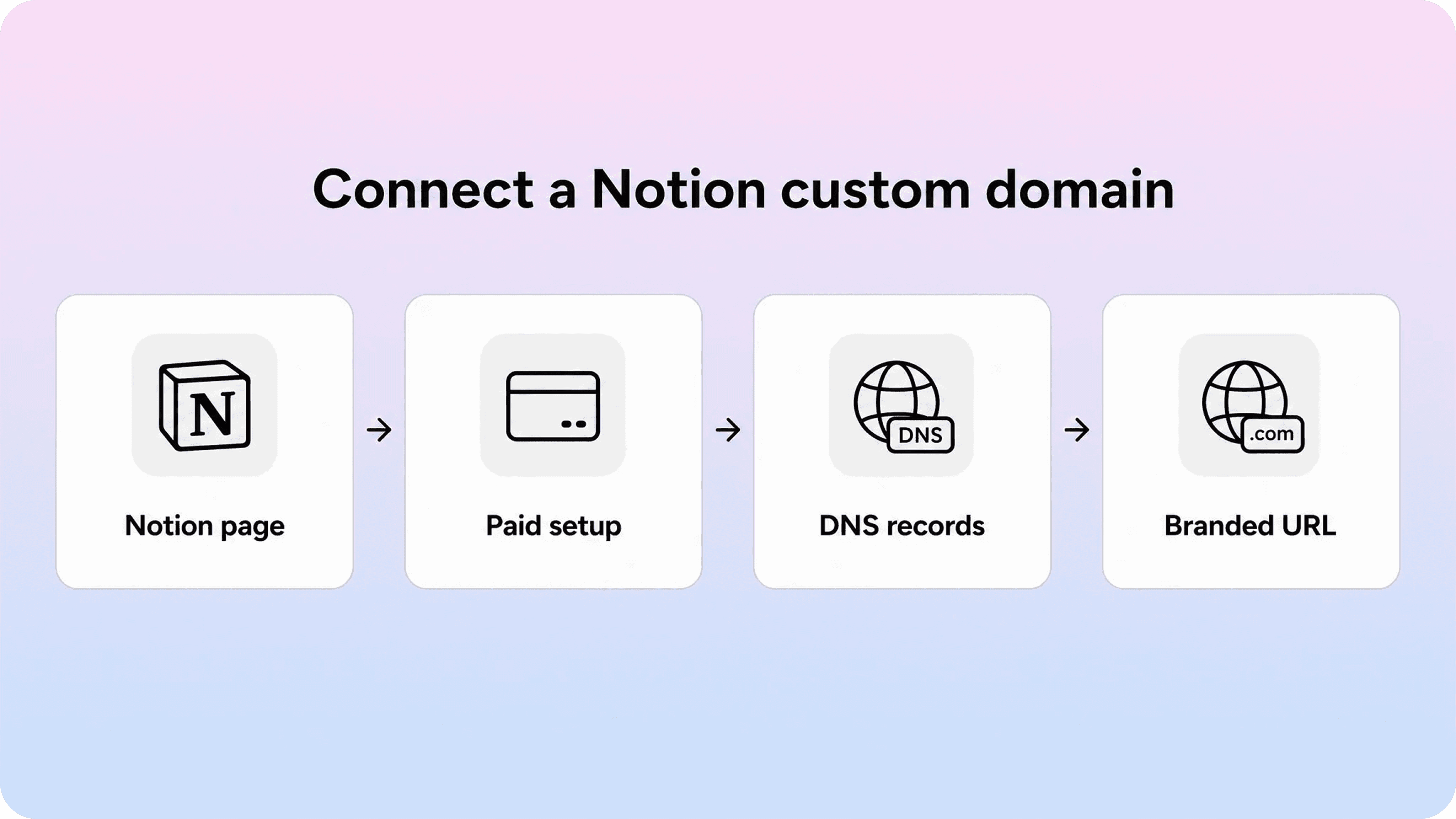
A Notion custom domain connects a domain or subdomain you already own to a published Notion Site. Instead of sending people to a default Notion URL, you can send them to something like www.yourcompany.com, docs.yourcompany.com, help.yourcompany.com, or careers.yourcompany.com.
That is useful when the page needs to feel like part of your brand. A custom URL is easier to share, easier to remember, and more credible than a long default publishing link. For a lightweight landing page, hiring page, resource hub, portfolio, or small public documentation page, that may be enough.
The important detail is that the domain changes the address of the site, not the nature of the site. The content is still a Notion Site. Your team still edits the page in Notion, publishes it through Notion Sites, and works within Notion’s site structure, SEO settings, customization options, and publishing model.
So when people search for a custom domain for Notion, they may mean two different things:
They want a simple Notion website custom domain so a public Notion page can live at a cleaner URL.
They want Notion to become the customer-facing layer for a website, knowledge base, help center, or documentation library.
Those are not the same job. The first is a domain setup question. The second is a product and information architecture question.
How native Notion custom domains work
Native Notion custom domains are part of Notion Sites. You publish a Notion page as a site, then connect an existing domain through Notion’s site settings and your DNS provider.
Notion’s current custom-domain documentation says the feature is available on paid plans, and that workspace owners on paid plans can connect existing custom domains by purchasing the custom domain add-on. Notion also makes clear that it does not sell domains or replace your DNS provider. You still own and manage the domain outside Notion.
The setup has three moving parts:
The Notion workspace where the page is published as a Notion Site.
The custom domain add-on that allows that workspace to use a specific custom domain with Notion Sites.
Your DNS provider where you add the records Notion gives you.
In practice, the custom domain is attached to a published Notion Site, while the DNS records prove that you control the domain and tell browsers where to send visitors.
Notion also uses the custom domain as part of its branding controls. For example, Notion’s customization docs say the Notion watermark can only be turned off when the site is using a custom domain. That is one reason a custom domain matters beyond the URL itself: it can make a public Notion Site feel less like a shared workspace page and more like a standalone site.
What a Notion custom domain costs
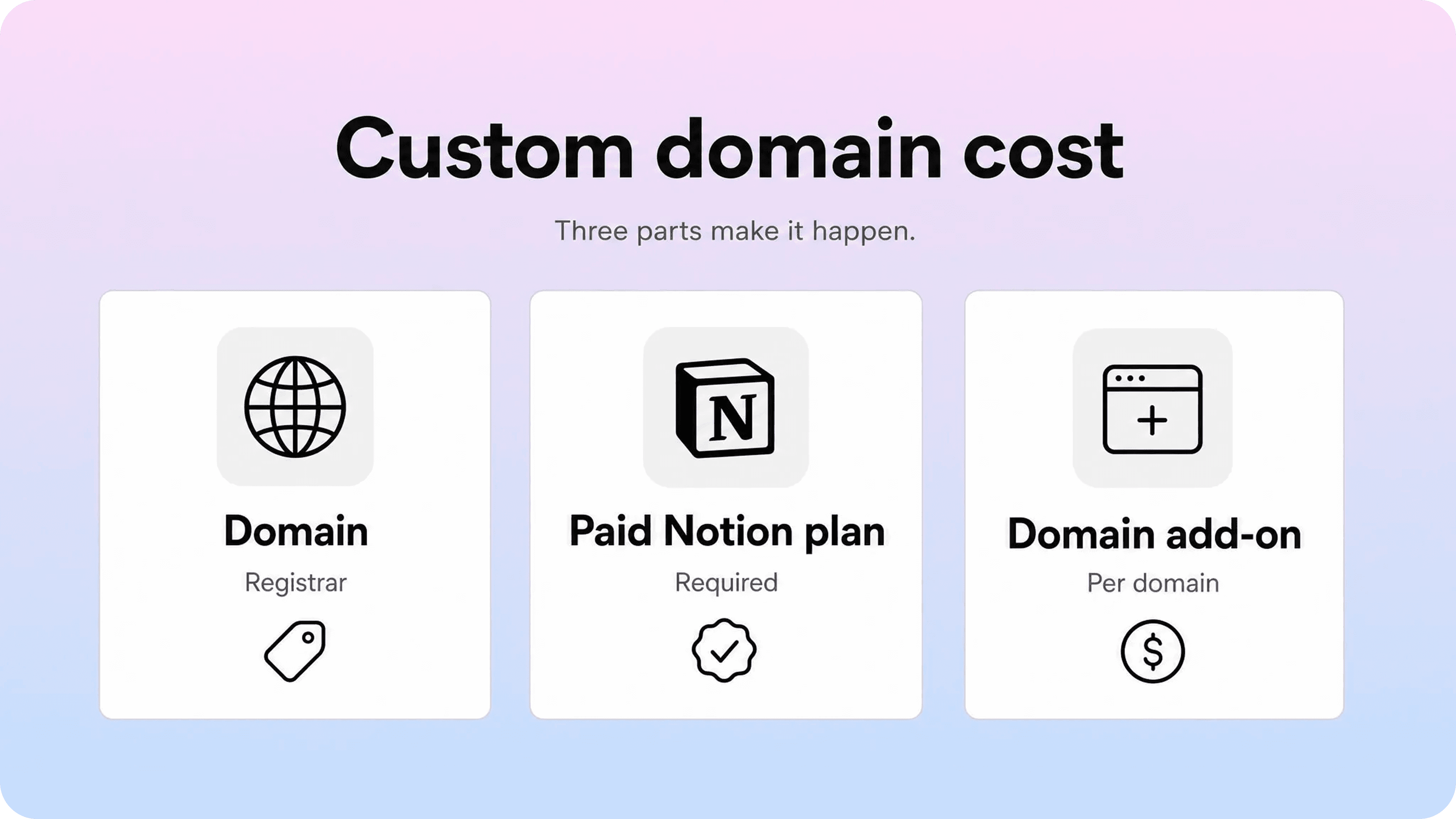
The total notion custom domain cost has more than one line item.
First, you need a domain. Notion does not sell custom domains, so the domain itself is purchased from a registrar or DNS provider. That cost depends on the domain name, extension, renewal price, privacy settings, and provider.
Second, you need a paid Notion plan that supports the feature. Notion’s pricing page lists custom domains and branding under web publishing as a pay-per-domain item, not as a free feature on the Free plan.
Third, you need Notion’s custom domain add-on. Notion’s current custom-domain help article says the add-on costs an additional $10 per month, or $8 per month with annual billing. It also says each custom domain requires a separate add-on, and that teams can use up to 25 custom domains.
That means the practical cost usually looks like this:
Cost item | Where it comes from | What to expect |
|---|---|---|
Domain registration | Domain registrar or DNS provider | Annual domain cost, separate from Notion |
Paid Notion plan | Notion | Required before connecting a custom domain |
Custom domain add-on | Notion | Extra monthly or annual add-on per custom domain |
DNS management | DNS provider | Usually included with the domain, but managed outside Notion |
If you only need one public Notion Site at one branded URL, the cost is straightforward. If you want separate domains for a marketing site, help site, careers site, and regional sites, the add-on cost can grow because Notion charges per custom domain.
How to connect a domain to Notion
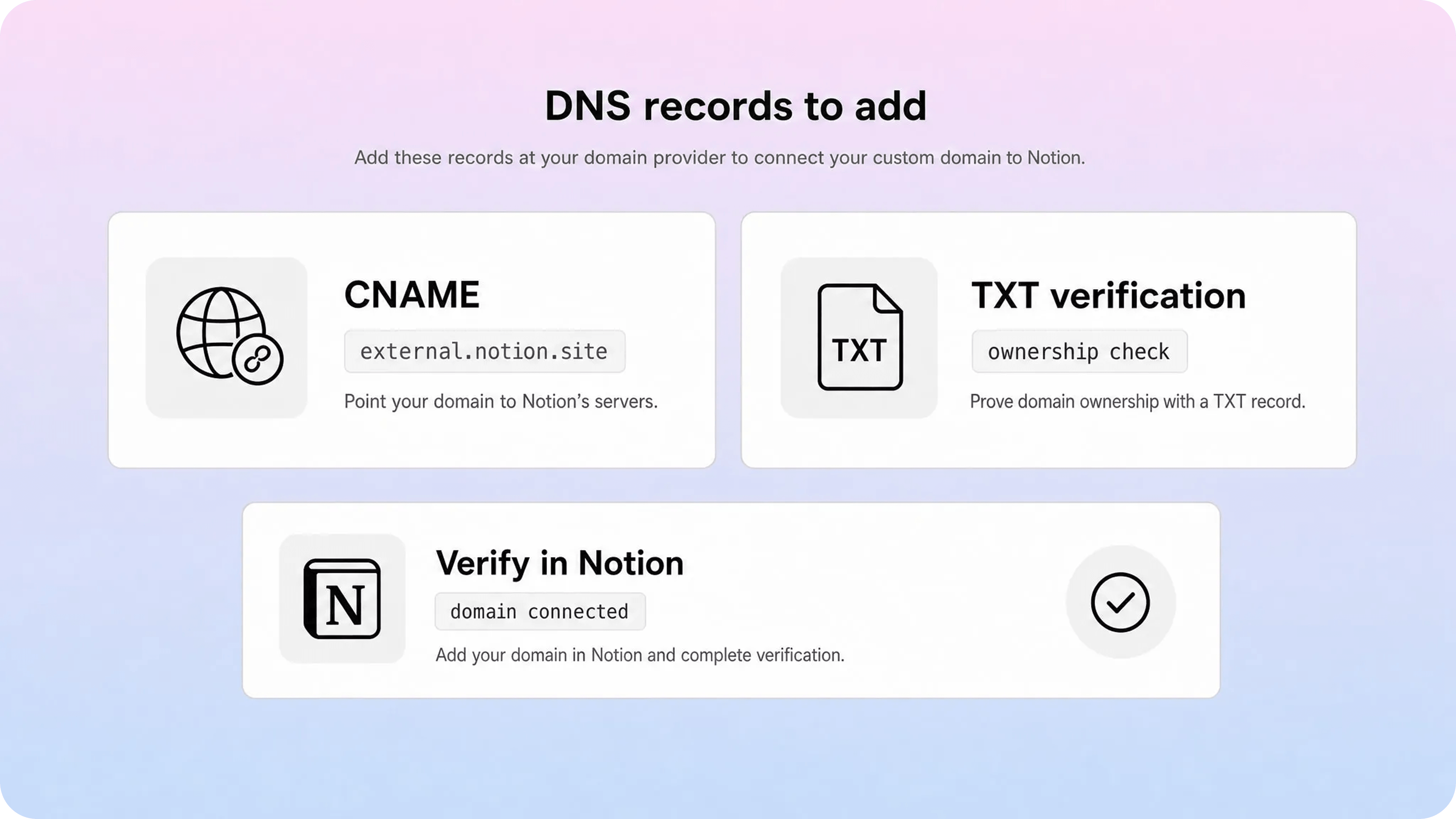
The exact screen labels may change, but the basic native flow is simple.
Open Notion and go to Settings.
Go to Sites.
Next to Domains, choose New domain.
Select Custom domain.
Enter the domain or subdomain you want to connect.
Add the payment method or custom domain add-on if prompted.
Open your DNS provider and add the records Notion gives you.
Return to Notion and select Verify.
Notion’s current setup instructions use two DNS records:
A CNAME record for the subdomain you want to connect, with the target set to external.notion.site.
A TXT record using the verification name and value Notion provides during setup.
For example, if you want help.example.com, your DNS provider will usually ask for something like this:
Record type | Host or name | Value or target | Purpose |
|---|---|---|---|
CNAME | help | external.notion.site | Points the subdomain to Notion Sites |
TXT | Notion-provided name | Notion-provided value | Proves domain ownership |
The values should come from Notion’s setup screen, not from a copied example. This matters especially for the TXT record, because the verification value is unique.
If you use Cloudflare, Notion’s help docs say the proxy status should be toggled off for the CNAME record. In Cloudflare terms, that means DNS-only, not proxied. Other DNS providers have different interfaces, but the core idea is the same: add the CNAME and TXT records exactly as Notion provides them.
DNS changes can take time to propagate. Sometimes verification works quickly; sometimes it takes longer. If verification fails, the first things to check are the host/name field, the target value, the TXT verification value, and whether the DNS provider automatically added or removed parts of the domain name.
Subdomains, root domains, and Notion custom URLs
A common surprise is that Notion requires a subdomain when entering a custom domain. That subdomain is often www, but it can also be something more specific, such as help, docs, careers, or resources.
That means www.example.com and help.example.com are straightforward choices. A bare root domain like example.com is different. Notion’s help docs recommend using www as the subdomain if you want the root domain to point to your Notion Site, then setting up a redirect from the root domain to the www version through your DNS provider.
For many teams, the clean setup looks like this:
www.example.com hosts the Notion Site.
example.com redirects to www.example.com.
help.example.com is used only if the Notion Site is specifically a help or documentation space.
The best choice depends on what the site is for. A general company website may fit www. A support resource usually fits help or docs. A hiring page may fit careers.
This is also where a Notion custom URL and a custom domain are easy to mix up. A slug changes the path after the domain, such as /pricing or /getting-started. A custom domain changes the domain itself. Notion lets paid-plan users customize slugs for published sites, but a slug is not the same as owning and connecting a custom domain.
What changes after you connect the custom domain
Connecting a custom domain mainly improves the public-facing layer of a Notion Site.
The clearest changes are:
The public URL can match your brand.
The site is easier to share in emails, product links, ads, onboarding flows, and support replies.
The page feels less like a Notion share link and more like a branded destination.
You may be able to remove the Notion watermark for that custom domain.
You can combine the domain with other paid Notion Sites customization options, such as page titles, descriptions, share previews, themes, favicon settings, navigation, search, and Google Analytics integration.
Those are useful improvements. They make a simple Notion Site more presentable and easier to trust.
But the custom domain does not change the underlying structure of the site. It does not automatically create help-center categories, article states, related articles, strong support search, ticket feedback loops, content ownership workflows, or deeper SEO controls across a large documentation library.
That distinction matters because a custom domain can make a weak site look more official without making it easier to use. If users still cannot find the right answer, the domain is not the problem anymore. The public experience is.
What limitations remain after connecting a Notion site custom domain
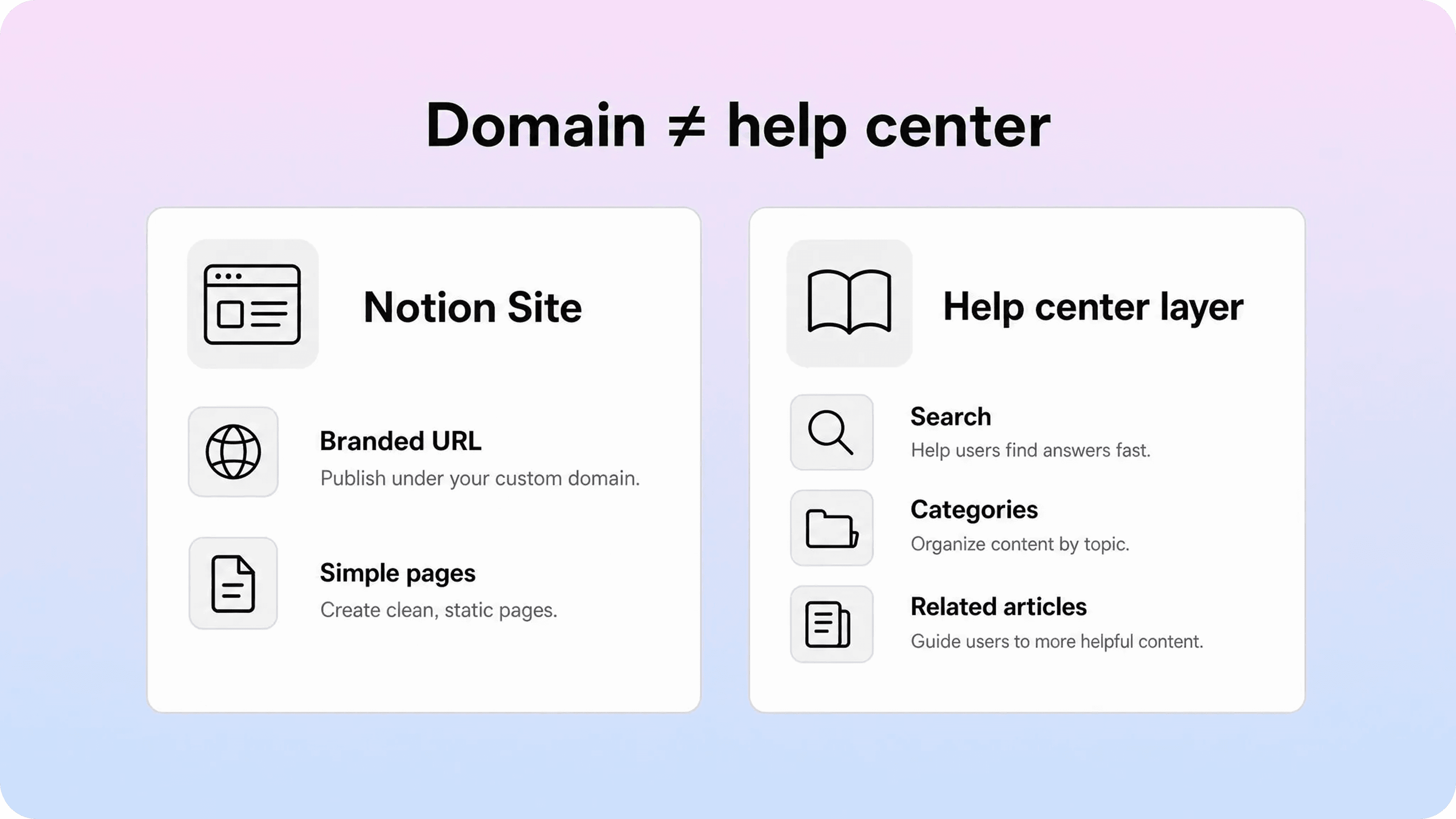
A Notion site custom domain solves one visible problem: the address. It does not solve every problem a public site or help center has to solve.
The remaining limitations usually show up in four areas.
Site structure is still page-first
Notion Sites starts from Notion pages. That is convenient, but customer-facing websites and help centers often need stronger structure than a page tree. They need clear categories, predictable browse paths, article grouping, and fewer dead ends.
For a small public page or a simple resource hub, page-first structure can be enough. For a customer help center, it can become fragile once the content grows.
Search is not the same as support search
Notion Sites can expose search in supported setups, but support search has a harder job. It needs to understand product language, synonyms, troubleshooting phrases, zero-result searches, and the difference between similar issues.
A customer who searches “invoice failed” does not care whether the words appear somewhere in a Notion page. They need the right answer surfaced quickly.
SEO control is useful but limited by the publishing model
Notion Sites supports SEO-related settings, including search engine indexing and paid-plan metadata controls. That is useful for simple sites.
For a larger help center, SEO usually needs a more disciplined system: one canonical article per problem, stable URL patterns, category pages, internal linking rules, metadata consistency, sitemap management, and a way to avoid overlapping answers. A custom domain helps the URL feel cleaner, but it does not design that system for you.
Branding is better, but the experience is still Notion-shaped
A custom domain can make a public Notion Site feel more branded. It does not give you complete control over every layout pattern, support path, article template, or product-integrated experience.
That is fine if the job is a simple public page. It is less fine if the site is supposed to act like a polished customer-facing help center.
When a native Notion custom domain is enough
A native custom domain for Notion is usually enough when the site is small, focused, and easy to understand without a lot of navigation.
It is a good fit for:
a simple startup website
a portfolio or personal site
a lightweight landing page
an event page
a small public resource hub
a simple documentation page or getting-started guide
a careers page
a temporary campaign page
In those cases, the main goal is to publish quickly at a professional-looking URL. Notion is good at that. Your team can edit the page where it already works, update content quickly, and avoid a more complex site stack.
Use native Notion Sites if most of these are true:
The site has a small number of pages.
Visitors usually arrive from a direct link.
Search is helpful, but not mission-critical.
The content does not need complex categories or article relationships.
The site does not need to reduce support tickets at scale.
The team values speed more than full front-end control.
That is the cleanest use case: a simple Notion website custom domain, not a complete customer self-service system.
When you need more than a custom domain for Notion
You probably need more than native Notion Sites when the site has to do more than be public.
That often happens with customer-facing documentation. A support or product team may start with a few Notion pages, connect a domain, and share the link. At first, that works. Then the article count grows, customers search for answers in different words, support keeps answering questions that already have docs, and the public site starts feeling like a polished link to an internal workspace rather than a real help center.
That is the point where the domain is no longer the main issue.
For a help center, customers need:
a clear homepage built around support tasks
categories that match user problems, not internal team folders
search that is tuned for answers and support language
related articles and next steps
article templates that stay consistent
metadata and SEO rules across the whole library
analytics and feedback loops that show what users could not find
a branded experience that feels connected to the product
This is where a dedicated help-center layer makes more sense. The team can still write and maintain content in Notion, but the customer-facing site is built for browsing, search, structure, and support outcomes.
That is the difference Helpview is designed around: Notion can stay the writing layer, while Helpview turns those docs into a more structured, searchable, customer-facing help center.
Native Notion custom domain vs. a Notion-powered help center
The choice is not really “Notion or no Notion.” For many teams, Notion remains the best place to write. The question is what should happen after the content is written.
Need | Native Notion Sites with custom domain | Notion-powered help center layer |
|---|---|---|
Fast publishing | Strong | Strong after setup |
Familiar editing in Notion | Strong | Strong if Notion stays the source |
Branded public URL | Strong | Strong |
Simple website or landing page | Strong | More than needed |
Customer help-center navigation | Basic | Stronger fit |
Support-focused search | Limited | Built around answer discovery |
Related articles and next steps | Mostly manual | More structured |
SEO across a docs library | Useful basics | Better fit for scale |
Support feedback loops | Limited | Better fit for continuous improvement |
Polished customer-facing docs | Depends on scope | Stronger fit |
For teams that want to keep Notion as the source of truth but need more than a branded public URL, Notion help center software adds the support-focused structure customers need without changing the way the team writes.
If you only need a public page on a branded URL, native Notion Sites may be the right answer. If you need customers to reliably find answers, move between related articles, and avoid opening tickets, a custom domain is only the first layer. Helpview’s guide to Notion Sites for documentation covers that break point in more detail.
A practical checklist before you connect your domain
Before you connect domain to Notion, check the site itself.
Use this quick review:
Purpose: Is this a simple website, a documentation hub, or a customer help center?
Domain choice: Should it live on www, help, docs, careers, or another subdomain?
Root redirect: If people type the bare domain, where should they land?
Page structure: Can a new visitor understand where to go next?
Search: Can people find the most common answers using their own words?
SEO: Are titles, descriptions, and slugs clear enough to earn the right clicks?
Public content: Are all published pages and subpages safe to expose?
Ownership: Who will maintain the site after it is live?
Upgrade path: If the site becomes customer documentation, what will need to change?
The strongest setup is the one that matches the job. A custom domain is worth doing when the site is ready to be shared. It is not a substitute for clear content, good navigation, or a customer-ready help experience.
Conclusion
A Notion custom domain is a useful upgrade when you want a published Notion Site to live at a cleaner, branded URL. It can make a simple Notion website feel more professional, easier to share, and more trustworthy. The setup is fairly direct: use a paid Notion plan, purchase the custom domain add-on, add the CNAME and TXT records at your DNS provider, and verify the domain in Notion.
The bigger decision is what you expect the site to do. Native Notion Sites works well for simple public pages, small resource hubs, and lightweight Notion websites. If the goal is a complete customer-facing help center, the custom domain is only one piece. You still need structure, search, article relationships, SEO discipline, and a polished customer journey. In that case, keeping Notion as the writing layer and adding a dedicated help-center layer is usually the better long-term setup.
Frequently asked questions
Can you use a custom domain with Notion?
Yes. Notion supports custom domains for Notion Sites on paid plans through a separate custom domain add-on. You need to own the domain through a registrar or DNS provider, then connect it in Notion and add the required DNS records.
How much does a Notion custom domain cost?
Can I connect my root domain to Notion?
What DNS records does Notion use for custom domains?
Is Notion Sites enough for a customer help center?
Share article:

2 free months of Pro
Turn Notion pages into help center answers.
Keep writing in Notion and publish a real, searchable Notion help center.

Articles
Keep reading