
Tips
FAQ vs help center: when a simple FAQ stops working

8 Min Read
A FAQ page is useful when customers have a small set of quick, predictable questions. It starts to break when those questions turn into troubleshooting paths, setup steps, policy details, and repeated support requests that need more structure than one page can carry. This guide explains the practical difference between a FAQ page and a help center, how to spot when a FAQ is no longer enough, and how to move toward a clearer self-service experience without overbuilding it.
Share article:


What a FAQ page is meant to do
A FAQ page is a simple collection of common questions and short answers. It usually lives on a marketing site, product site, checkout flow, or help page, and it helps visitors resolve basic doubts without contacting support.
That makes it useful for questions like:
Do you offer a free plan?
Can I cancel anytime?
Which payment methods do you accept?
Does this work with free Notion?
Do I need to code anything?
Those are good FAQ questions because the answer is short, stable, and useful in the moment. A reader does not need a full tutorial. They just need enough confidence to move forward.
A FAQ page becomes weaker when the answer needs context, steps, screenshots, exceptions, or a next action. If the question is “How do I update my billing email?” the reader may need an exact path, permission notes, troubleshooting details, and a fallback if they cannot access billing settings. That is no longer a quick FAQ answer. It is a help article.
The main job of a FAQ is to remove basic hesitation. The main job of a help center is to help customers solve real support problems. Confusing those two jobs is where many teams get stuck.
FAQ vs help center: the practical difference
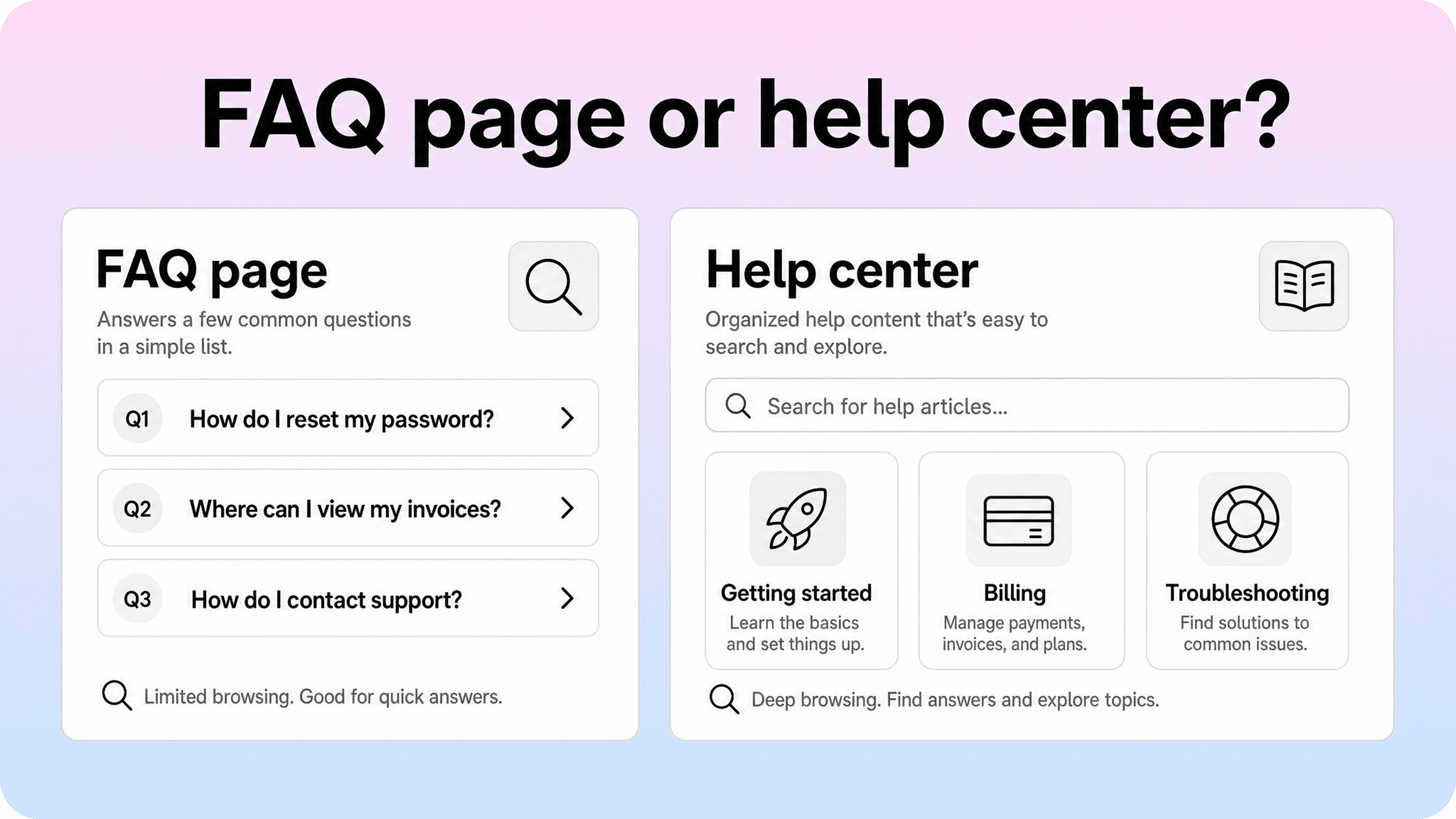
The difference between a FAQ page and a help center is not just size. It is structure.
A FAQ page usually answers a flat list of questions. It assumes customers can scan the page, find the question that matches their doubt, and understand the answer quickly. That works when the list is short and the questions are simple.
A help center gives support content a real system. It usually includes search, categories, article pages, related links, update ownership, and a way to measure what customers still cannot find. It supports browsing and searching instead of asking every reader to scan one long page.
A useful way to separate them:
Format | Best for | Weak when |
|---|---|---|
FAQ page | short answers, pricing doubts, basic policy questions, pre-sale objections | questions need steps, search, categories, screenshots, or ongoing updates |
Help center | onboarding, account help, billing guides, troubleshooting, product documentation, self-service support | the team only has a handful of stable questions |
A FAQ can still belong inside a help center. Many good help centers include FAQ-style sections for quick answers. The problem is when the FAQ page is asked to do the whole support job by itself.
If your goal is ticket reduction, the format matters. A long FAQ may look complete, but a structured help center makes answers easier to search, browse, improve, and link from support flows. Helpview’s guide to help center best practices goes deeper on that structure: customer language, task-based categories, fix-first articles, and regular review.
When a FAQ page stops working
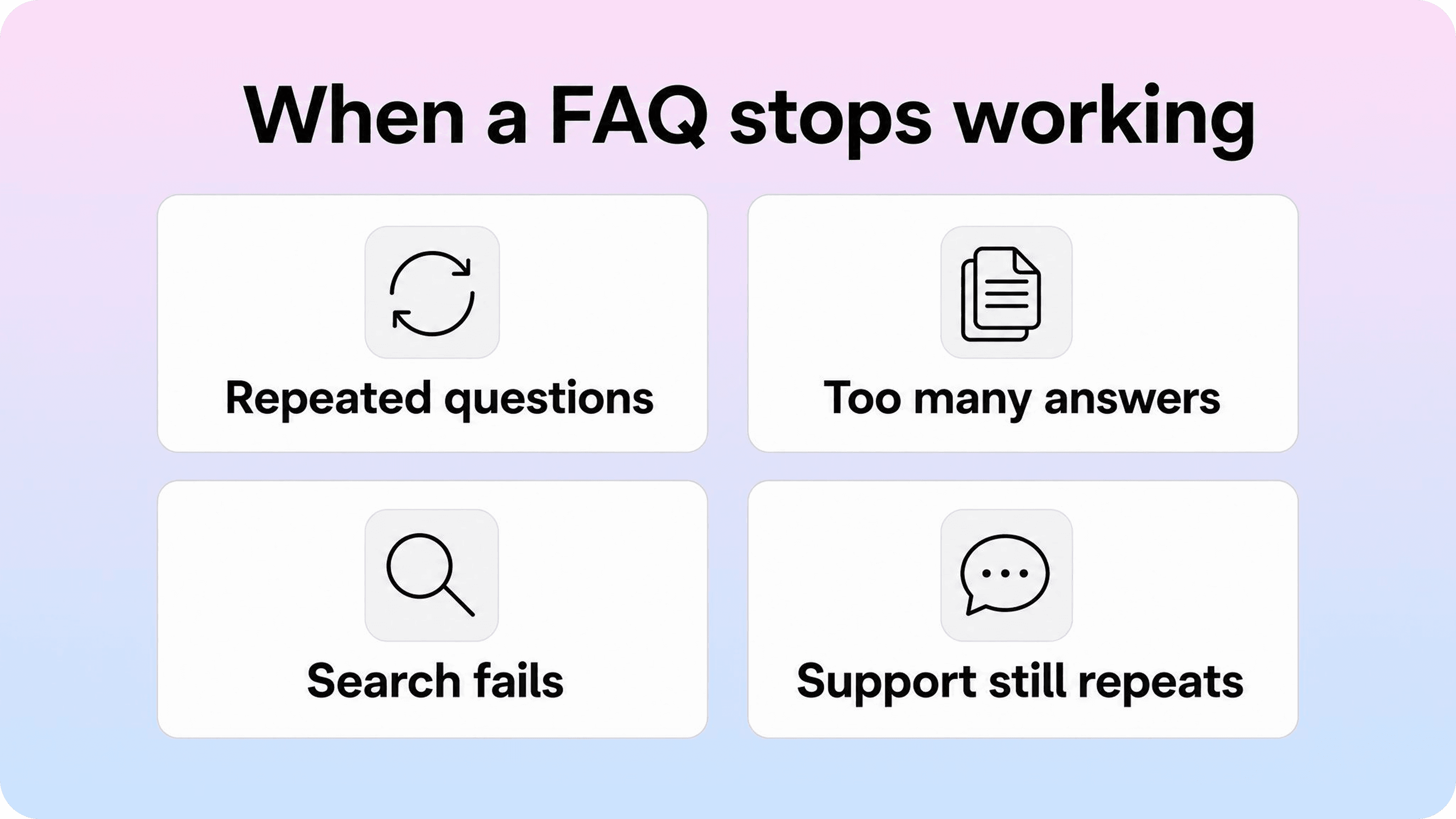
A FAQ page usually fails slowly. At first, the team adds one more question. Then another. Then a collapsible section. Then a category. Then a search box. Eventually, the page is doing the work of a help center without the structure of one.
Here are the clearest signs that your FAQ is carrying too much.
The page answers too many different jobs
A strong FAQ page stays narrow. It answers common questions around one decision or context.
It starts to struggle when it mixes:
pricing questions
setup steps
billing troubleshooting
refund policy details
account management
product limitations
integration guides
security explanations
edge cases
At that point, the reader is not scanning a FAQ anymore. They are hunting through a mixed support library. The content may be technically present, but the path to the right answer is weak.
A simple test: if you need more than a few sections to keep the FAQ readable, those sections may already be help center categories.
Answers keep getting longer
FAQ answers should be short enough to read in a few seconds. When each answer becomes several paragraphs, the format is telling you something.
Long answers usually mean the question is not really one question. It may include prerequisites, steps, exceptions, roles, or troubleshooting variants. Instead of compressing all of that into an accordion, create a focused help article and use the FAQ answer as a short summary with a link.
For example:
Weak FAQ answer: a 400-word block explaining every cancellation scenario.
Better FAQ answer: “You can cancel from Settings → Billing if you are an admin. For steps, refund timing, and plan-specific notes, see our cancellation guide.”
The FAQ still helps, but it no longer forces complex support content into the wrong shape.
Support keeps sending the same explanation
The strongest signal is not what the page looks like. It is what support still has to repeat.
If agents keep answering the same question after you added it to the FAQ, one of three things is usually true:
customers cannot find the answer
the answer is too shallow to solve the issue
the page does not match the words customers use when they search
That is where a help center gives you more leverage. You can turn the repeated question into a dedicated article, title it in customer language, add related links, and place it closer to the moment where the question happens.
This also keeps your support team from writing the same reply over and over. If you want a repeatable method for that, Helpview’s guide on turning support questions into documentation covers how to turn ticket patterns into focused help center pages.
Customers need search, not just scanning
A FAQ page assumes the customer can see the right question. But once the page grows, scanning becomes work.
Search matters when customers ask questions in different words:
invoice, receipt, billing history
cancel, stop renewal, end subscription
teammate, user, member, seat
login, password, account access
A help center can support that language better because each article can have a clearer title, intro, headings, and related context. The answer is not trapped inside one long page. It has its own address, metadata, and search surface.
This is especially important because FAQ content should not be built only for search engine features. Google’s Search Central docs note that FAQ rich results have been removed from Google Search, so teams should treat FAQ content as user help first, not as a shortcut for extra search result space.
The FAQ is hard to maintain
A FAQ page can look easy to manage because everything is in one place. But that simplicity becomes a problem when ownership is unclear.
Who updates the billing answer after a pricing change? Who checks whether setup instructions still match the product? Who removes outdated policy language? Who decides whether a repeated question deserves its own article?
A help center makes that work easier because pages can have owners, review dates, related ticket themes, and a clearer update path. You can still manage the content in Notion, but the customer-facing structure becomes cleaner than one shared FAQ document.
When keeping a FAQ page is still fine
Not every FAQ needs to become a help center. Sometimes a FAQ page is exactly the right format.
Keep a simple FAQ when:
the questions are stable
the answers are short
the page supports a specific decision, such as pricing or signup
customers do not need search or categories
support is not repeating the same deeper explanation
there are fewer than 10 to 15 questions in one context
A FAQ is also useful on landing pages because it handles objections close to the call to action. A pricing page, waitlist page, or product overview can benefit from a compact FAQ that answers buying questions without sending visitors elsewhere.
The mistake is not having a FAQ. The mistake is treating a FAQ page as your whole self-service system after support needs have become more complex.
A good setup often has both:
a short marketing FAQ for quick pre-sale questions
a structured help center for customers who need real support answers
That combination keeps simple answers simple while giving deeper answers the space they need.
How to replace a FAQ with a help center

Replacing a FAQ with a help center does not mean rebuilding support content from scratch. The FAQ is useful source material. It already shows what the team thinks customers ask. The next step is checking that against what customers actually ask.
For teams whose FAQ content already lives in Notion, a help center built with Notion can be a simple next step: keep the familiar editing workflow, while giving each deeper answer a clearer customer-facing home.
Start with the questions support repeats
Do not begin with a new site map. Begin with evidence.
Review:
the current FAQ page
the last 30 to 90 days of support tickets
saved replies and macros
contact form submissions
help center searches if you already have them
zero-result searches
onboarding or sales questions
Then mark which questions are short enough to remain in the FAQ and which ones need their own article. This prevents the new help center from becoming a larger version of the same messy page.
The best first articles are usually the repeated questions that are common, practical, and solvable without private account context. Helpview’s guide on how to reduce support tickets with a help center uses the same logic: start with the issues support answers repeatedly, then make those answers easier to find before someone opens a ticket.
Group questions by customer intent
A FAQ list often contains overlapping wording. One question asks about receipts. Another asks about invoices. Another asks about billing history. Those may all belong to one intent: access billing documents.
Group questions by what the customer is trying to do, not by the exact phrasing. This helps you avoid thin, duplicated articles.
Example clusters:
Customer wording | Intent cluster | Likely help center article |
|---|---|---|
invoice, receipt, billing history | access billing documents | Download invoices and receipts |
add user, invite teammate, member access | manage team members | Invite and manage teammates |
cancel plan, stop renewal, end subscription | cancel subscription | Cancel or change your plan |
2FA reset, cannot log in, lost phone | recover account access | Recover access to your account |
Once the clusters are clear, your help center structure becomes easier. Each cluster can become an article, category, or related group depending on depth.
Create shallow categories before writing everything
A help center needs enough structure to browse, but not so much that customers get lost.
Start with a small set of customer-facing categories such as:
getting started
account and login
billing and plans
setup and integrations
troubleshooting
policies and security
These categories should sound like customer tasks, not internal teams. If a category title would never appear in a support question, it may be too internal.
For Notion-first teams, this is where a publishing layer helps. You can keep drafting and updating pages in Notion, while Helpview turns them into a customer-facing help center with clearer search, categories, branding, and analytics.
Turn complex FAQ answers into focused articles
Each article should do one job.
A good first article structure is simple:
state who the article is for
give the short answer or most likely fix
show the steps
include exceptions only if they repeat
explain what to send support if the issue still fails
link to the next likely article
That structure works because it respects the customer’s state of mind. They are not reading for fun. They want to finish a task, understand a policy, or get unstuck.
If a FAQ answer covers multiple jobs, split it. If several FAQ answers overlap, merge them. If an answer is only useful to support agents, keep it internal.
Keep the FAQ as a front door, not the whole house
You do not need to delete the FAQ page. In many cases, the best move is to shrink it.
Keep the FAQ for quick answers like:
“Do you offer a free plan?”
“Can I use my own domain?”
“Does this work with free Notion?”
“Do I need to code anything?”
Then link deeper when the question needs a real article:
“How do I set up a custom domain?” links to a setup guide.
“How do I change billing details?” links to a billing article.
“What if I cannot log in?” links to account recovery steps.
That keeps the page useful without letting it become a dumping ground.
Measure what customers still cannot find
A help center is only better than a FAQ if it keeps learning.
Track:
top searches
zero-result searches
articles that still lead to contact
repeated ticket themes
outdated pages after product changes
support macros that agents still send often
Zero-result searches are especially useful because they show the words customers use when your content does not answer them yet. Helpview’s guide to zero-result searches explains how to use that signal to find missing topics, mismatched titles, and weak article coverage.
FAQ page best practices
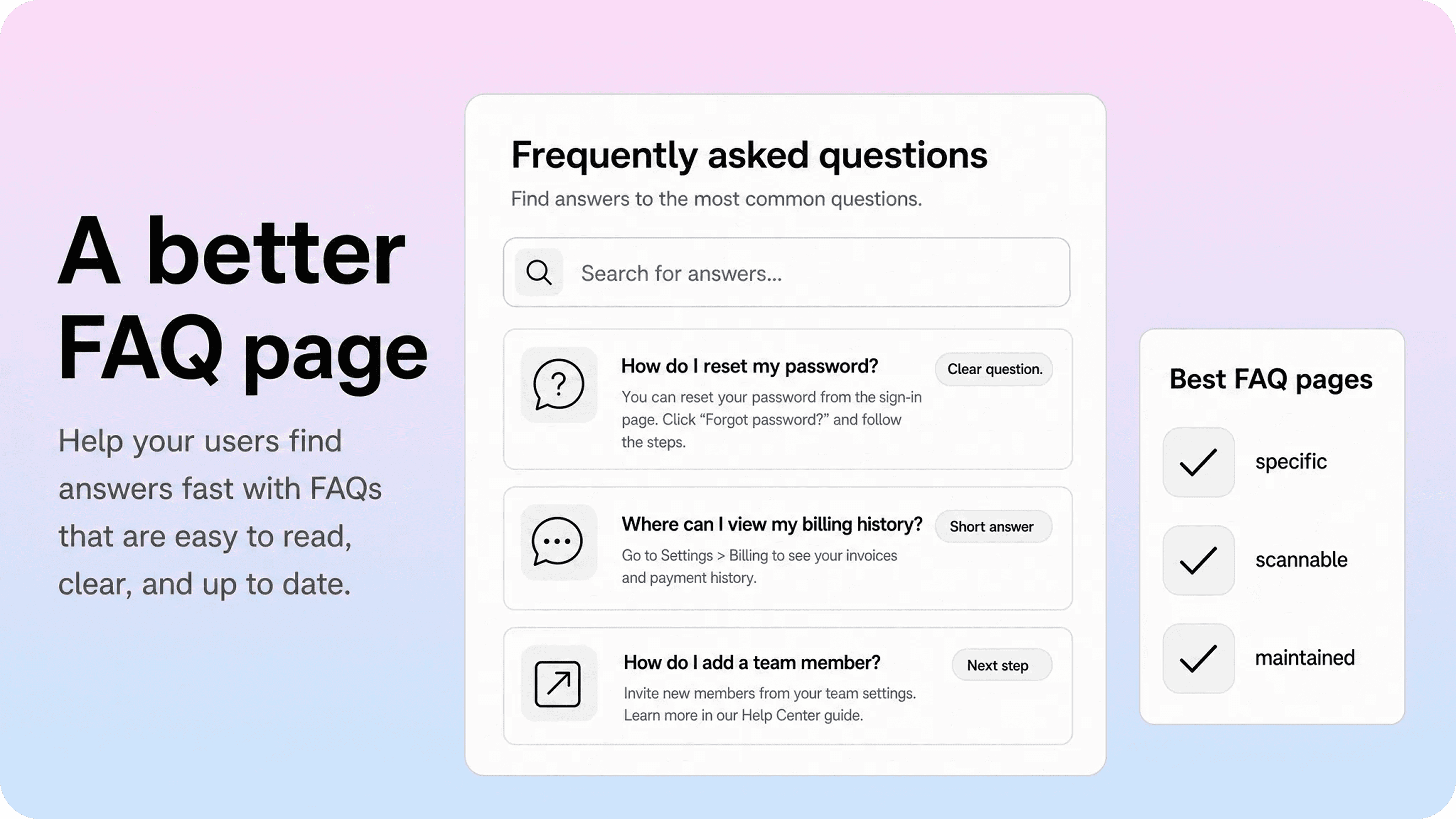
A FAQ page still has a place. It just needs a clear job. Use these FAQ page best practices when the format is right.
Make every question specific
Good FAQ questions sound like something a customer would actually ask.
Use:
“Can I cancel my plan anytime?”
“Do you support custom domains?”
“Does Helpview work with free Notion?”
Avoid vague questions like:
“What about billing?”
“How does it work?”
“Can you explain integrations?”
Specific questions help scanning. They also make it easier to decide when an answer has become too large for the FAQ format.
Answer quickly, then link deeper
Lead with the direct answer. If the topic needs more context, link to a full article.
Example:
“Only workspace admins can invite teammates. If you do not see the invite option, check your role or ask an admin to invite the new member. For steps, see Invite and manage teammates.”
That answer works because it gives the main point immediately and offers a next step without turning the FAQ into a long guide.
Keep one context per FAQ
A product homepage FAQ, pricing FAQ, and support FAQ should not all answer the same mix of questions.
Keep each FAQ tied to a clear context:
pricing page FAQ: plan, billing, cancellation, payment questions
product page FAQ: setup, fit, core features, basic requirements
help center FAQ: quick support questions that do not need full articles
This keeps the page from becoming a catch-all bucket.
Use customer language, not internal labels
A FAQ page should match how customers describe the question. If customers say “invoice,” use invoice. If they say “teammate,” do not hide the answer under “workspace member provisioning.”
This is good for readers and for site search. It also reduces the chance that support has to translate internal wording back into customer language.
The Nielsen Norman Group has long warned that FAQ pages should be used carefully because they can become a dumping ground for miscellaneous content. The practical lesson is simple: if the question does not belong together from the customer’s point of view, the FAQ is probably hiding an information architecture problem.
Review the FAQ on a schedule
A stale FAQ creates false confidence. Customers read an answer, try it, and then contact support because the product or policy changed.
Set a light review cadence:
review pricing and plan questions after every pricing change
review setup questions after major product changes
review support FAQ entries monthly if tickets keep repeating
remove questions that no longer matter
move growing answers into dedicated articles
The review does not need to be heavy. It just needs an owner.
Conclusion
A FAQ page is not a bad format. It is just a limited one.
Use a FAQ when customers need short answers to stable questions. Move to a help center when customers need search, categories, step-by-step articles, related links, and a maintenance loop. The moment support keeps repeating explanations that supposedly exist on the FAQ page, the page has stopped doing enough.
The best path is gradual. Shrink the FAQ back to quick answers. Turn repeated support questions into focused articles. Organize those articles around customer tasks. Then use search and ticket signals to keep improving the help center over time.
For teams already writing in Notion, Helpview makes that transition easier: keep managing content in Notion, then publish it as a structured, searchable help center customers can actually use.
Frequently asked questions
Is a FAQ page the same as a help center?
No. A FAQ page is usually a flat list of common questions and short answers. A help center is a structured support destination with search, categories, article pages, related links, and ongoing maintenance. A help center can include a FAQ section, but a FAQ page usually cannot replace a full help center once support questions become complex.
When is a FAQ page not enough for support?
Should you replace a FAQ with a help center?
What should stay on a FAQ page?
What are the most important FAQ page best practices?
Share article:

2 free months of Pro
Turn Notion pages into help center answers.
Keep writing in Notion and publish a real, searchable Notion help center.

Articles
Keep reading