Tips
Technical documentation examples: 7 patterns for clearer software docs

11 Min Read
The best technical documentation examples show how to organize complex product knowledge into clear, reader-focused pages that help users complete tasks, understand systems, find details, and solve problems. The goal is not to copy a large developer portal, but to apply the same useful patterns to your own product and team.
Share article:


What makes a technical documentation example useful?
A technical documentation example is worth studying when it helps the reader complete something difficult with less effort.
That might mean:
setting up a development environment
connecting an API
understanding a technical concept
configuring a feature
fixing an error
confirming how a specific option behaves
The documentation does not need to look complicated. In most cases, useful technical documentation feels simple because the difficult decisions have already been made by the writer.
A strong page quickly answers:
What will this article help me do?
Is this the correct page for my situation?
What do I need before starting?
Which steps should I follow?
How will I know it worked?
What should I do next?
This is why the best technical documentation examples are also examples of good UX. They use clear page types, predictable headings, visible navigation, searchable titles, accurate examples, useful warnings, and logical next actions.
7 technical documentation examples and what they teach
Technical documentation is easier to use when each page has a clear job.
A quickstart helps someone reach a first result. A how-to guide explains one task. A reference page provides exact technical details. A troubleshooting page helps a blocked user identify and resolve a problem.
These page types can live in one documentation system, but they should not all follow the same structure.
1. Setup documentation that starts with the user’s goal
Setup documentation is often the first technical experience a user has after creating an account.
A weak setup page explains the full product architecture before giving the reader anything useful to do. A strong setup page gives the reader a safe and direct route to a working result.
Stripe’s documentation is a useful example because it presents setup paths around goals such as accepting payments, creating subscriptions, configuring a customer portal, or preparing a development environment.
This approach works because setup documentation often serves several types of readers. A developer may need API keys and test data. A founder may want the simplest available integration. An operations team may need billing or account configuration.
The entry points should reflect those different goals.
What to borrow:
Start with the outcome the reader wants.
List prerequisites before the steps.
Separate the recommended setup from advanced options.
Explain how to test whether the setup worked.
Link to the next relevant guide.
A practical setup article can follow this structure:
What the setup enables
Who can complete it
What is required
Recommended setup steps
How to test the result
Common setup problems
Next steps
2. Task-based how-to documentation that stays focused
A how-to guide should help someone complete one specific task.
It should not try to be a product overview, concept explanation, configuration reference, and troubleshooting guide at the same time.
GitHub Docs is a useful example because content is divided into recognizable product and task areas such as authentication, repositories, organizations, pull requests, Actions, APIs, webhooks, and billing.
That broader structure allows individual pages to remain focused.
For example, a title such as “Configure notifications for a repository” is more useful than “Notification settings overview.” A reader can immediately tell whether the article matches the task they are trying to complete.
What to borrow:
Write titles around tasks and outcomes.
Give each article one primary purpose.
Put important context before the steps.
Use ordered lists when sequence matters.
Finish with the expected result.
Link to related tasks separately.
Focused how-to documentation is also easier for support teams to use. Instead of linking someone to a broad category page, the team can send one article that directly answers the customer’s question.
3. API reference documentation that separates facts from guidance
API reference documentation has a different purpose from tutorials and how-to guides.
A tutorial teaches the reader a path. A reference page helps the reader find an exact detail about authentication, endpoints, objects, parameters, responses, limits, versions, or errors.
Stripe’s API reference demonstrates this distinction clearly. General information such as authentication, response formats, base URLs, and testing behavior is separated from detailed information about individual resources and endpoints.
A strong API reference should be predictable. Developers may open the page while debugging an active request, so they should not have to read a long introduction before finding the relevant field or response.
What to borrow:
Keep API reference separate from onboarding tutorials.
Make authentication and base URLs easy to find.
Place request and response examples near the details they explain.
Use consistent field names and terminology.
Document errors and limits clearly.
Link to guides when additional context is needed.
If your software includes APIs, webhooks, integrations, or configuration files, avoid placing all technical details inside general help articles. Developers need reference pages that behave like reference pages.
4. Developer quickstarts that create early confidence
A developer quickstart should help the reader reach a working first result as quickly and safely as possible.
It is not the place to explain every architecture decision or optional configuration. It should provide the shortest realistic path from “I want to try this” to “I have something working.”
Docker Documentation is a helpful example because it separates getting-started content, guides, manuals, and reference documentation.
That separation supports different readers:
A new user needs a guided first experience.
A returning user may need a specific how-to guide.
An experienced user may only need reference information.
A useful quickstart normally includes:
what the reader will create or complete
what must be installed or configured
the minimum working steps
an expected output or success signal
one or two logical next steps
The main UX goal is to reduce hesitation.
When a reader must compare several setup approaches, understand the entire architecture, and choose between many optional settings before reaching a result, the quickstart has become too broad.
5. Concept documentation that explains how the system works
Not every technical page should contain step-by-step instructions.
Some articles need to explain the model behind a feature so readers can make better decisions across several tasks.
Concept documentation can be useful for topics such as:
user roles and permissions
environments
containers
rate limits
deployment models
authentication methods
billing logic
syncing behavior
The risk is that concept pages become vague essays without a clear purpose.
A strong concept article still has a practical structure. It defines the concept, explains why it matters, shows where it appears in the product, compares it with related concepts, and links to tasks where the knowledge can be applied.
What to borrow:
Start with a short definition.
Explain why the concept matters.
Use realistic examples.
Compare terms readers may confuse.
Connect the concept to actual product decisions.
Link to relevant setup and how-to guides.
A concept page should make future tasks easier. When the reader finishes, they should understand what decision to make or which guide to open next.
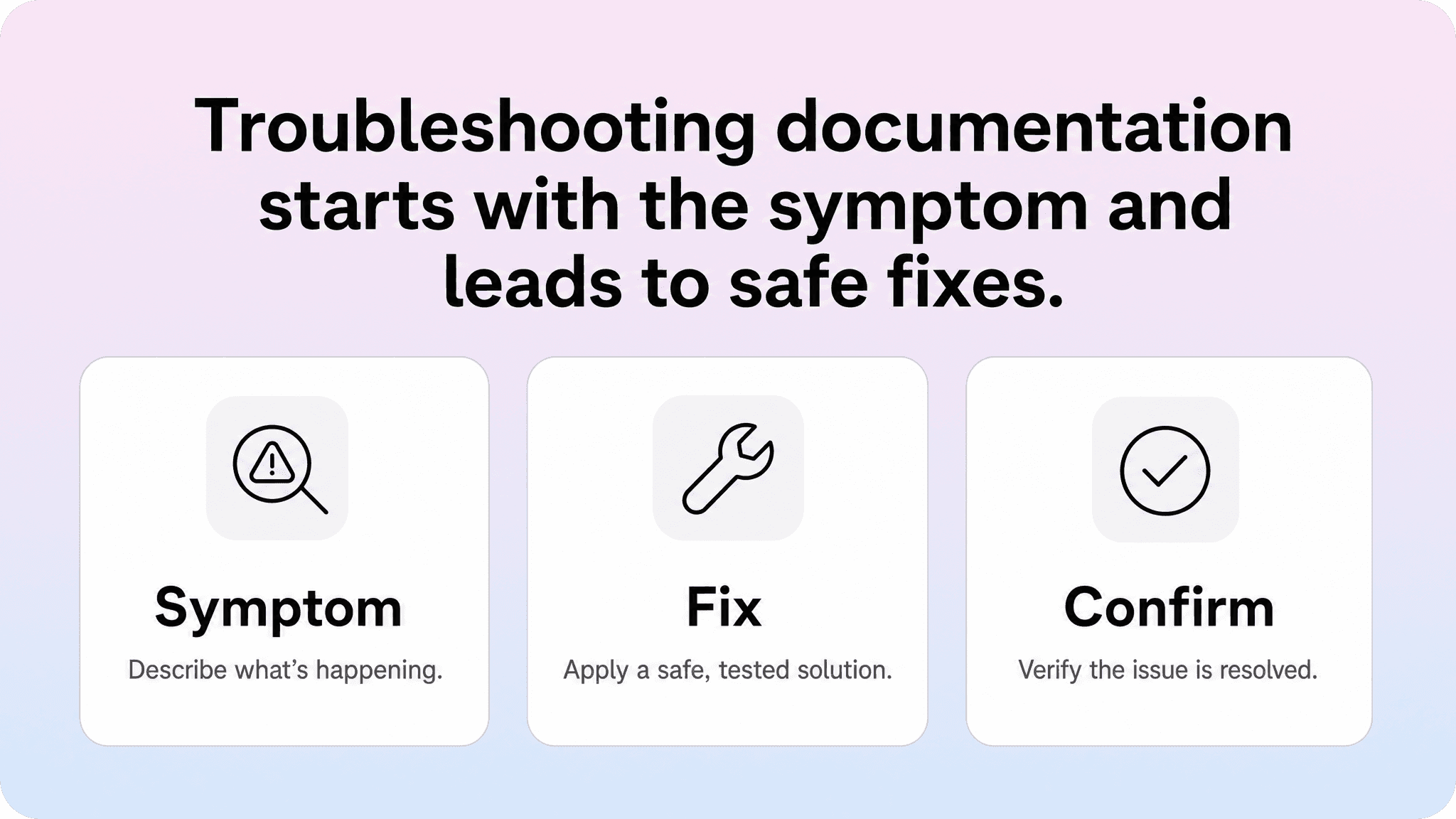
6. Troubleshooting documentation that starts with the symptom
Troubleshooting documentation is written for someone who is already blocked.
The reader usually does not want a long introduction. They want to recognize the problem, understand the likely cause, try a safe fix, and confirm that the issue is resolved.
A weak troubleshooting article begins with product background.
A stronger article begins with a specific symptom, such as:
Webhook returns a 401 error
Integration is not syncing new records
API request succeeds but returns no data
Users cannot access a private workspace
Deployment remains stuck in processing
Clear symptom-based titles also make troubleshooting pages easier to find through search.
A practical troubleshooting structure should include:
The visible symptom or error
Who or what is affected
The most likely causes
Safe checks the reader can perform
Recommended fixes
How to confirm the issue is resolved
What to do if the problem continues
Place image 2 here: Troubleshooting documentation flow
This format is especially useful for support teams because troubleshooting articles often answer urgent questions.
When the solution technically exists but is buried under background information, users are still likely to contact support. Starting with the symptom helps readers recognize that they have found the correct page.
For teams using Notion, troubleshooting articles should have their own template. Writers should not have to adapt a generic article format every time a new error or failed state needs to be documented.
7. Documentation standards that keep content consistent
Individual technical documentation examples are useful, but consistency is what makes a complete documentation system feel trustworthy.
When every page uses different terminology, title patterns, code formatting, and next-step sections, readers must learn a new structure each time they open an article.
The Google developer documentation style guide and Microsoft Writing Style Guide are useful references because they treat clarity and consistency as practical tools.
For most teams, internal documentation standards only need to cover a focused set of decisions:
approved product terminology
title and heading patterns
templates for each page type
code and command formatting
screenshot and image rules
internal linking rules
metadata requirements
article owner
review date
The most useful standards appear inside the writing workflow.
For teams that use Notion to manage those standards and templates, a Notion help center can keep the public documentation experience just as consistent without asking writers to work in a separate editor.
A separate style guide that nobody opens is unlikely to improve documentation. A Notion template with the correct fields, examples, prompts, and review information is much easier for writers to follow.
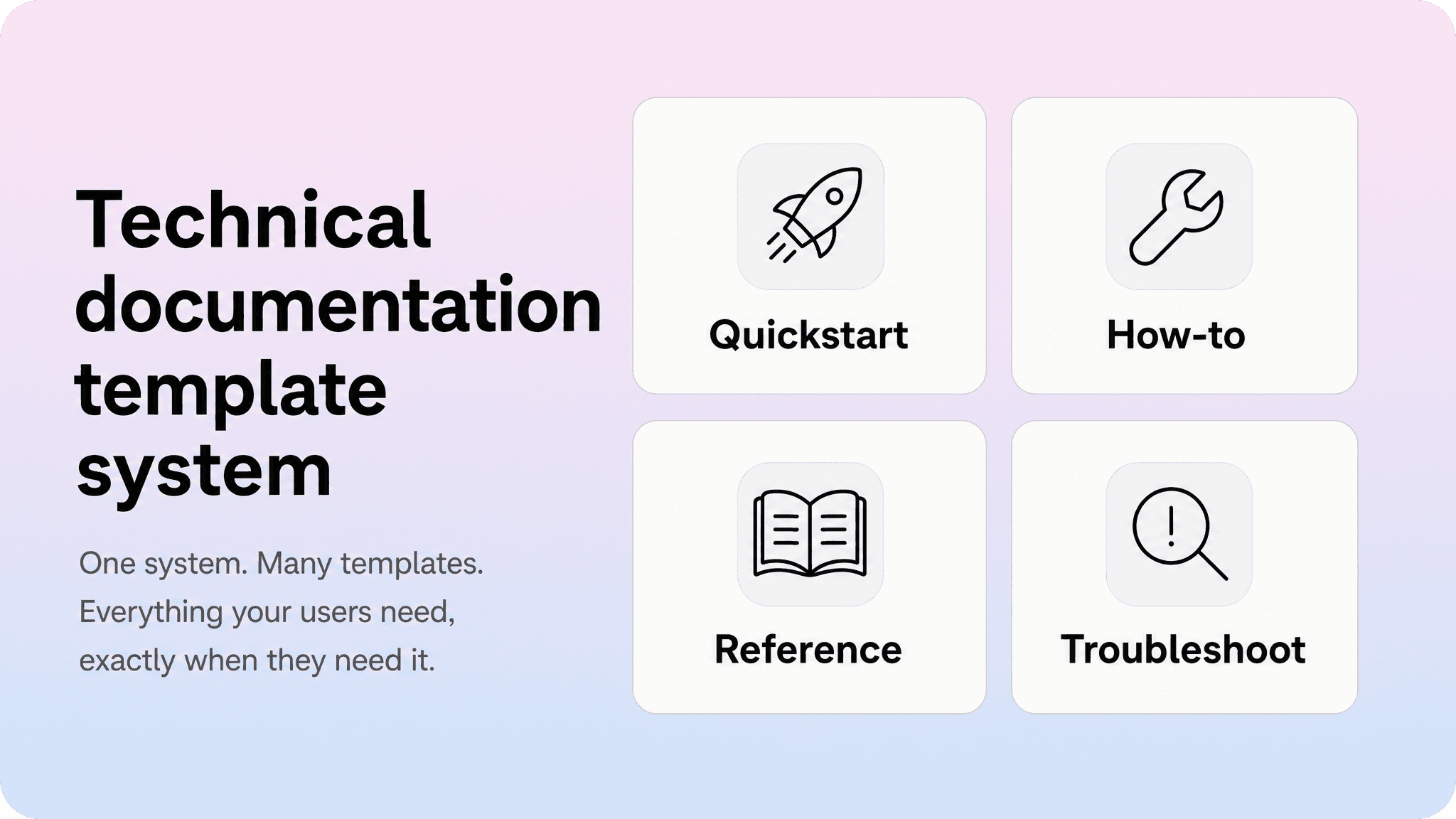
A technical documentation template you can reuse
One generic article template may be enough when documentation is small. As the content grows, teams normally need separate templates for at least:
quickstarts
how-to guides
reference pages
troubleshooting articles
Here is a practical template for a technical how-to guide:
Section | What to include |
|---|---|
Title | Describe the task or outcome using the reader’s language. |
Short introduction | Explain what the page helps the reader accomplish. |
Before you start | List permissions, tools, plans, versions, or API keys. |
Steps | Keep each step focused on one action. |
Expected result | Explain what should happen when the task succeeds. |
Common issues | Mention the most likely failure or link to troubleshooting. |
Related articles | Link to the next relevant guide or reference page. |
Owner and review date | Make maintenance part of the workflow. |
This structure gives writers enough guidance to produce consistent articles without making every page feel identical.
Other page types should use different structures.
Quickstart template
Goal
Prerequisites
Minimum working steps
Expected output
Next steps
Troubleshooting template
Symptom
Likely causes
Checks
Recommended fixes
Confirmation
Escalation
API reference template
Overview
Authentication
Base URL
Endpoint or object
Parameters
Request example
Response example
Errors
Limits
Related guides
Concept template
Definition
Why it matters
How it works
Examples
Related concepts
Practical next steps
A short technical documentation sample
Here is a compact example using the how-to structure.
Connect your workspace to the API sandbox
Use this guide when: you want to test API requests without changing live customer data.
Before you start: you need administrator access, a sandbox API key, and permission to create test records.
Steps:
Open your workspace settings.
Select Developer settings.
Copy the sandbox API key.
Add the key to your local environment variable.
Send a test request to the sandbox base URL.
Confirm that the response contains test data rather than live customer data.
Expected result: the request succeeds and creates or retrieves information only inside the sandbox environment.
If it does not work: confirm that you copied a sandbox key, check that the environment variable loaded correctly, and review the authentication error returned by the API.
Next articles: API authentication, sandbox limits, webhook testing, and API error reference.
The example is intentionally simple.
Technical documentation should not make a basic task feel more complicated than it is. The structure provides the necessary context, requirements, steps, expected result, failure path, and next action.
Technical documentation best practices from these examples
The examples above reveal several repeatable documentation practices.
Separate documentation by page type
Tutorials, quickstarts, how-to guides, concept articles, API references, and troubleshooting pages serve different reader needs.
The reader’s goal should determine the page format.
Write titles for search and recognition
Readers search using tasks, symptoms, objects, commands, and desired outcomes.
A clear title helps them choose the correct article before reading the page.
Put useful information early
Technical readers may be working under pressure.
A setup guide should show prerequisites quickly. A troubleshooting page should begin with the symptom. A reference page should expose exact technical details clearly.
Show readers when the task worked
Expected results, screenshots, sample responses, and confirmation steps reduce uncertainty.
Without a clear success signal, users may complete the instructions correctly and still contact support because they are unsure whether the task worked.
Connect related pages
A technical article should rarely become a dead end.
Quickstarts should link to deeper guides. How-to pages should link to related tasks. Reference pages should link to tutorials. Troubleshooting pages should link to related errors and escalation options.
Treat documentation as a product surface
Technical documentation becomes outdated when nobody clearly owns it.
Include owners, review dates, status fields, update prompts, and relevant changelog links inside the writing workflow.
How Helpview fits when technical documentation lives in Notion
Many software teams already write technical documentation in Notion because it is collaborative, flexible, and familiar.
That is a strong starting point, but a Notion workspace does not automatically become an effective customer-facing documentation experience.
As the documentation grows, readers need:
stronger search
clearer categories
cleaner navigation
branded presentation
related articles
a clear separation between internal and public content
Writers also need templates, owners, review dates, publishing statuses, and a reliable way to update public documentation.
A tool such as Helpview can keep Notion as the writing and collaboration layer while presenting the published content through a structured help center.
A practical technical documentation structure might include:
Getting started
Setup and configuration
How-to guides
Troubleshooting
API and integration documentation
Reference
Release notes
The goal is not to recreate a large developer portal.
The goal is to make technical documentation feel coherent, searchable, maintained, and easy to trust.
Conclusion
The best technical documentation examples are not useful because they contain the most information. They are useful because they reduce the reader’s effort.
They separate page types, use clear titles, show prerequisites, provide accurate examples, explain expected results, and guide readers toward the next action.
Your team does not need to copy Stripe, GitHub, Docker, Google, or Microsoft exactly. Instead, borrow the principles that make their documentation easier to use:
structure before volume
clarity before cleverness
focused pages
predictable templates
visible maintenance
When your team already writes in Notion, begin by defining the page types you need. Turn them into reusable templates, add ownership and review fields, and publish the customer-facing content through a help center that makes it easier to browse, search, and trust.
Frequently asked questions
What is a technical documentation example?
A technical documentation example is a sample or live page that shows how technical information can be structured for readers. Examples include setup guides, how-to articles, API references, troubleshooting pages, developer quickstarts, concept pages, and release notes.
What should a technical documentation template include?
What is the difference between a technical documentation sample and a technical document example?
What are the most important technical documentation best practices?
How should software technical documentation be organized?
Share article:

2 free months of Pro
Turn Notion pages into help center answers.
Keep writing in Notion and publish a real, searchable Notion help center.

Articles
Keep reading