Tips
Activation rate: how to define and measure user activation

13 Min Read
Activation rate shows how many new users reach a meaningful product milestone. Learn how to choose that milestone, calculate the rate consistently, and check whether it reflects value customers want to return for.
Share article:


Define activation around an observable customer outcome, with a clear event, eligible population, starting point, and time window.
Calculate activation rate using unique users or accounts from the same starting cohort, and give everyone the same opportunity to activate.
Validate the event against later core product use and customer feedback; a relationship with retention does not prove that forcing the event will improve retention.
Review activation alongside time to value, funnel drop-off, and later outcomes so easier milestones and changing signup quality do not disguise weak onboarding.
Activation rate shows how many new users reach a meaningful product milestone. Learn how to choose that milestone, calculate the rate consistently, and check whether it reflects value customers want to return for.
What activation rate measures
Activation rate is the percentage of eligible new users who complete a defined activation milestone within a specified period after starting. The milestone represents early evidence that the product is helping them do the job they signed up for.
For example, a reporting tool might count a new user as activated after they generate a usable report from their own data. Creating an account, connecting a data source, and opening the report builder are useful steps to track, but none necessarily proves that the user has obtained a result.
An activation event is an observable signal. The customer's realization that the product is useful is harder to capture directly. Interviews and feedback help you check whether the signal matches that experience. A completed event should be evidence of value rather than a convenient label for activity.
The rate also answers a different question from neighboring onboarding metrics. Onboarding completion measures progress through your chosen steps. Activation measures how many reach the defined milestone. Time to value measures how long the journey to a meaningful result takes. Retention checks whether people continue using the product later. A team can improve one of these while another deteriorates.
Choose an activation event that represents value
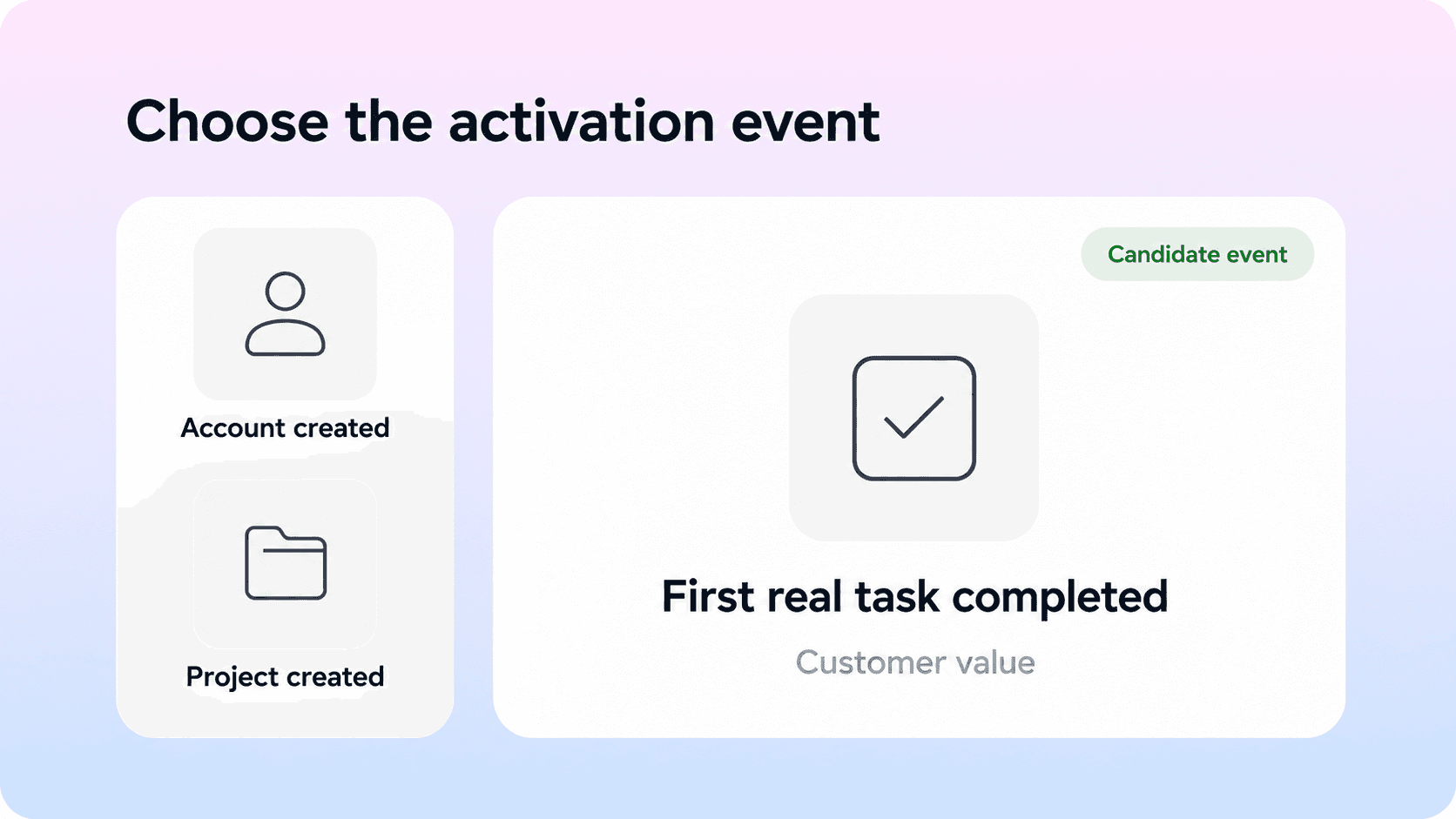
Start with the customer's goal and work backward to the earliest result that provides credible proof of progress. Ask what the user can now accomplish, what evidence confirms success, and whether the result depends on real customer data or a shared workflow.
Keep the milestone close enough to the beginning that it can guide onboarding decisions. A renewal is too late to diagnose first use. An email confirmation is usually too early to demonstrate the product's benefit. The right milestone sits where the user has accomplished something meaningful and still has a reason to continue.
Separate prerequisites from the result
Setup events explain where people get stuck. Your primary activation event should describe what successful setup enables. These hypothetical examples show the distinction; they are starting hypotheses for validation, not established definitions for every product.
Product | Setup milestone | Candidate activation event |
|---|---|---|
Reporting tool | Data source connected | First valid report generated from real data |
Team task app | Project created | First shared task completed by a team member |
Scheduling tool | Calendar connected | First real booking confirmed |
Help center tool | Content imported | Useful guide published and accessible to its intended audience |
Success conditions matter. A blank report, test booking, or automatically completed sample task can trigger activity without demonstrating the intended outcome. Specify how the event distinguishes a real result from a demonstration or failed attempt.
Choose the right unit of activation
Use a person as the unit when the outcome belongs to an individual. Use an account or workspace when multiple people contribute to a shared result. Label the metric accordingly: user activation rate and account activation rate have different denominators.
In a team product, one administrator may import data while a colleague completes the first useful workflow. If the account is the unit, both actions can contribute to one account milestone. If the person is the unit, the administrator's actions should not automatically activate every invited teammate.
Different roles may also need different paths. A workspace owner and an invited contributor can reach value through different actions. Define those paths explicitly and keep the segment results visible. Avoid creating a large collection of alternate events simply to make every action qualify.
Write the definition before building the dashboard
A practical definition might read: “A new self-serve workspace activates when a member completes one shared task using real workspace content within 168 elapsed hours of workspace creation.”
Then document the qualifying success state, identity used for counting, exclusions, timezone, and owner of the definition. If a sequence or threshold is required, state it precisely. “Three successful exports on distinct days” differs from “three export clicks.” Use the simplest rule that captures the outcome, and version it when the meaning changes.
How to calculate activation rate
The basic formula is:
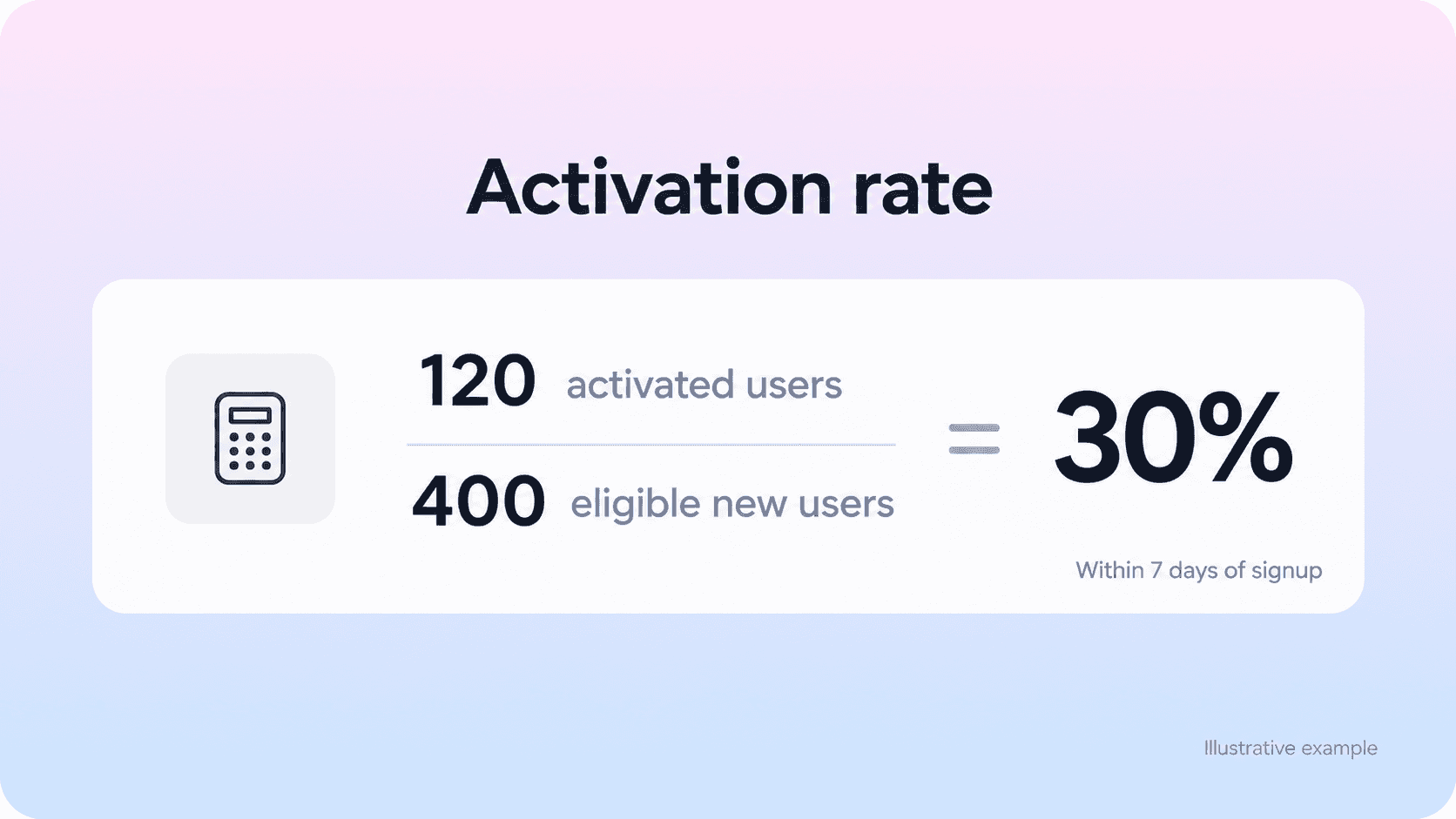
Activation rate = unique eligible users who activate within the window ÷ unique eligible new users in the starting cohort × 100
For account activation, replace users with accounts in both parts of the calculation. The numerator must be a subset of the denominator, with the same eligibility rules and starting cohort.
Suppose 400 eligible users sign up during a week. Once every user has had seven full days, 120 have reached the activation milestone within their individual window. The seven-day user activation rate is 120 ÷ 400 × 100 = 30%. These numbers illustrate the calculation and are not an industry benchmark.
Count each user once, even if they complete the event several times. A report based on 240 event occurrences from 120 people still has 120 activated users. Mixpanel's product-led growth guide uses the same basic relationship between users completing a key action and new users; the cohort and window rules make that formula usable in a real report.
Keep the overall rate distinct from conversion between individual steps. If 200 of the 400 users connect data and 120 activate, data connection to activation converts at 60%, while signup to activation remains 30%. Both numbers can help, but they describe different populations.
Give every cohort the same activation window
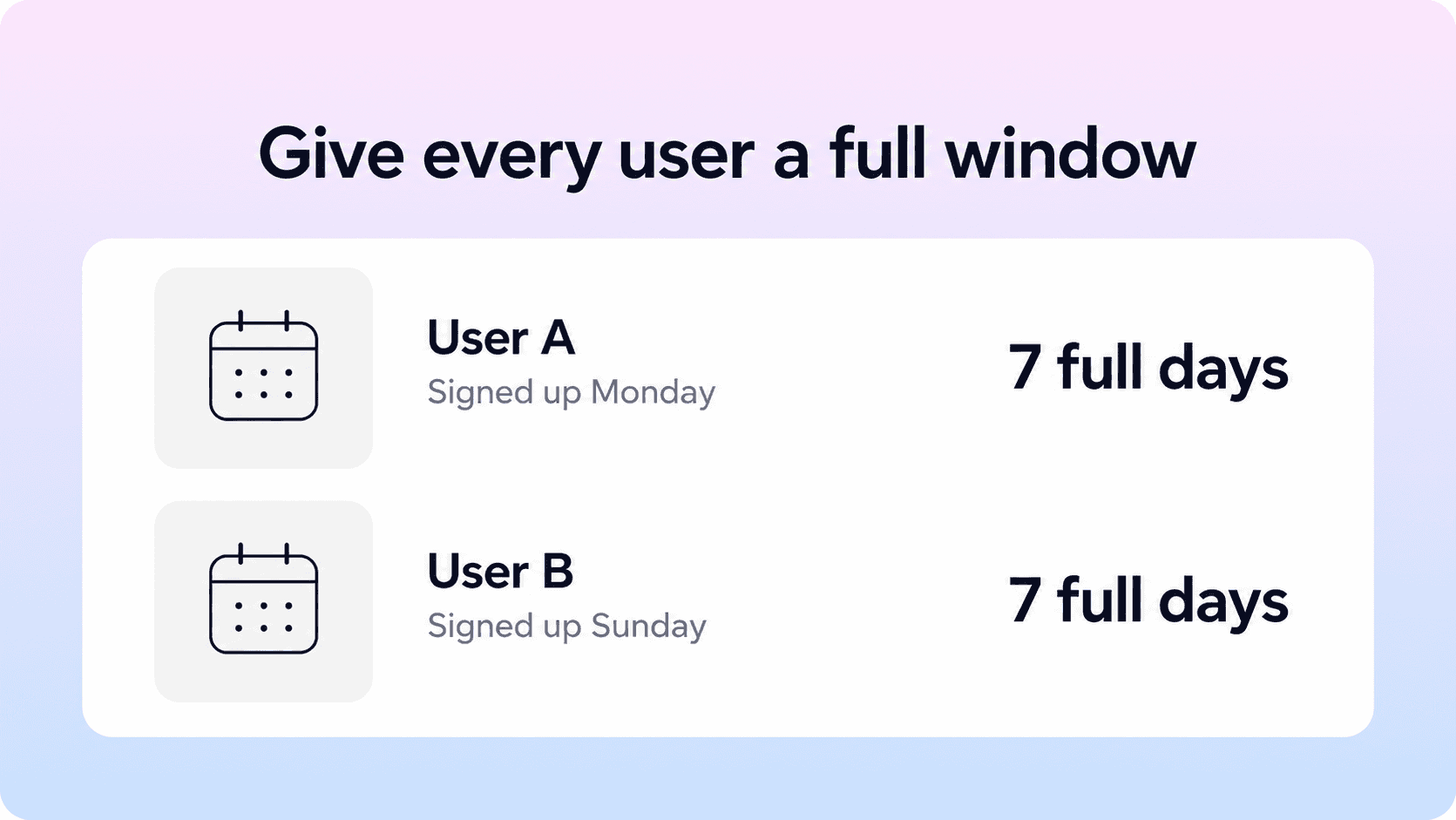
A starting cohort is the group of users who begin during a defined period, such as a signup week. An activation window is the amount of time each user has after their own start event. The reporting date does not replace that individual clock.
For a seven-day metric, a user who signs up on Monday gets seven full days, and a user who signs up on Sunday gets seven full days too. If you report the whole signup week on Sunday, the newest users have barely started. Present that cohort as provisional or wait until everyone's window has closed before comparing its final rate.
Use precise boundaries in the underlying query. For example, include qualifying events from the signup timestamp through, but not including, signup plus 168 hours. Store and compare timestamps consistently. State whether the report uses elapsed hours or calendar-day boundaries, because those conventions can produce different results.
Match the window to the product journey
A single session may be a useful early checkpoint for a simple tool. A product requiring an administrator, data migration, or several teammates may need a longer primary window. Choose the window from observed journeys and the onboarding decision you need to make, then keep it stable across comparisons.
You can report one-day, seven-day, and 30-day activation as separate views of the same milestone. A user who activates on day ten misses the seven-day target but can still count in the 30-day rate. This distinguishes delayed progress from failure to activate without rewriting the original result.
Analytics tools have their own funnel counting rules. Amplitude's funnel documentation explains how unique counts, entry events, filters, and conversion windows affect results. Verify those settings rather than assuming that every chart labeled activation applies your definition.
Keep eligibility independent of success
Exclude known staff, test accounts, and invalid duplicate identities using documented rules applied to both numerator and denominator. Keep genuine new users who abandon setup in the report. Removing them because they never imported data would turn a signup activation rate into a rate among users who already cleared a major hurdle.
If the product serves distinct audiences, define eligibility at the starting point where possible. For example, report invited contributors separately from new workspace owners. Keep records of exclusion changes so a cleaner database does not appear to be an onboarding improvement.
Check whether the event predicts continued use
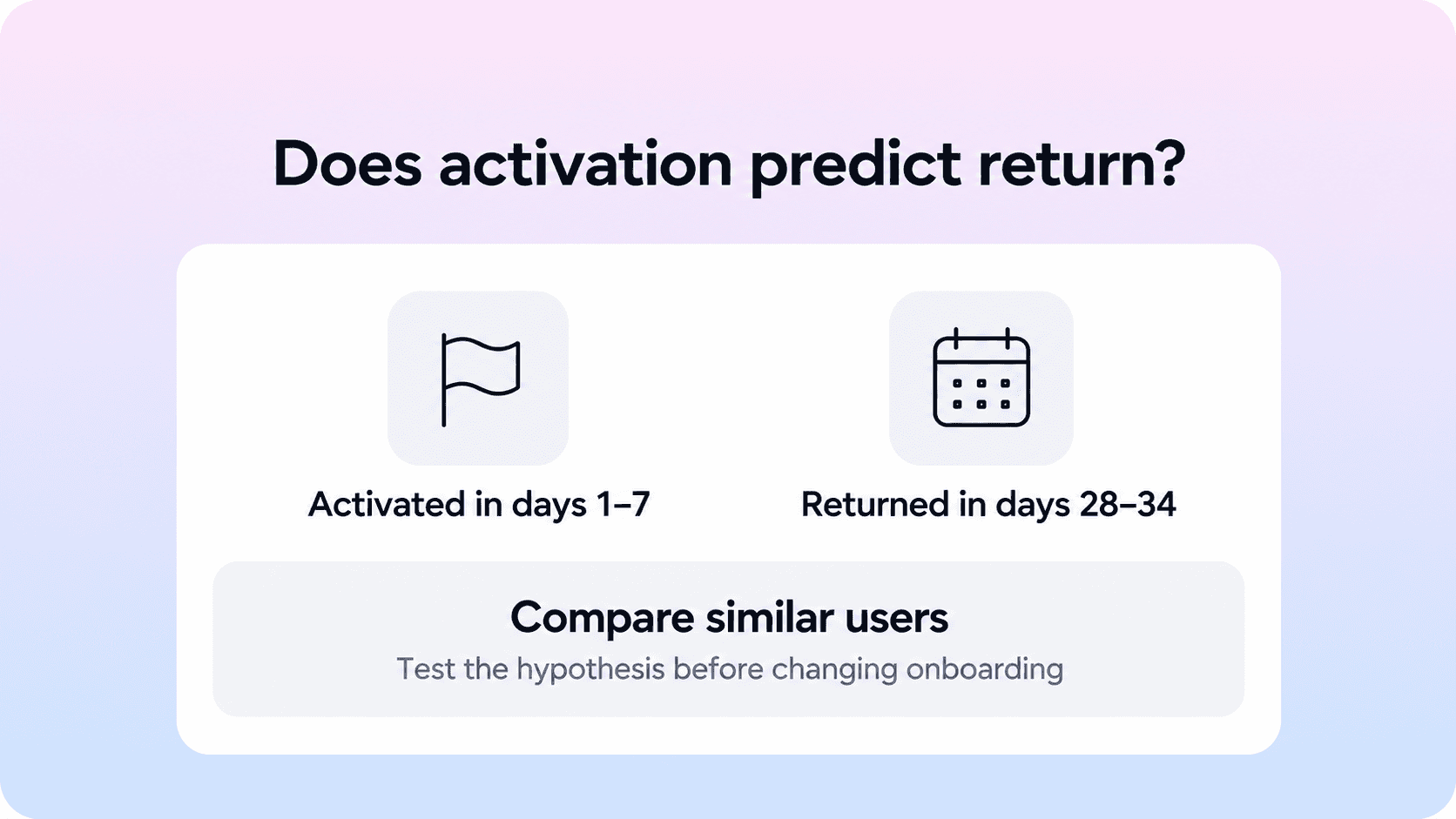
An event earns its place as an activation signal when it has a plausible connection to customer value and useful evidence behind it. Start with a small set of candidate behaviors, then compare what happens afterward. Amplitude's guide to new user activation describes using behavioral cohorts to investigate relationships between early actions and later retention.
Keep the observation windows separate. You might classify users by activation in the first seven days, then check whether they return to the core workflow during days 28–34 after signup. Define those boundaries consistently and include only cohorts old enough to complete both periods. Choose a return behavior that reflects ongoing value rather than any login.
Compare activated and nonactivated users within relevant segments, such as role, acquisition source, or account size. Users with stronger initial intent may both activate and return more often. The event could be a useful predictor while still failing to cause retention on its own.
For example, users who invite colleagues may retain better because they already have a committed team. Making everyone send an invitation will not necessarily reproduce that commitment. Use customer conversations to understand the mechanism, and test a specific onboarding change when feasible. A randomized experiment can provide stronger evidence of the change's effect than a simple before-and-after comparison.
Avoid selecting a threshold only because it looks strong in the same historical data used to discover it. Check the definition on a later cohort, show the number of users behind each rate, and treat small samples cautiously. If an elaborate rule adds little beyond a simpler event, keep the definition understandable.
Build an activation report your team can use
A weekly report should show the cohort size, activated count, rate, observation window, and whether the cohort is complete. Include the definition version and compare similar populations. Those details make a change in the percentage interpretable.
Review the following alongside the headline rate:
Time to the activation event among users who reach it, including the median and a longer-wait measure when the sample supports it.
The count of users still within their window and the count whose window closed without activation.
Conversion and elapsed time between the main setup stages.
Activation by role, acquisition source, use case, and account type where the breakdown can guide action.
Later core usage, paid conversion where relevant, and support problems after activation.
Time to value among successful users can fall simply because slower users stopped reaching value at all. Always read duration alongside the activation rate. Similarly, a higher overall rate may reflect a shift toward a segment that already activates well. Check segment rates before attributing the change to onboarding.
There is no single good activation rate that applies to every product. A 30% rate for a demanding shared workflow cannot be compared directly with 80% for finishing a tour. Establish your own baseline using a stable definition, then investigate changes in comparable cohorts. External benchmarks are useful only when the population, event, window, and counting unit are sufficiently aligned.
Verify the tracking before explaining a change
Check the events behind a sample of real journeys. Record the user or account identifier, event timestamp, success state, and properties needed to establish eligibility. Confirm that retries do not create extra activated identities and that a failed operation cannot trigger the success event.
Test a successful journey, an abandoned journey, and a user who completes the milestone just outside the window. For an account metric, include a journey involving two teammates. Reconcile the resulting records with what actually happened in the product before trusting the chart.
Late events and identity changes can revise earlier cohorts. Document how long you wait for delayed data, how anonymous activity joins an authenticated user, and how you handle duplicate accounts. If tracking breaks after a release, mark the affected period and repair the data where possible. A measurement outage needs a different explanation from an onboarding decline.
Improve activation without weakening the metric
Use the funnel to choose a specific problem. If users stop before connecting data, inspect permissions, import errors, and prerequisites. If setup succeeds but the first useful result does not happen, review defaults, empty states, and the explanation of the next action. Pair event data with a sample of support conversations or customer interviews so the proposed fix addresses an observed blocker.
The broader SaaS customer onboarding process gives these fixes a home. Defer optional configuration, make required handoffs clear, and guide each role toward its relevant outcome. Keep necessary security and quality checks in the path.
Help content should answer the question at the point where it blocks progress. A data import guide should explain prerequisites, supported input, likely errors, and what successful completion looks like. Helpview's guide to product documentation for SaaS users offers useful context for organizing guidance around tasks.
For teams writing those answers in Notion, a Notion help center can provide a shared place for customers to find setup and troubleshooting guidance. Review repeated onboarding questions and content gaps in your help center to decide which explanations need work. Article views indicate that guidance was opened; product outcomes show whether users progressed.
Choose one change with an owner and a measurable hypothesis. For example, clearer permission instructions might increase successful data connections, followed by more valid reports within seven days. Compare the affected segment and monitor later usage as well as the primary rate.
If the activation definition itself needs changing, record why and run the old and new versions together where possible. A rise caused by an easier threshold is a measurement change. Keep it separate from evidence that customers are getting more value.
Conclusion
Activation rate is useful when the milestone represents a real customer result and every eligible user gets a fair measurement window. Define the event and counting rules, calculate the rate within consistent starting cohorts, and test its connection to later product use. Then use the report to remove specific onboarding barriers while keeping customer outcomes visible.
Frequently asked questions
What is activation rate in SaaS?
Activation rate is the percentage of eligible new users or accounts that reach a defined product milestone within a specified period after starting. The milestone should provide early evidence of meaningful value. Always label the counting unit, starting event, and window so readers can interpret the percentage.
How do you calculate user activation rate?
How do you choose an activation event?
What is a good activation rate?
How is activation rate different from time to value?
Share article:

2 free months of Pro
Turn Notion pages into help center answers.
Keep writing in Notion and publish a real, searchable Notion help center.

Articles
Keep reading