Tips
External knowledge base: when public docs make sense

9 Min Read
An external knowledge base gives customers, prospects, and partners a public place to find answers without waiting for support. This guide explains when public docs make sense, what to include, what to keep private, and how to launch one without turning it into a giant documentation project.
Share article:


What is an external knowledge base?
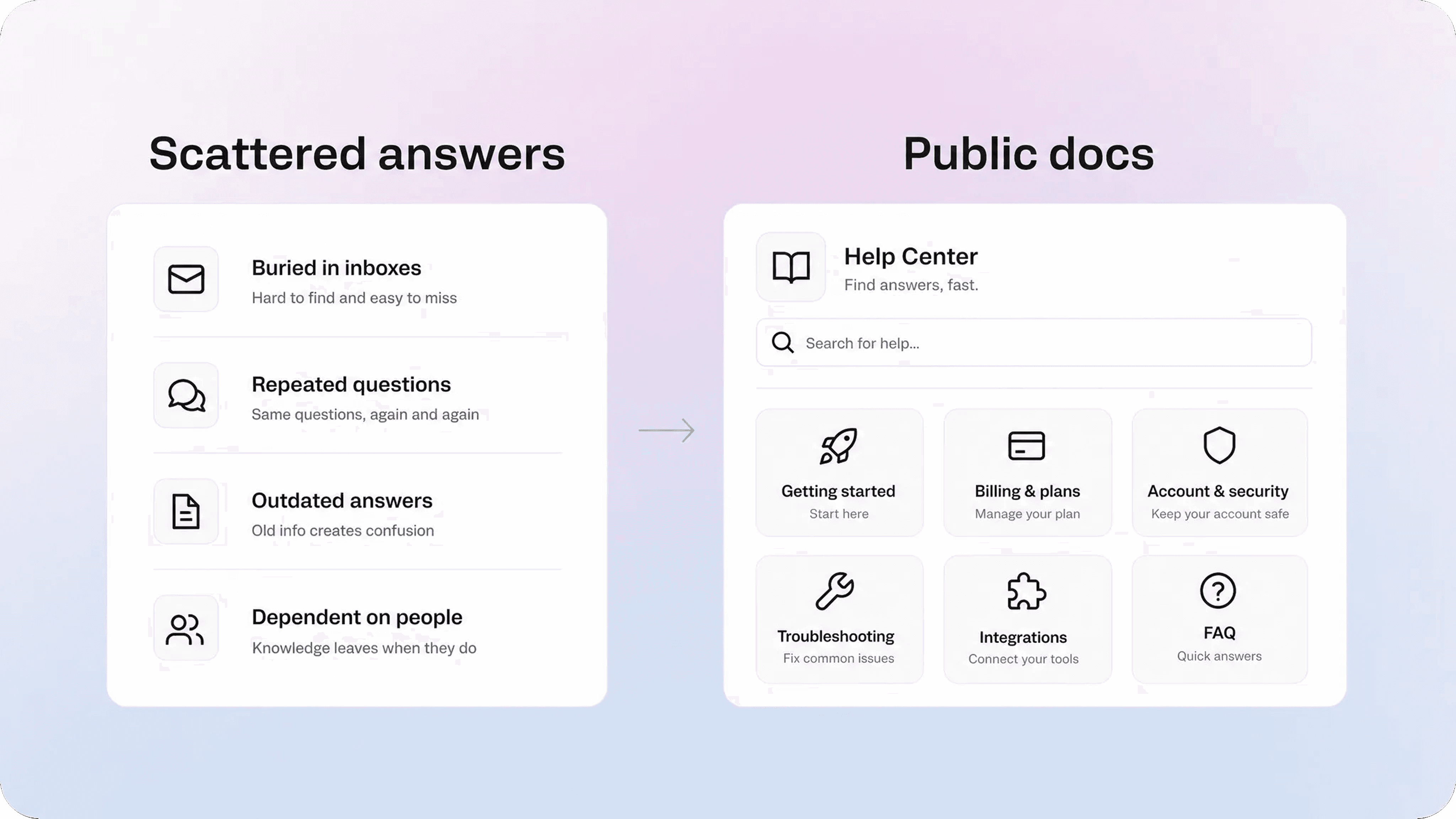
An external knowledge base is a customer-facing library of answers that people outside your company can use. It usually includes help articles, setup guides, troubleshooting steps, FAQs, policy pages, product documentation, and other support content that does not require a private conversation.
In simple terms, it is the public side of your knowledge system.
An internal knowledge base helps employees find company information. An external knowledge base helps customers and other outside readers find answers for themselves. That audience difference changes almost everything: the structure, tone, article scope, security rules, and quality bar.
Public knowledge base content needs to be easy to understand without internal context. A customer should not need to know your team names, project labels, ticket categories, or internal product language to use it. The article has to meet them at the problem they recognize.
For Helpview’s audience, this often means turning the help content already written in Notion into a cleaner public help center. The team keeps writing and editing in Notion, while the customer sees a polished, searchable, structured support experience.
If you want the broader foundation first, Helpview’s guide to what a knowledge base is explains the general concept. This article focuses on the external version: the part customers can actually use.
External knowledge base vs internal knowledge base
The clearest difference is the reader.
An internal knowledge base is written for your team. It can include company policies, support macros, technical runbooks, sales notes, onboarding docs, product decisions, and internal procedures. It can use more context because the reader already works inside the company.
An external knowledge base is written for people outside the company. It needs cleaner language, safer boundaries, and a more intentional experience. It is not just your internal docs with a public link.
Area | Internal knowledge base | External knowledge base |
|---|---|---|
Main reader | Employees and teammates | Customers, prospects, partners, or users |
Main goal | Help the team work consistently | Help outside readers solve problems |
Language | Can use internal context | Must be clear without internal context |
Content | Policies, runbooks, decisions, support notes | Guides, FAQs, troubleshooting, public documentation |
Access | Private or role-based | Public, gated, or customer-facing |
Risk | Confusion inside the team | Public trust, security, brand, and support impact |
Some content can start internally and later become external. For example, a support team might write a private answer for “how to change billing details,” then turn it into a public article once the process is stable. That is a healthy pattern. The internal version captures the answer. The external version turns it into something customers can safely use.
The mistake is publishing internal notes directly. Internal docs often include shortcuts, assumptions, customer-specific context, or messy language that works for teammates but creates friction for readers outside the company.
When public docs make sense
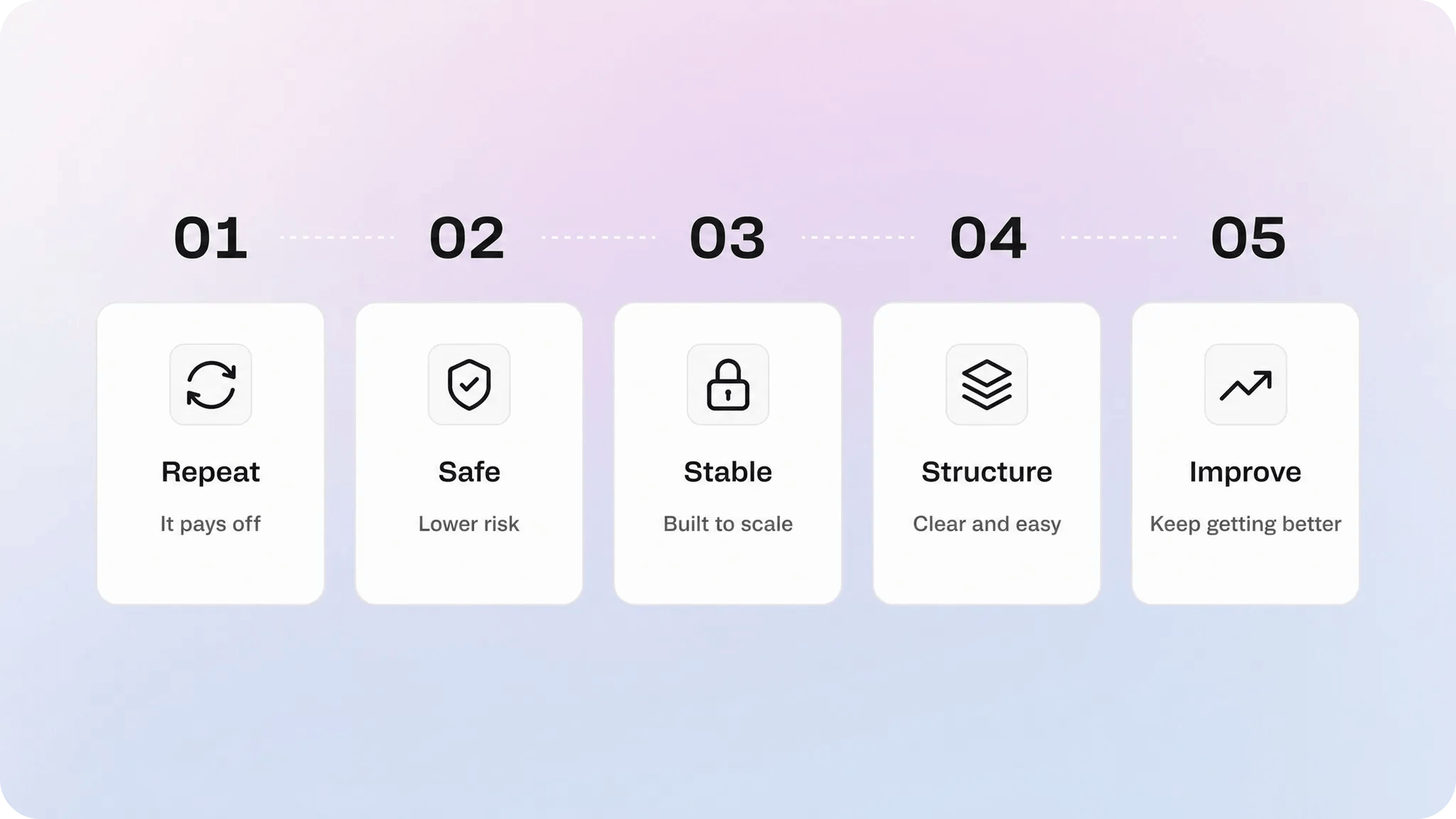
Public docs make sense when the answer is repeated, stable, useful, and safe.
That sounds simple, but it is a strong filter. A lot of support knowledge is valuable, but not all of it belongs in an external documentation layer.
1. Customers keep asking the same question
Repetition is the first signal. If the same question appears in tickets, chat, onboarding calls, sales handoffs, or customer success conversations, it probably deserves a reusable answer.
Common examples include:
how to set up an account
how to invite a teammate
how billing works
how to reset access
how to connect an integration
why something is not syncing
how a feature behaves
what a policy means
If your team can name the questions it answers every week, those questions are strong candidates for public documentation.
2. The answer is stable enough to publish
Public documentation does not need to be permanent, but it should not change every day. If the product flow, policy, or feature behavior is still shifting constantly, a public article may become stale before it helps anyone.
That does not mean you should wait forever. It means you should choose the stable parts first. A setup flow that has not changed in months is a better first article than a beta feature that changes twice a week.
A simple rule helps: publish the answers you are already comfortable repeating in support.
3. The customer can act without private context
An external knowledge base works best when the reader can use the answer without someone from your team interpreting their account, permissions, contract, logs, or history.
Good public docs explain general behavior and repeatable actions. They should help the reader decide what to do next, even if the final issue still needs support.
For example:
“How to update your billing email” is a strong public article.
“Why Acme Corp was charged twice in April” is not.
The first answer is reusable. The second is account-specific.
4. The topic reduces friction before support gets involved
Public documentation is especially useful when it improves the customer experience before a ticket starts. A good article can help someone finish setup, understand a limit, fix a common error, or gather the right details before contacting support.
That matters because the goal is not only ticket deflection. Good external docs also make assisted support better. Even when the customer still needs help, they arrive with more context and a clearer description of the problem.
Helpview’s article on customer self-service goes deeper on that wider support strategy. The external knowledge base is one of the main content layers that makes self-service work.
When public documentation is not the right move
Some answers should stay private, even if customers ask about them often.
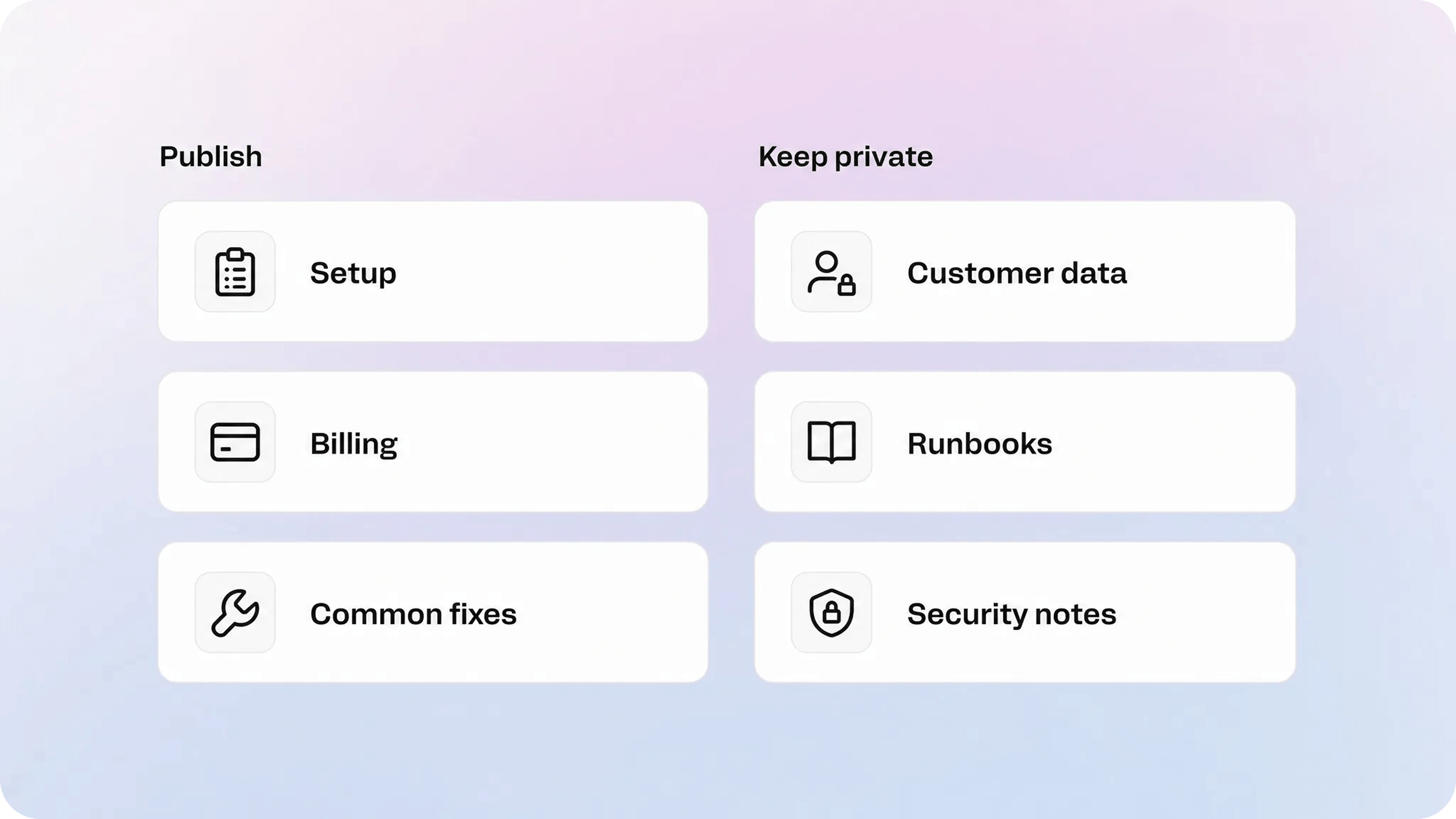
Do not publish content that exposes sensitive details, creates security risk, or depends heavily on private account context. Public docs should build trust, not leak your operating model.
Keep these out of public docs:
internal escalation paths
private customer examples
security-sensitive implementation details
unreleased roadmap details
internal troubleshooting runbooks
scripts, logs, keys, tokens, or diagnostic commands meant only for your team
account-specific billing or contract explanations
legal, medical, financial, or compliance advice that needs review
anything your team would not want indexed, shared, or quoted out of context
There is also a content-quality reason to wait. If your team cannot maintain the article, publishing it may create more support work later. Outdated public documentation is worse than no public documentation because it makes customers act on the wrong information.
The answer is not to avoid public docs. It is to publish deliberately. Start with safe, stable, repeatable topics, then expand as ownership and review habits improve.
What external documentation should include first
A strong external knowledge base does not need hundreds of articles. It needs the right first set.
Start with the content that helps customers make progress without asking your team to repeat itself.
Getting started guides
Getting started content helps new users reach the first useful outcome. These articles should be calm, linear, and specific. Avoid turning them into product tours.
Good examples:
Create your account
Set up your workspace
Invite your first teammate
Connect your first integration
Publish your first help article
Account and billing articles
Billing and account questions are often repetitive, time-sensitive, and frustrating when the answer is hard to find. They are strong public knowledge base candidates as long as the article stays general and does not expose private account details.
Good examples:
Update your billing email
Download an invoice
Change your password
Manage workspace members
Understand plan limits
Troubleshooting articles
Troubleshooting content should start with the symptom the customer sees. Do not title the article around an internal system name if users search for the visible problem.
Good examples:
Why is my integration not syncing?
Why did my invite email not arrive?
Why can’t I access this page?
What to do if search results look incomplete
Policy and limit explanations
Some support questions happen because customers do not understand a policy, plan rule, or product limit. Public docs can reduce confusion if they explain the rule plainly and point to the next step.
Good examples:
How storage limits work
What happens when a trial ends
How refunds are handled
Which roles can publish changes
Integration and API docs
For technical products, external docs often include integration setup, API references, authentication guidance, webhook behavior, and error handling. This content needs extra care because it can become security-sensitive or highly technical quickly.
Keep the public layer focused on what users need to implement safely. Keep internal debugging notes separate.
How to structure a public knowledge base
A public knowledge base should be organized around the reader’s task, not your company’s org chart.
Customers do not think in departments. They think in problems:
I need to get started.
I need to fix access.
I need to understand billing.
I need to connect a tool.
I need to troubleshoot something that broke.
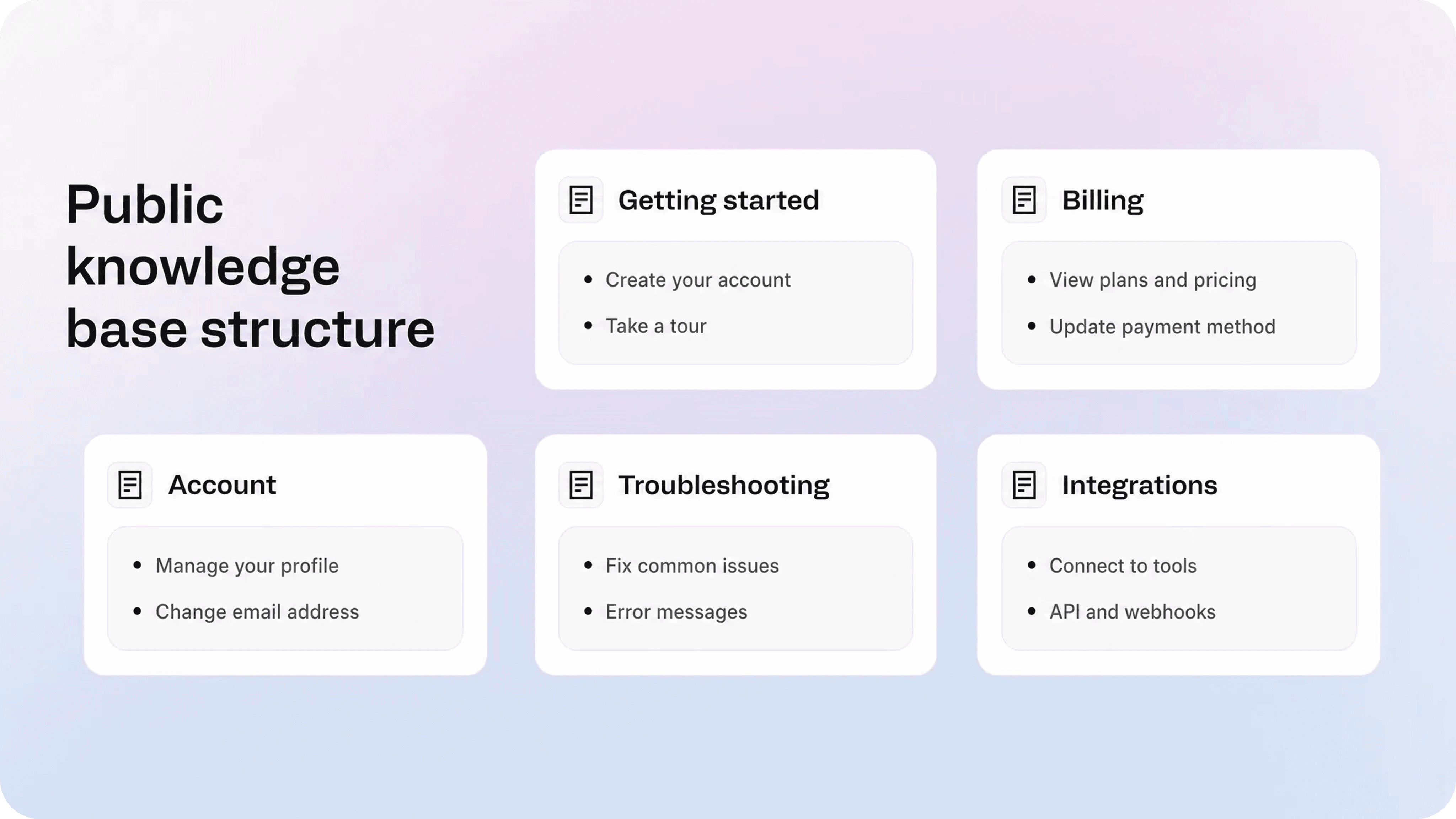
That is why simple categories usually beat clever ones. A small team can often start with five or six categories:
Getting started
Account and billing
Using the product
Integrations
Troubleshooting
Policies and limits
From there, article titles should be specific and action-oriented. “Update your billing email” is stronger than “Billing settings.” “Fix a failed sync” is stronger than “Sync overview.” The title should sound like something a customer would search for.
Each article should also do one job. If a page tries to explain setup, billing, permissions, troubleshooting, and advanced configuration at once, it becomes hard to scan and hard to maintain. Split articles when the reader’s intent changes.
For article-level consistency, Helpview’s knowledge base template guide is a useful next step. Structure matters both across the whole help center and inside each article.
Public docs should still have a support path
An external knowledge base should make common answers easier to find, but it should not trap people.
Some issues need a human. Some customers will not find the right article. Some problems will be too specific for public documentation. A strong public help experience makes escalation obvious when self-service is not enough.
That can mean:
a contact link at the end of sensitive troubleshooting articles
a help widget inside the product
a support form that asks for the right context
related articles that move the reader to the next likely step
clear language about when to contact support
This is where public documentation and support operations need to work together. The article should reduce unnecessary contact, but the path to contact should still feel respectful and easy when the article is not enough.
A public knowledge base is not a wall between customers and your team. It is a better first path.
How to launch external docs without overbuilding
Step 1: collect real questions
Do not start from a blank content calendar. Start from the questions customers already ask.
Look at:
recent support tickets
chat transcripts
onboarding notes
sales objections
product analytics
zero-result search terms if you have them
repeated Slack or internal support questions
Pick the topics that are frequent, safe, and solvable.
Step 2: choose the first 10 to 20 articles
Your first version should not try to document everything. It should cover the questions that already cost time.
A practical first set might include:
three getting started articles
three account or billing articles
three troubleshooting articles
two policy or limit articles
a few product usage articles
That is enough to create a useful public base without waiting months.
Step 3: write for the outside reader
External docs need plain language. Avoid internal labels, unexplained feature names, vague titles, and long setup stories.
A good article usually follows this shape:
State what the article helps with.
Explain any important context.
Give the steps or answer.
Show what success looks like.
Link to the next useful article or support path.
Style guides like the Google developer documentation style guide and GOV.UK content design guidance are useful references because they push toward clear, reader-first documentation. You do not need to copy their voice, but the principles are worth borrowing.
Step 4: publish through a proper help experience
A pile of public pages is not the same as a public knowledge base. The customer-facing layer needs search, categories, readable article pages, metadata, and a layout that feels trustworthy.
For Notion-first teams, Helpview provides a branded Notion help center that keeps Notion as the writing layer while giving customers a cleaner place to search, browse, and use your public documentation.
That is different from simply sharing raw Notion pages. Helpview keeps Notion as the writing layer and improves the external docs layer customers actually use.
Step 5: assign owners and review dates
Public docs need ownership. Every article should have someone responsible for keeping it accurate, even if multiple people contribute.
At minimum, track:
article owner
topic category
last reviewed date
next review date
product area
status
Review cadence does not need to be complicated. Fast-changing setup or billing articles may need monthly checks. Stable policy pages may only need quarterly reviews. The important part is that review is part of the system, not an emergency cleanup after customers complain.
How to know your external knowledge base is working
A public knowledge base is working when customers find useful answers and your team learns from the gaps.
Useful signals include:
repeated tickets decrease for documented topics
customers reach relevant articles from search
support agents link to articles instead of rewriting answers
zero-result searches reveal missing content
article updates happen before information becomes stale
customers contact support with better context after reading docs
Do not judge success only by traffic. A high-traffic article may be useful, or it may mean users are confused. A low-traffic article may still be essential if it prevents a painful support issue for the right audience.
The best external documentation systems create a loop: customer questions inform articles, articles reduce friction, search behavior reveals gaps, and the team improves the knowledge base over time.
That loop is more important than launching with a perfect library.
Conclusion
An external knowledge base makes sense when customers need repeatable answers that are safe, stable, and useful outside a private support conversation. It should not be a public dump of internal notes. It should be a customer-facing help system with clear categories, task-based articles, strong search, and a maintenance rhythm.
Start with the questions your team already answers every week. Publish the ones customers can safely solve themselves. Keep private context private. Then improve the public docs as your product, support team, and customer needs grow.
For Notion-first teams, the strongest setup is often simple: keep writing in Notion, then use Helpview to turn those docs into a polished external knowledge base customers can actually search, browse, and trust.
Frequently asked questions
What is external knowledge base content?
External knowledge base content is help content written for people outside your company. It can include setup guides, public documentation, troubleshooting articles, FAQs, billing explanations, policy pages, integration guides, and other customer-facing answers.
What is the difference between an external knowledge base and a public knowledge base?
When should a company create public docs?
What should not go in external docs?
Are external docs good for SEO?
Share article:

2 free months of Pro
Turn Notion pages into help center answers.
Keep writing in Notion and publish a real, searchable Notion help center.

Articles
Keep reading